The inspection is not complete when the form is submitted
An inspector completes a checklist. The photos stay on a phone. A supervisor approves the fix in chat. Someone creates the work order later. When the audit arrives, the team rebuilds one inspection from four systems.
Latch Workflow keeps the recurring schedule, form, photos, review, plugin action, upstream result, and ticket audit trail together. Each handoff leaves evidence while the work is happening.
Cooling pump vibration check
Plant 2 · Pump P-17 · 20 Aug 2026
Prepared by A. Mensah. Waiting for an independent maintenance reviewer.
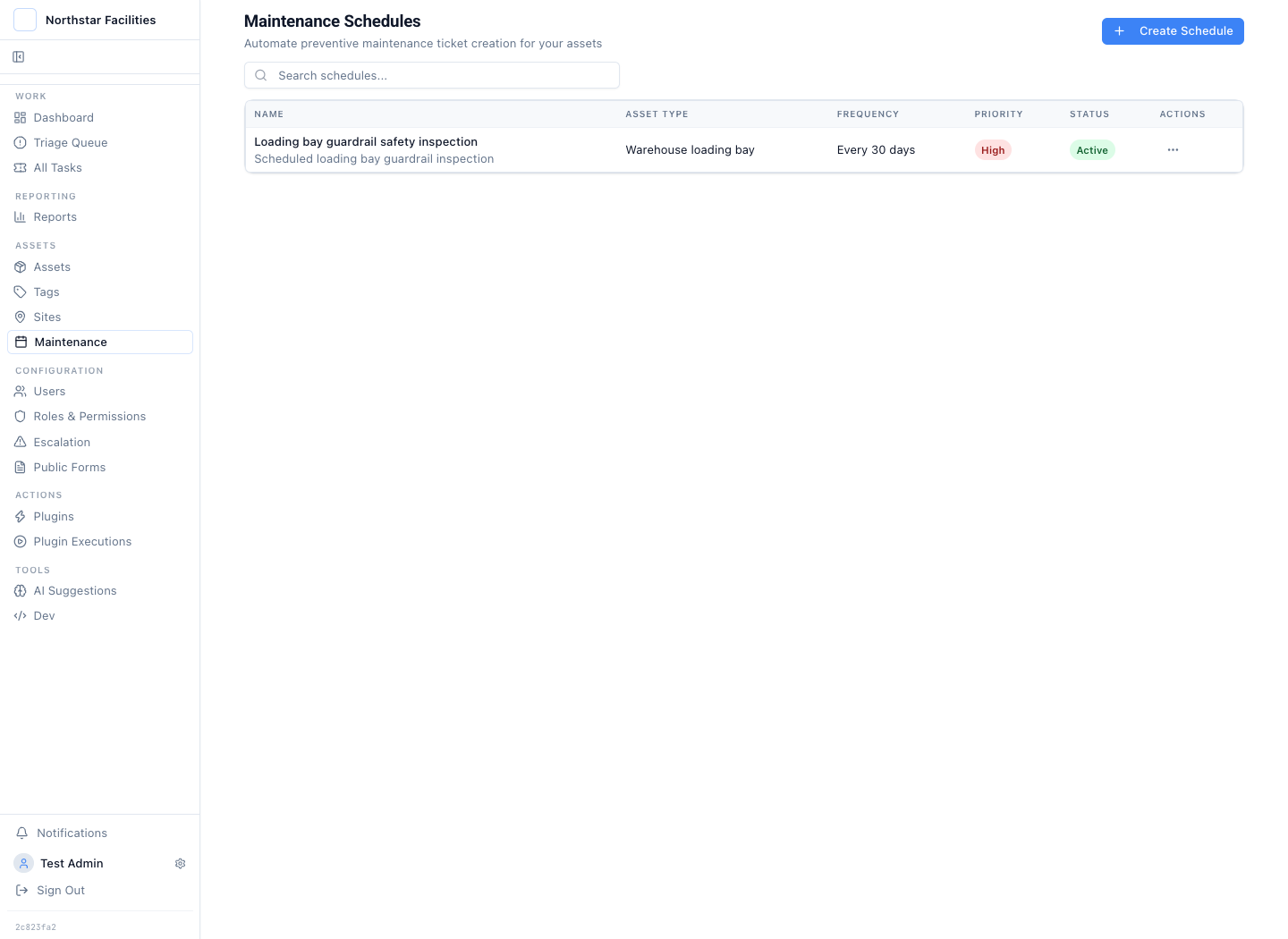
Create the next inspection before someone has to remember it
A loading-bay guardrail check runs every 30 days. The schedule targets the warehouse loading-bay asset type and creates a high-priority ticket with the Safety inspection classification.
The schedule starts the work. The form and governed fields still decide which evidence must be captured before the record can move forward.
Follow one inspection from required evidence to upstream proof
The control does not sit in one approval screen. It starts with what the inspector must capture and ends with what the upstream system returned.
Recurring inspections create the next record
Set the asset type, inspection classification, frequency, priority, and ticket title. The schedule creates the next inspection ticket at the expected interval.
The inspection starts with required evidence
Use a form with text, number, date, select, checkbox, image, and file fields. Mark the evidence that must be present before the inspection record can move forward.
An operator reviews the record in the queue
The submission becomes a ticket with the answers, photos, files, site or asset context, owner, status, notes, and prior changes attached.
Sensitive actions stop for an independent reviewer
Maker-checker blocks the person who prepared a plugin action from approving it. The reviewer sees the stored request and supporting ticket evidence before deciding.
The approved plugin action reaches the upstream system
A plugin can create corrective work, update an equipment record, or call an internal API. The request, returned result, failure, and timing write back to the ticket.
The ticket and the report answer different audit questions
The ticket shows the evidence and decision path for one inspection. Reports group activity for sampling and can be downloaded as PDF or Excel without becoming a second approval ledger.
A checklist without supporting evidence is still a weak record
Required structured fields make inspection results comparable. Notes explain what happened on this visit. Images, video, and files support the physical observation.
The same ticket can hold asset and site context, the inspector's update, required completion data, and the media captured in the field.
See the field evidence walkthrough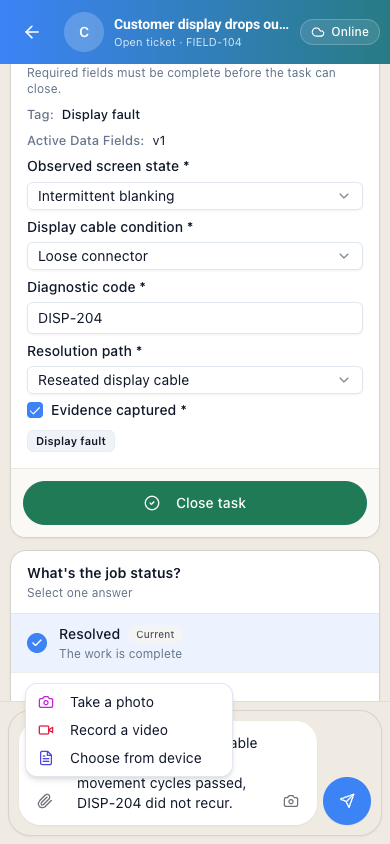
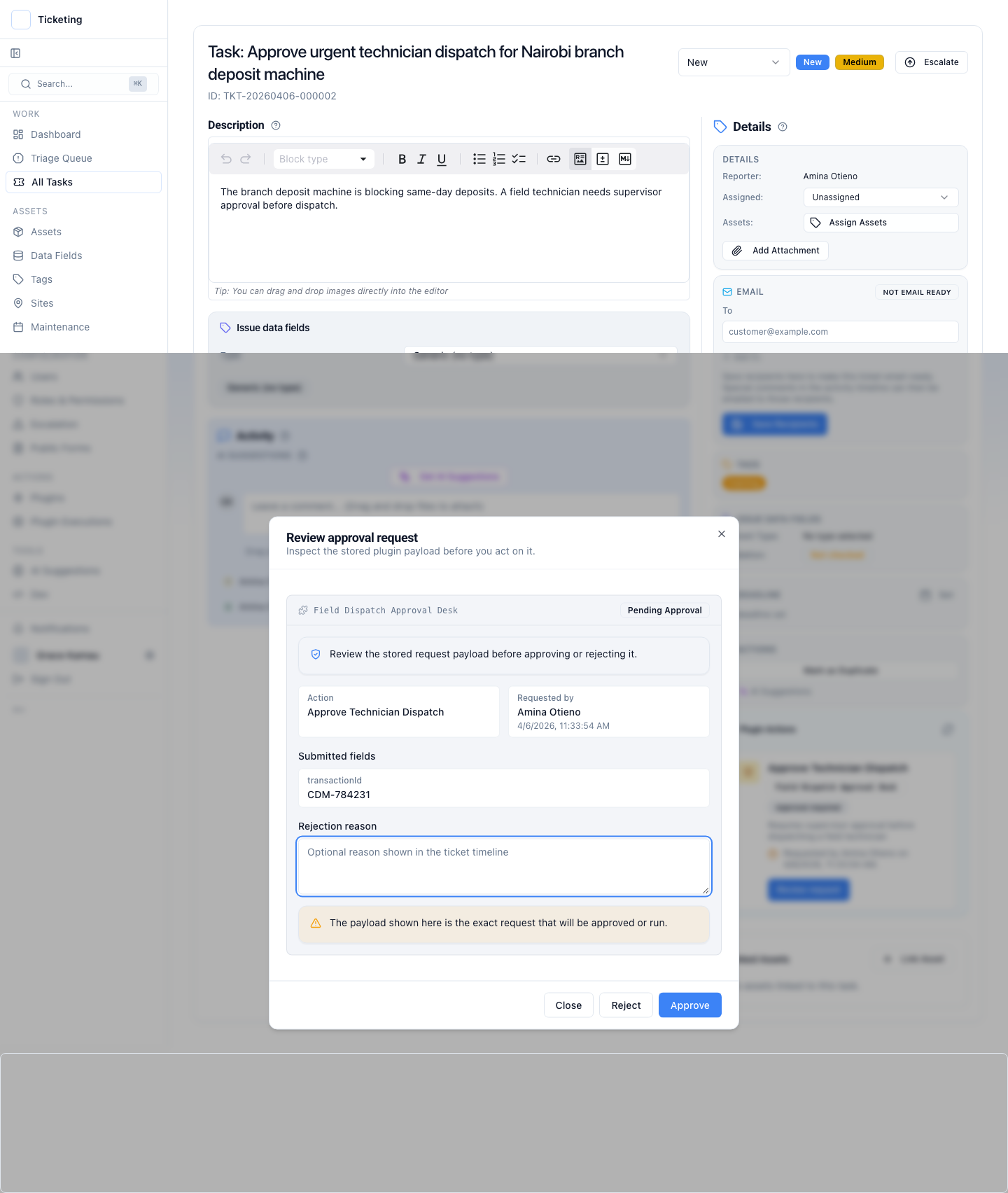
Gate each sensitive handoff instead of claiming one approval covers the workflow
An inspection can lead to more than one consequential action. A corrective work request, a return-to-service update, and an exception closure can each be separate plugin actions with separate maker-checker records.
Each gate records who prepared the request, who reviewed it, what payload they saw, and what happened next. If the ticket changes while approval is pending, the request can be superseded so the old decision does not silently apply to new evidence.
Latch enforces one independent reviewer per gated plugin action. It does not present one action as an arbitrary serial, parallel, or n-of-m approval matrix. Teams that need that exact model should test it in the workflow review.
Use the same control pattern without flattening every inspection into the same form
The required evidence changes by workflow. The operating pattern stays stable: capture, review, approve where needed, trigger, and preserve the result.
Safety and EHS inspections
Record the observed hazard, severity, location, photos, and immediate controls. Put the corrective action behind a named reviewer before a plugin opens work in the system your maintenance team already uses.
Quality and incoming-goods checks
Keep measurements, checklist answers, defect images, disposition notes, and reviewer identity on one ticket. Send an approved hold, release, or follow-up request to the relevant upstream system through a plugin you control.
Facilities and equipment inspections
Tie the inspection to a site or asset, preserve the condition evidence, and trigger corrective work after review. Repeat faults remain visible in reports that drill back to the contributing tickets.
Supplier and process audits
Capture findings in structured fields, attach supporting files, assign remediation work, and keep each approval and downstream result on the same operating record.
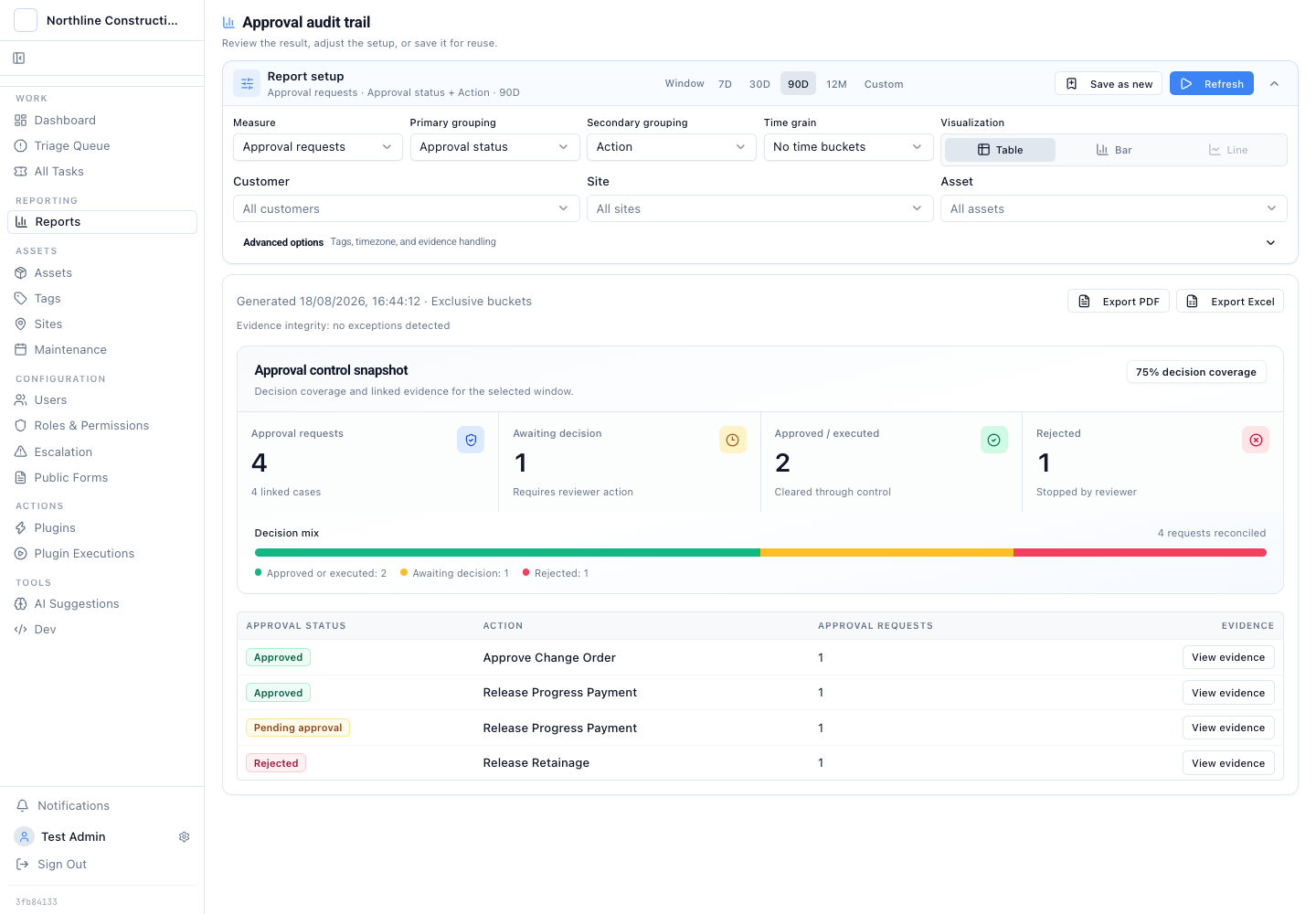
The portfolio report is an index into the inspection evidence
A report can group approval requests by status, action, requester, approver, provider, or time. Operational reports can group governed inspection fields and keep missing values visible.
Download the result as PDF or Excel for sampling and handoff. The ticket remains the source record because it holds the photos, field values, notes, decisions, and plugin execution underneath the aggregate.
The inspection needs to produce action and proof
Latch fits when inspections create operational work, some downstream actions need independent review, and a reviewer must be able to trace an aggregate result back to the evidence on one ticket.
The team only needs a standalone checklist
If every inspection ends at form submission and no queue, review, upstream action, or ticket-level evidence is required, a dedicated form tool is the smaller system. Latch earns its place when the submission starts controlled work.
Inspect the control at each boundary
The inspection use case combines several product surfaces. These pages explain the individual contracts.
Questions about inspection controls and evidence
The product boundary matters most where forms, approvals, external systems, and audit evidence meet.
Can inspections run on a recurring schedule?
Yes. A maintenance schedule can create inspection tickets for an asset type at a fixed interval. The schedule sets the classification, field template, priority, and ticket title. The resulting ticket then follows the same evidence, review, plugin, and reporting path as an inspection submitted through a form.
What can an inspection form capture?
Latch forms support text, long text, email, phone, number, date, select, checkbox, image, and file fields. Fields can be required, and a form can allow several supporting attachments. A submission creates a ticket so the evidence enters the operating workflow instead of stopping in a form-response table.
Can one inspection have more than one approval point?
Yes. An inspection ticket can carry several plugin actions, and each sensitive action can have its own stored maker-checker request, reviewer, decision, and execution result. The built-in gate enforces one independent reviewer for each action. It is not an arbitrary serial or n-of-m quorum engine for one action.
What happens if the inspection changes after approval is requested?
By default, a pending request is superseded when the ticket version changes. The reviewer does not unknowingly approve a request against evidence that has since been edited. The team submits a fresh approval request against the current record.
How does Latch trigger an upstream system?
A plugin lists the actions available for the current ticket and runs the selected action against an ERP, CMMS, QMS, internal API, CLI, or another programmatic interface. Permissions and any approval gate run first. The request and returned outcome then write back to the ticket.
Does this replace a CMMS, EAM, or QMS?
Usually not. Latch holds the inspection evidence, review path, and controlled handoff. The specialist system can remain the source of truth for work orders, equipment state, inventory, or quality records. A plugin connects the approved decision to that system.
Can inspection evidence be exported?
Reporting results can be downloaded as PDF or Excel. The export is useful for sampling, review, and handoff. The linked ticket, its attachments, approval request, and plugin execution remain the source evidence.
Is the audit trail the same as a legal archive?
No. Latch keeps an append-only operating history of ticket changes, evidence, approval events, and plugin execution. Teams should still apply their own backup, retention, legal-hold, and storage controls to the deployment and its attachment store.
Follow one real inspection from capture to upstream result
Bring the checklist, the evidence requirement, the approval points, and the system that should receive the approved action. The walkthrough should produce a fit or no-fit answer on that workflow.