A small support team needs a clear next step for every issue.
A customer emails about a failed checkout, then calls for an update. An operator adds a note from the call to the ticket. The team can see who owns the fix and which new issues still need triage.
See the field staffing screens ↓See a support request move through Latch.
Email and form intake, a named owner, notes and replies on the ticket, SLA targets, escalation, and closure feedback.
The queue, ticket, SLA, and escalation panels are an illustrative sample. The SLA report, SLA targets, and customer satisfaction screens are from the product with sample data.
See the people and workload behind field support.
When a support issue needs a site visit, the lead can inspect open work, recurring hours, and expected field task demand. These are real Latch screens using sample field operations data.
The staffing views are for field engineers. They do not schedule contact center shifts, measure live phone coverage, or compare required staff with available shift capacity.
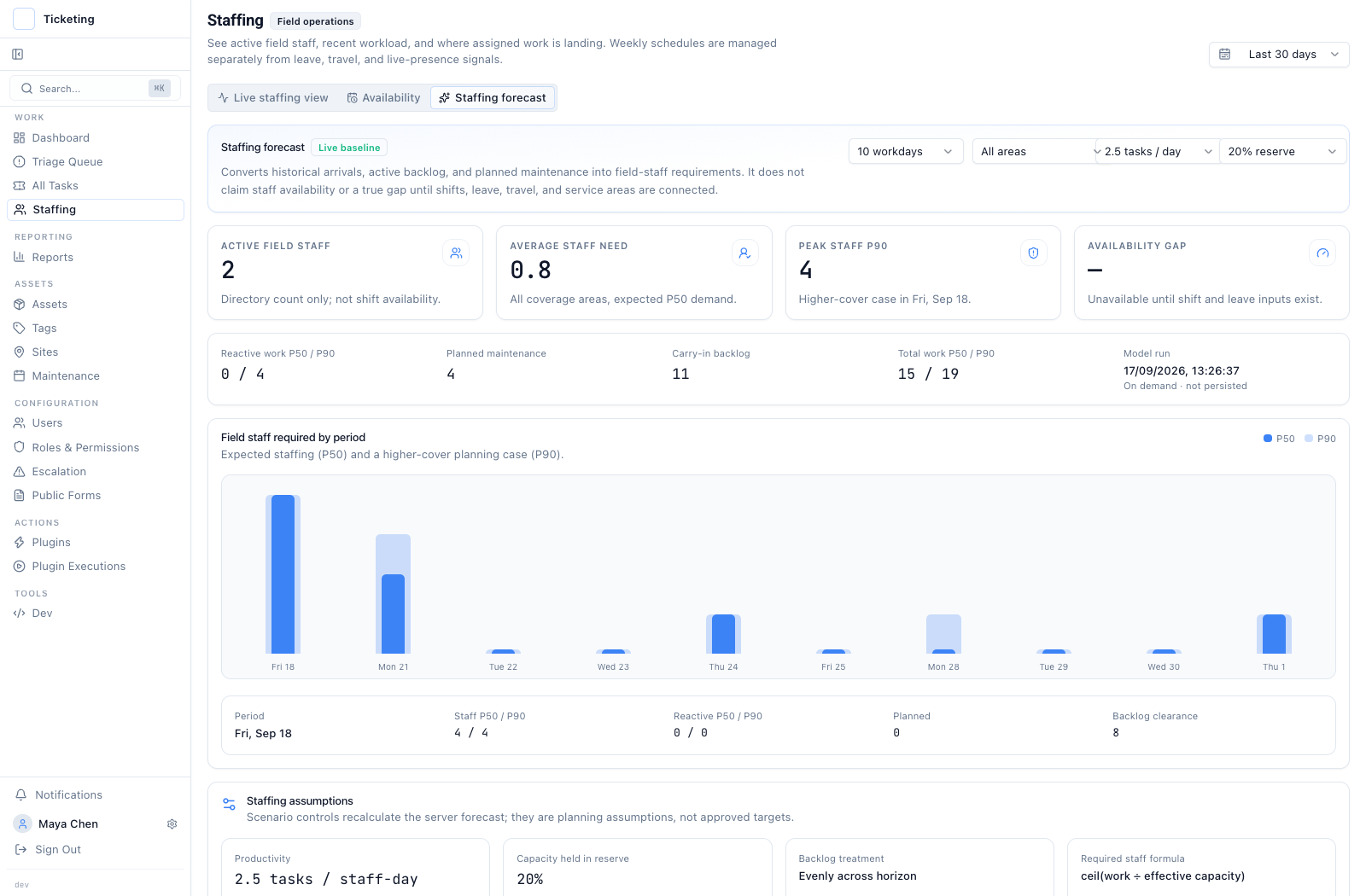
Plan around incoming work and backlog.
The on-demand forecast combines historical arrivals, open work, and planned maintenance. Its staffing scenarios are planning inputs, not a live coverage calculation.
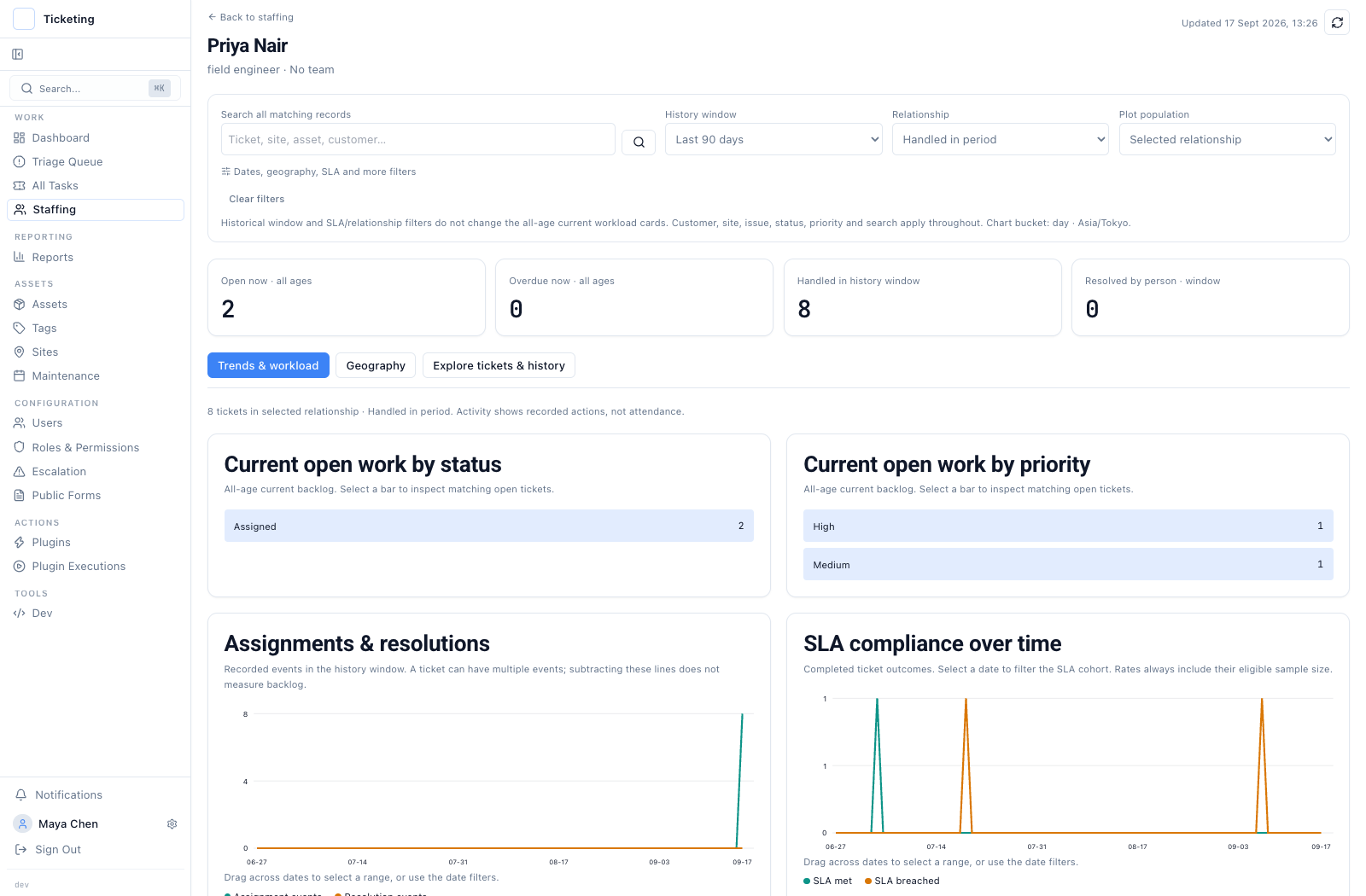
See current work beside ticket history.
Open tickets, recent assignments, and recorded outcomes help a lead understand the work attached to one person.
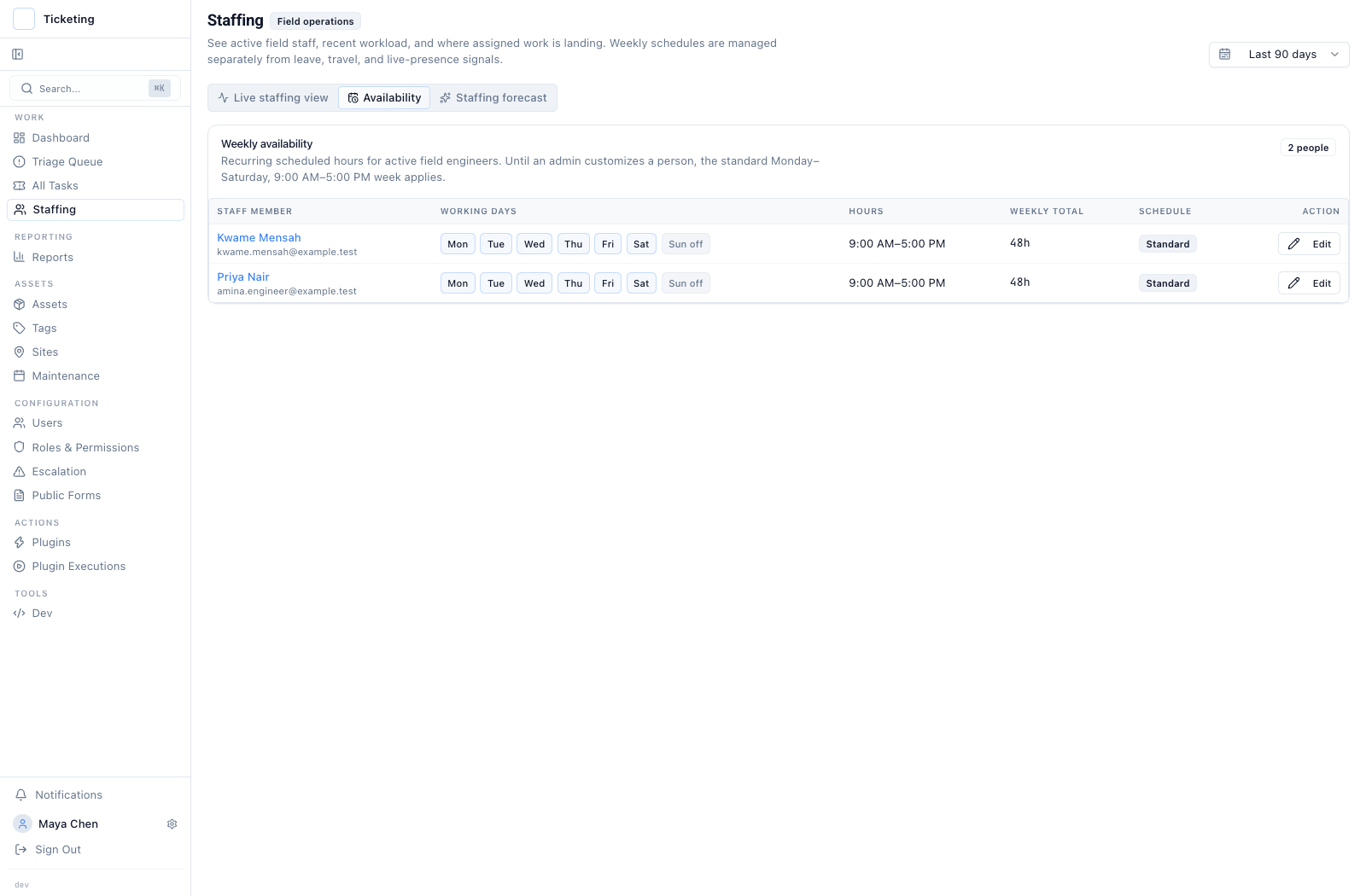
Record recurring days and hours.
Weekly schedules are visible beside the field roster. They are separate from leave, travel, and live presence.
Screens show sample field operations records. Open any screen to inspect it at full size.
See missed deadlines and work at risk.
Configure response and resolution targets, with an option to count working hours only. Then use the SLA Report to see attainment, breaches, and work approaching its deadline.
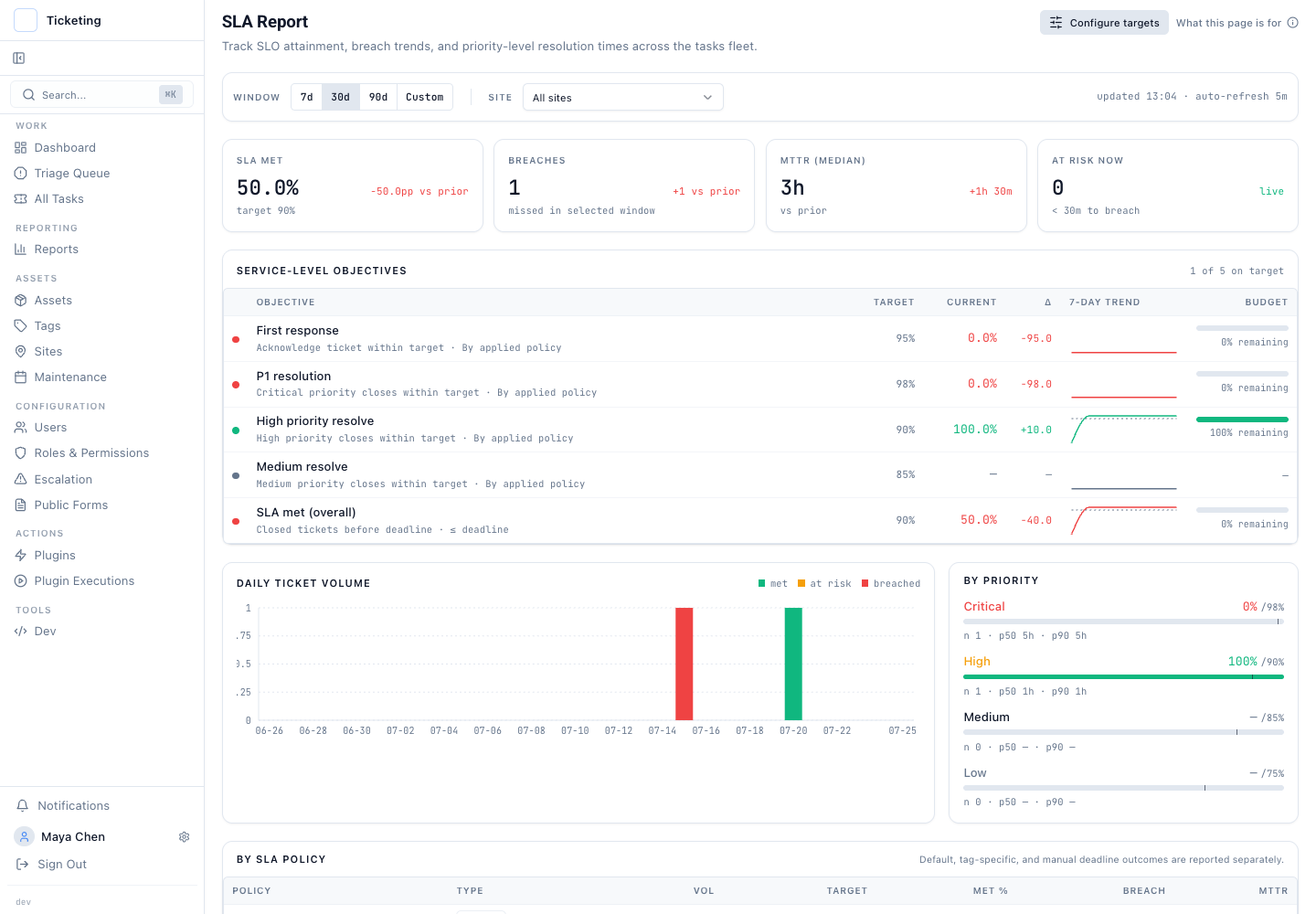
Read the service level picture in one view.
Review the target met rate, breach count, at-risk work, and results by priority in one report.
- Which targets are being met?
- Which tickets are at risk now?
- Where are breaches showing up?
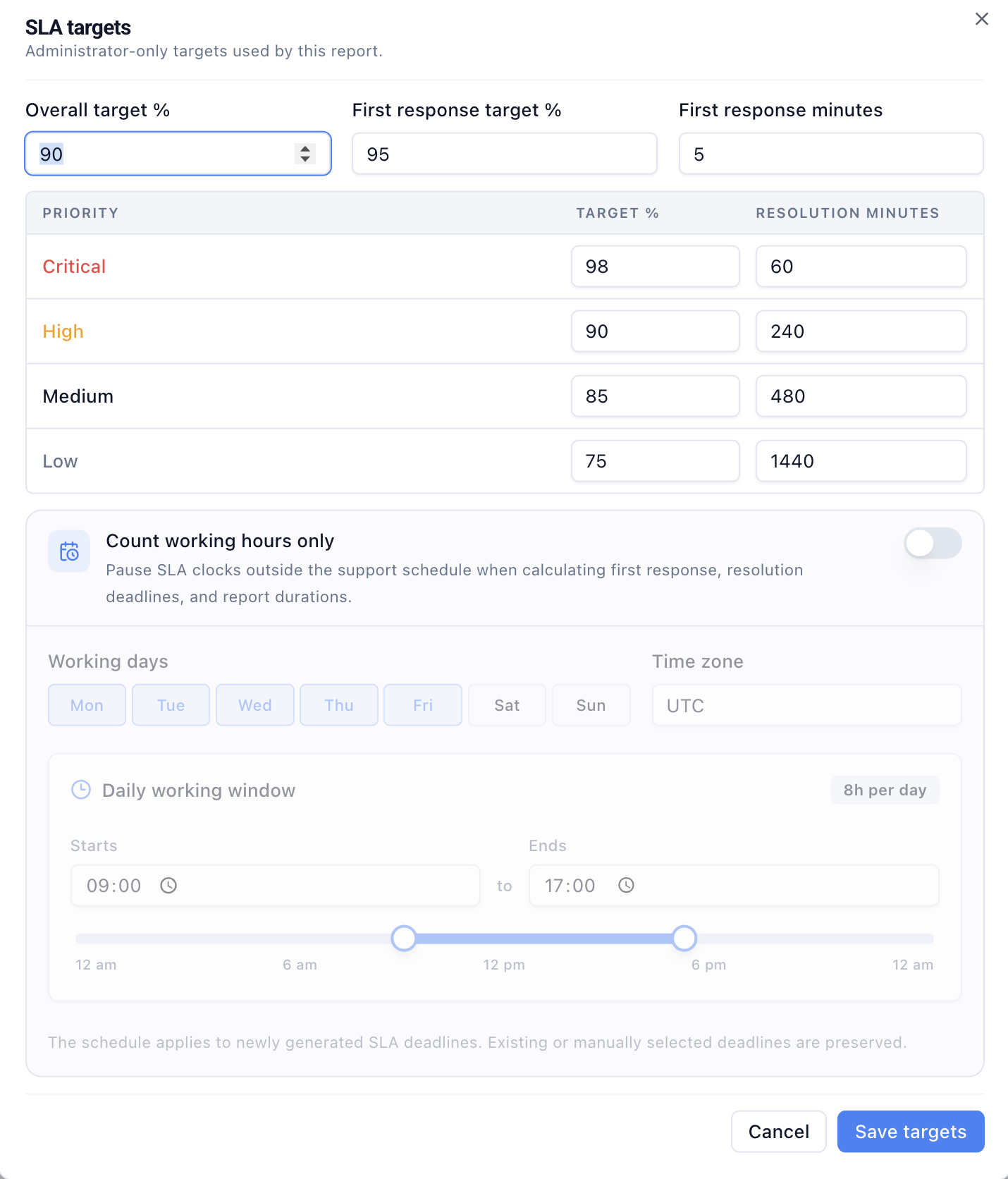
Define the clock behind the report.
Set priority targets and, when enabled, the weekly hours used for SLA deadlines.
Product screens show sample data. Open either screen to inspect it at full size. When feedback is collected after closure, a separate customer satisfaction report shows responses and unhappy outcomes by tag.
The checkout issue has a visible path forward.
Email becomes a ticket
The checkout report and its original message stay on SUP-1042.
Maya takes ownership
The queue shows who is following up with the customer.
Priority stays visible
The queue shows the high priority. If a tagged issue waits too long, an escalation rule can notify the lead.
The update joins the history
When outbound email is configured, Maya can reply from the ticket. Her call note and sent reply stay in its history.
See the queue and the ticket behind it.
These product screens come from a separate sample service workflow. They show the interface without customer data.
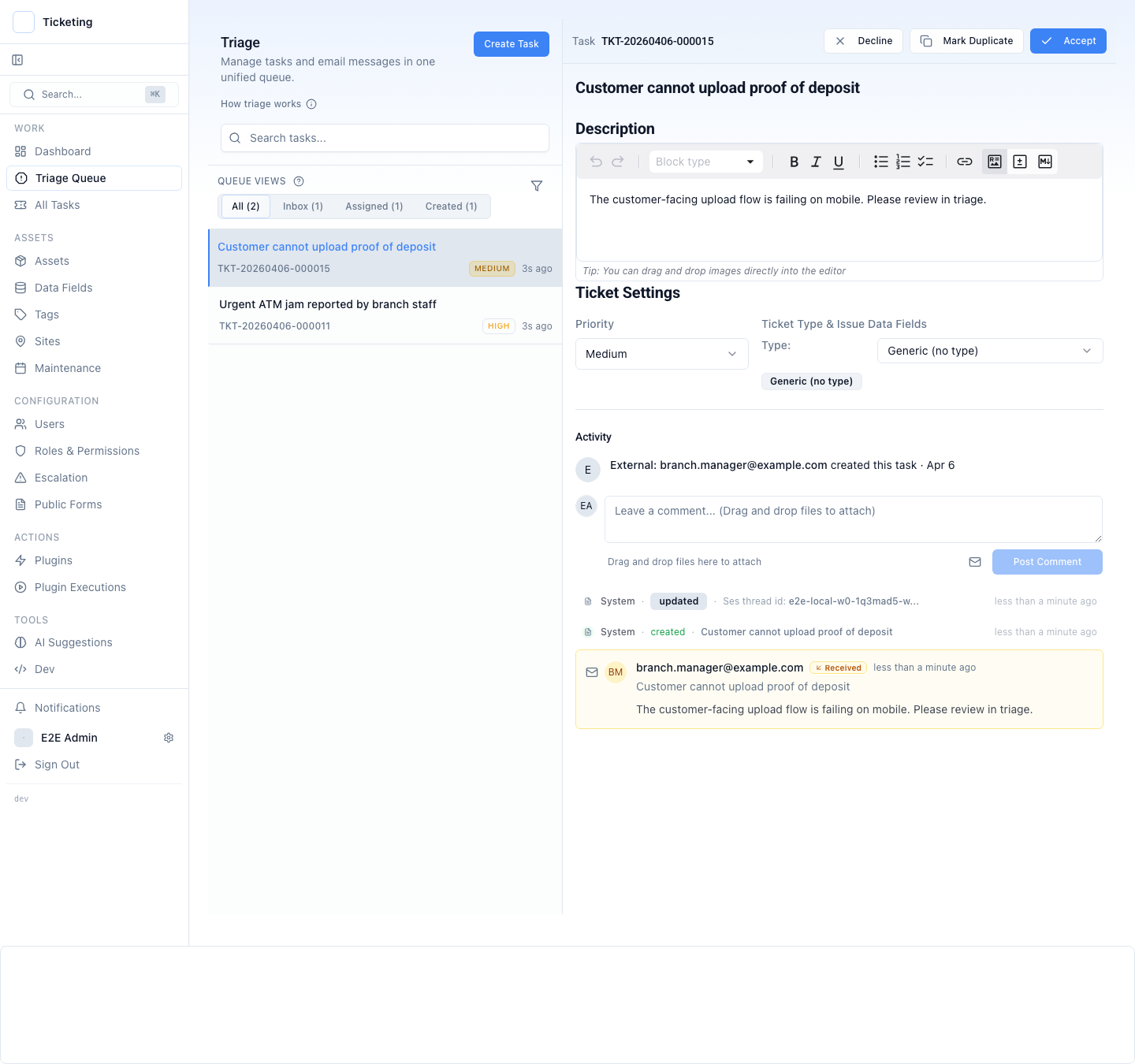
Review incoming tickets and move them into a named workflow.
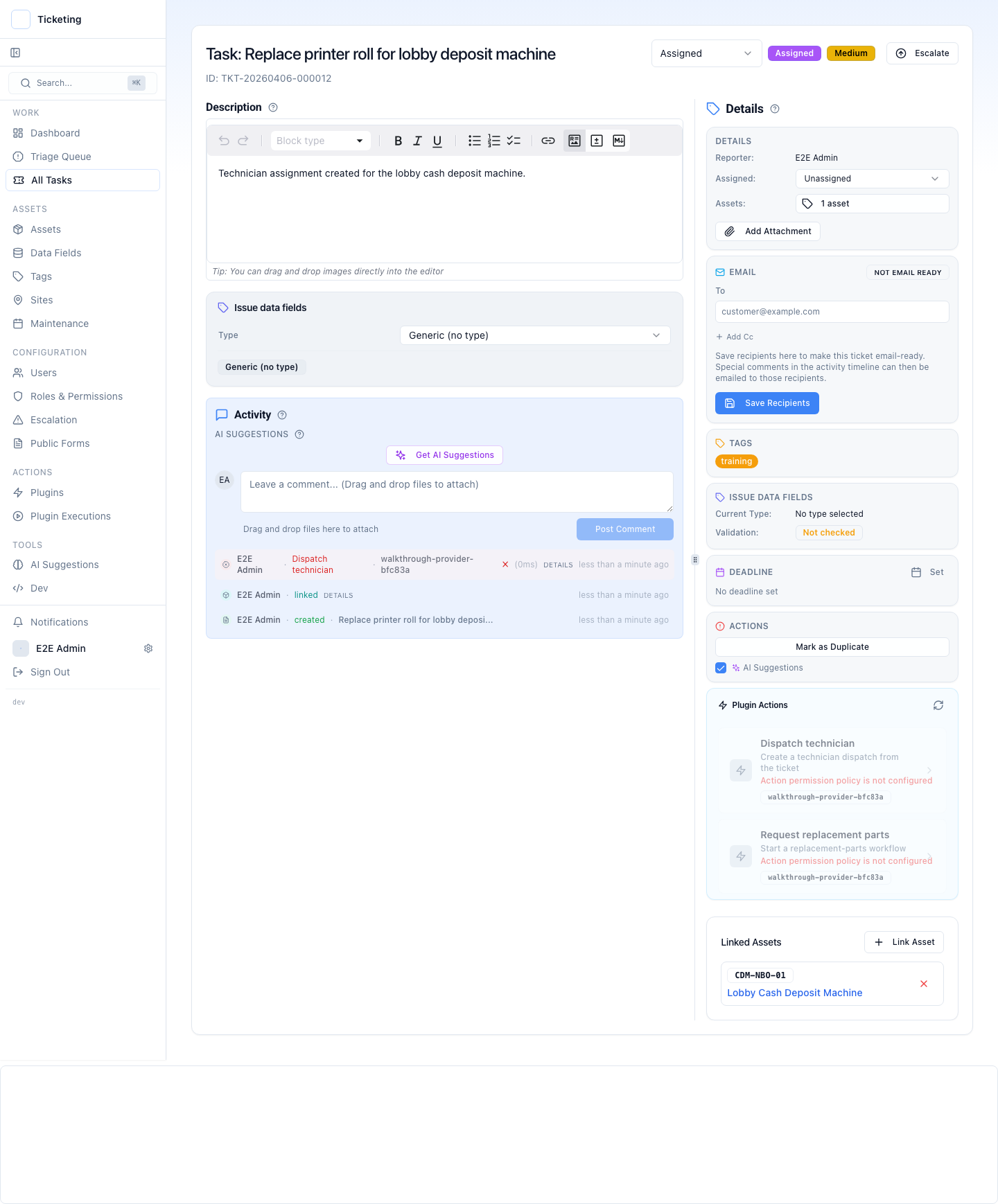
The issue, ownership, notes, and history travel with the ticket.
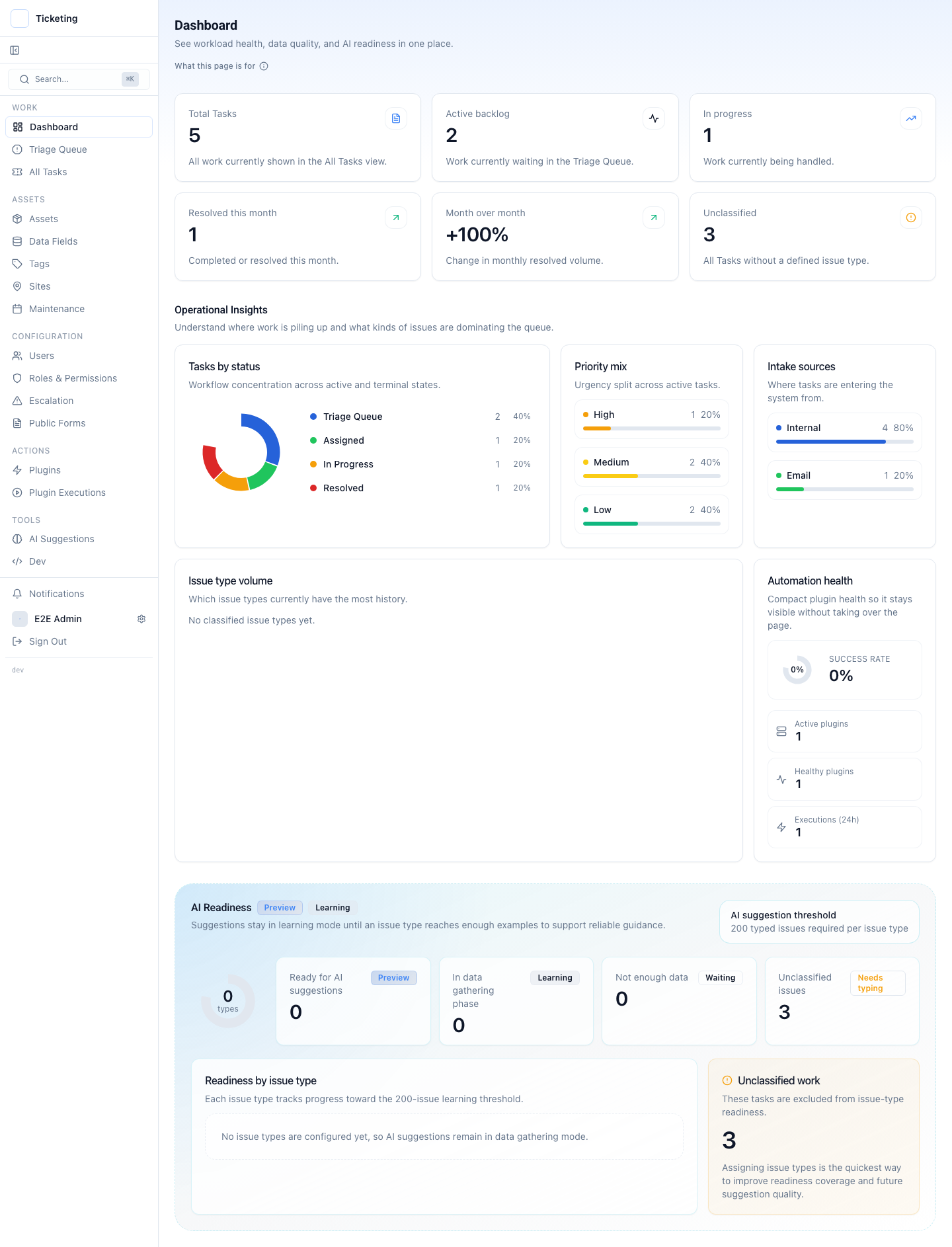
Backlog, status mix, intake sources, and unclassified work in one view.
Screenshots show sample walkthrough data. Explore the full walkthrough.
Start with one queue your team already handles.
Bring support email and forms into triage. Set owners, statuses, and the service hours that matter. Add a review step only to the actions that need one. The first useful view is the one that shows who is working each customer issue today.
Explore all product featuresQuestions about support tickets and follow-up
How a small team handles incoming requests, customer calls, ownership, deadlines, and escalation in one ticket workflow.
Can we manage support emails and website forms in one queue?
Yes. Email and website form requests enter the triage queue as tickets. Your team can review each request, assign an owner, and track its status while keeping the original message with the ticket.
What happens when a customer calls about an existing support ticket?
An operator can add the outcome of the call as a note on the existing ticket. The next person can read that note alongside the request and earlier activity. If outbound email is configured, the team can also reply to the customer from the ticket.
How can a small helpdesk see who owns each customer issue?
The ticket queue shows the assigned owner, status, and priority. Unassigned work stays visible for triage, and the ticket detail keeps notes and activity together for the next handoff.
Can we track response and resolution SLA targets?
Yes. Set a first-response time target and resolution targets by ticket priority, with an option to count working hours only. The SLA Report shows target attainment, breaches, and tickets approaching their deadlines.
Can a support ticket alert a lead when it waits too long?
A configured tag-based escalation rule can notify its chosen recipients when a matching ticket passes its threshold. Your team chooses which issues need a rule; a ticket does not escalate merely because it is in the queue.
Does Latch include built-in phone calling or a dialer?
No. Latch does not place or record calls or show live agent presence. It manages the ticket around the customer issue, where an operator can record the outcome of a call.
Can Latch manage call center staffing and shifts?
No. The staffing screens cover field engineers: ticket workload, recent assignments, recurring availability, and a task-demand forecast. They do not schedule contact center shifts, measure agent adherence, or calculate live phone coverage.
Follow a request from intake to resolution.
See how the queue, ticket history, and review step fit together around one support issue.