A payment retry approved in chat leaves the next operator with several questions. Which transaction did the reviewer check? Can the requester run it themselves? Does the approval still count after the case changes?
Latch puts that review around a named action on the ticket. The requester submits it, another eligible person reviews the saved inputs, and an eligible person other than the requester runs the approved action. The case keeps the decision and execution history together.
This guide collects the current approval features in one place. It uses a fictional Northstar service desk: Maya Chen requests a transaction reprocess, and Daniel Okafor reviews it. Screenshots use the current interface with synthetic replay data; all people, cases, transaction references, and reporting figures are illustrative.
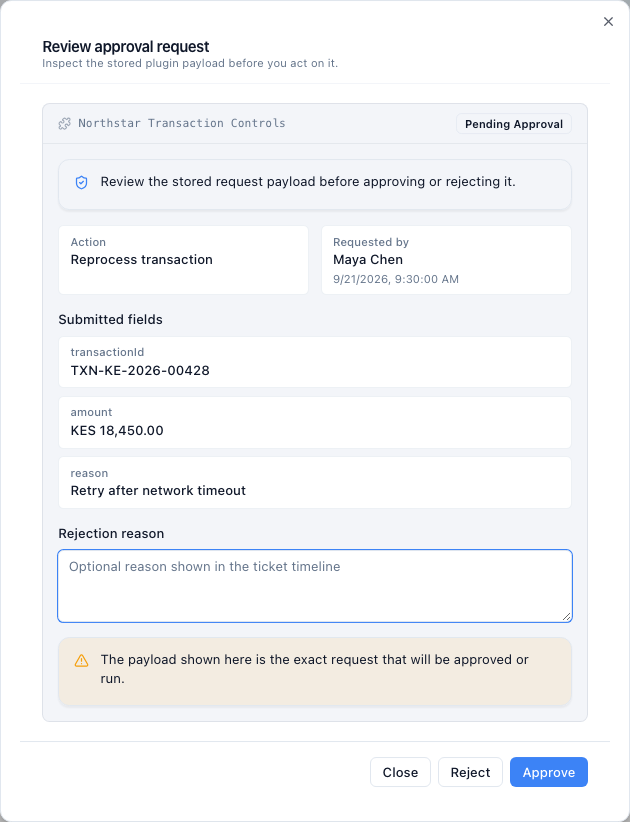
Daniel reviews the transaction reference, amount, and retry reason from Maya’s saved request before choosing Approve or Reject.
The feature list follows the decision from request to record
The approvals overview explains where this fits into an operations workflow. The table below shows the controls available around an individual plugin action. A plugin is the connection that gives a ticket an action such as reprocessing a transaction in another system.
| Feature | What the team can do | Important detail |
|---|---|---|
| Two-person action gates | Require independent review before a connected action runs. | The gate belongs to the action; it does not automatically govern every ticket edit or status change. |
| Default and per-action policies | Set a plugin default, then override named actions. | Each action uses either no gate or maker-checker review. |
| Plugin applicability | Limit where a plugin applies using project and ticket-tag scope. | The connected system also determines whether an action is available for the current case. |
| Roles and permissions | Restrict which roles can use a plugin and which permission an action needs. | An approved role still needs the required action permission and ticket access. |
| Requester separation | Have another eligible person approve or reject the request. | The requester also cannot execute their own approved request. |
| Saved input review | Inspect submitted fields, the action, requester, and request time. | Execution uses the saved action inputs. |
| Separate approval and execution | Leave an approved request ready to run later. | Approval alone does not perform the external operation. |
| Request expiry | Set how long requests remain valid, in minutes. | Expiry is checked again before approval and execution. |
| Invalidation after a ticket change | Require a fresh request when the ticket version changes. | This is a configurable policy for pending and approved requests. |
| Rejection and cancellation | Reject a pending request with an optional reason, or let its requester cancel it. | These decisions remain distinct from successful execution. |
| Execution state | See whether an approved action is executing or has an uncertain outcome. | An uncertain result needs investigation before another attempt. |
| Approval notifications | Notify eligible participants when approval state changes. | Delivery depends on notification settings and configured channels. |
| Audit history and reports | Review the ticket history, group approval requests, and export reports. | PDF and Excel exports describe the selected report; approval is not proof that an external operation completed. |
Put the gate on the action that needs review
For Northstar, the important control is a second check before the transaction reprocess runs. An administrator configures that action under Plugin Gates. A plugin can require maker-checker review by default, or apply it only to selected action IDs.
The same configuration sets the request lifetime and whether a ticket change invalidates an outstanding request. These are separate choices: how long a decision may wait, and whether the case must stay unchanged during that wait.
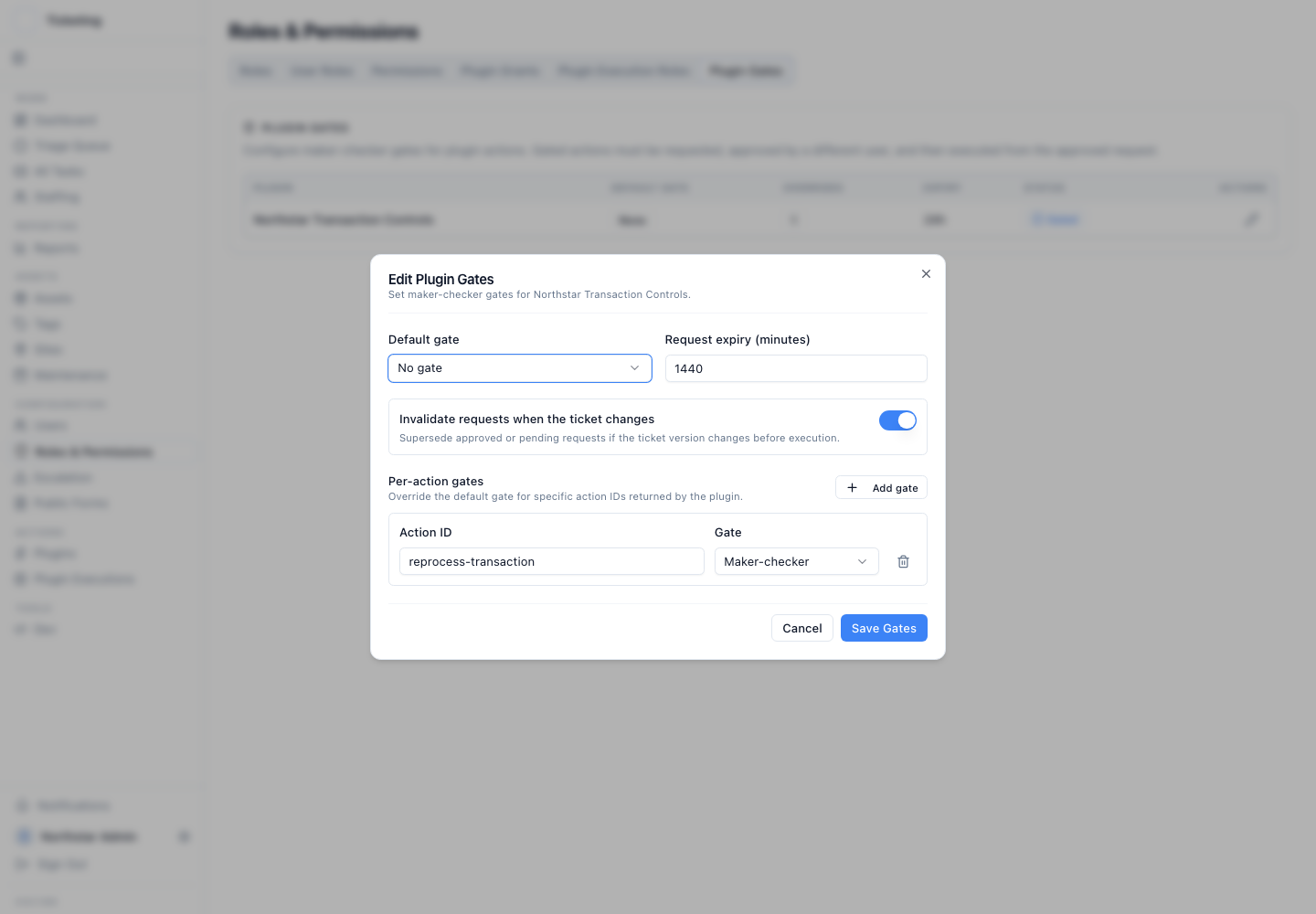
Northstar applies the gate to its reprocess action, gives requests a 24-hour lifetime, and requires a fresh request if the ticket changes.
Permissions answer a different question. They determine who may use the action at all. The approval gate then requires separation between the person requesting that action and the person reviewing it. In this example, Maya cannot approve her own reprocess request, reject it as its reviewer, or run it after somebody else approves it.
This is a focused two-person control. An amount threshold or transaction eligibility check belongs in the connected action logic; the gate settings are not a general rules canvas or a multi-stage approval designer.
Keep the pending request beside the case evidence
Maya submits the reprocess request from the ticket. The action card shows that it is awaiting approval and identifies the requester. Daniel can review it alongside the case description and activity instead of matching a chat message to a separate transaction tool.
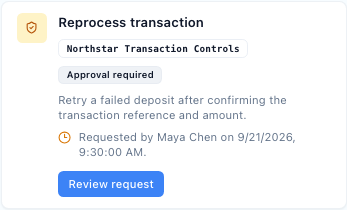
The pending action stays attached to the ticket that explains why it was requested.
The review dialog displays the stored submitted fields. For a connected action, those fields might contain the transaction reference and the reason for retrying it. The fields depend on the integration; Latch does not invent a payment schema or decide whether a retry is commercially justified.
Daniel reviews those inputs and the supporting case evidence. He can approve, or reject with an optional explanation. If Maya withdraws the pending request instead, she can cancel it. A rejection and a cancellation answer different questions, and the record preserves that distinction.
Approval leaves a separate execution step
After Daniel approves, the request becomes ready to execute. An eligible person other than Maya can return to it later and run the saved action inputs. That person may be Daniel; this does not require a third person.
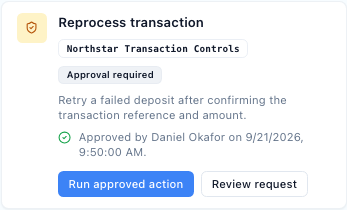
Approved means the request cleared review. The external action still has to run.
Before execution, Latch checks that the request is approved and unexpired, that the user remains eligible, and that the action is still available for the ticket. When ticket-change invalidation is enabled, a changed ticket requires a new request.
The saved fields are the approved action inputs. The connected system still receives current case context, so reviewers should enable ticket-change invalidation when a change to that context should trigger another review.
Execution has its own outcome. A request can be running, completed, or awaiting investigation because the outcome is uncertain. A timeout must not be read as proof that the downstream system did nothing. The interface directs the operator to check execution history before taking further action.
A stopped request remains part of the history
An alternative outcome is that Daniel cannot establish that the transaction is safe to retry. He rejects the pending request and can record what is missing. The decision remains in ticket activity; the rejection reason is saved with the request. Maya can correct the case and submit a new request when appropriate.

In this alternative outcome, ticket activity records Maya's request and Daniel's rejection as separate events.
Expiry, cancellation, and supersession also have their own states. An old approval is not a reusable permission slip. When a fresh request is needed, it creates a new review point with its own inputs and attribution.
Review the queue and export the evidence
The Approval audit report brings requests across cases into one view. Teams can inspect pending decisions and recorded outcomes, then group requests by approval status, action, requester, reviewer, plugin, or time.
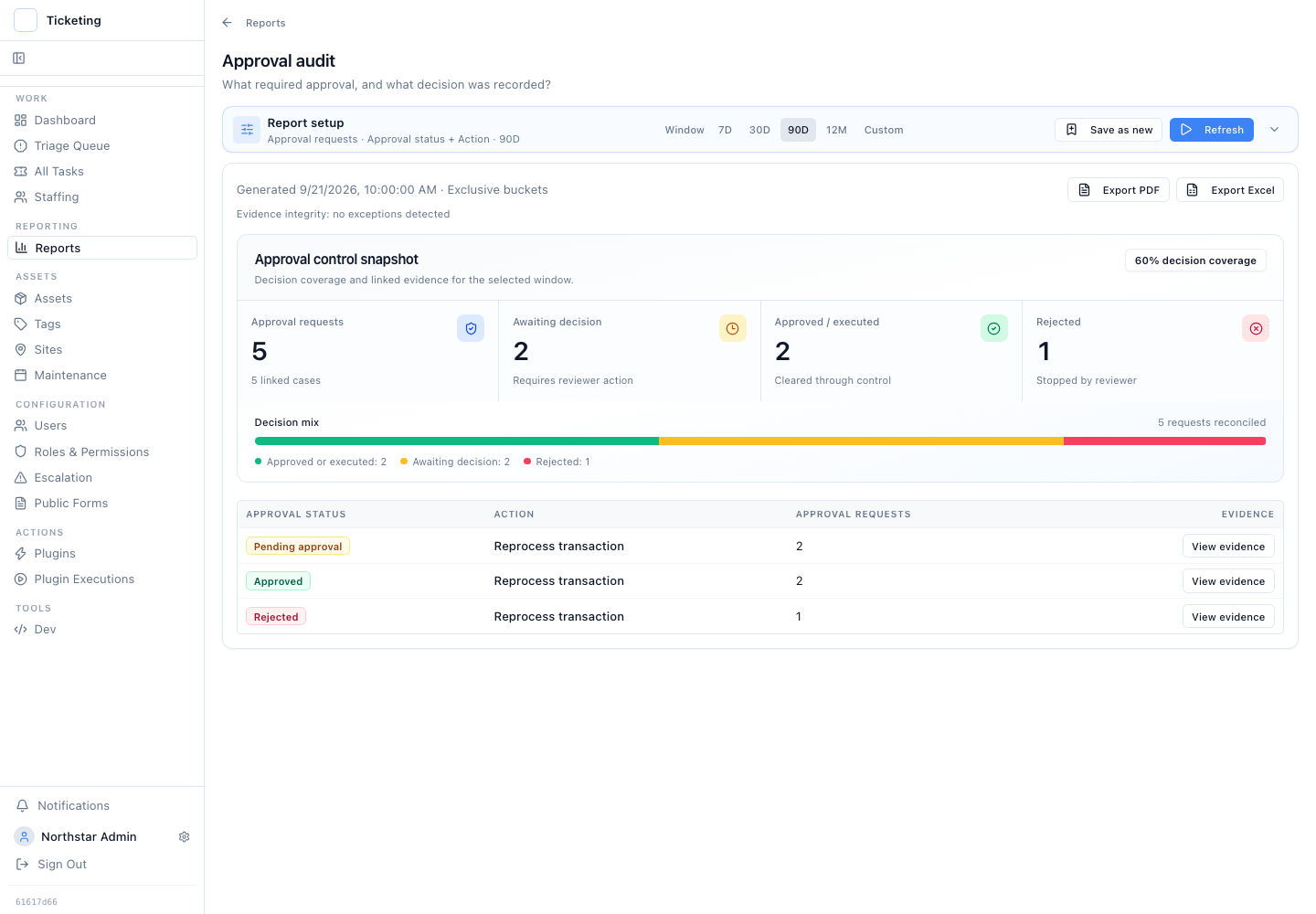
This synthetic report has five requests: two awaiting a decision, two approved, and one rejected. Each group offers a link to its case evidence. These are illustrative figures, not customer results.
The report supports linked case evidence and PDF or Excel export. Its date window selects requests by when they were requested. That matters when reviewing a week: a request submitted earlier and approved this week is not necessarily part of this week's request cohort.
The summary groups approved and executed requests together. Use the status breakdown and the execution record when the question is specifically how many external actions completed. A decision count and a completed-operation count answer different questions.
AI suggestions do not replace the review
Approvals work without AI. Where AI suggestions are enabled, they can help an operator assess a case and consider a next step. For a gated plugin action, the concrete request still needs the configured independent review before execution.
Northstar's operating rule stays the same whether Maya finds the next step herself or considers a suggestion: name the action, review the submitted inputs, and inspect the result after it runs.
To see that sequence in more detail, read the end-to-end approval walkthrough. For the operational reasoning behind the example, see why reprocessing needs a governed action.
See how Latch works, or talk to us about the action your team needs to control.