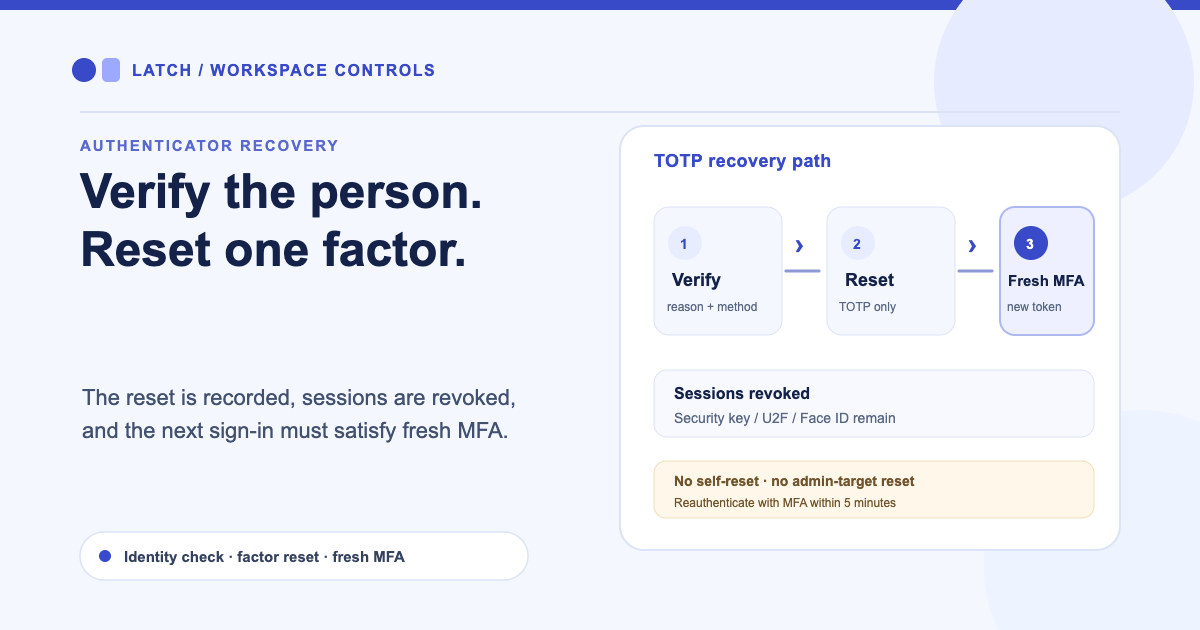
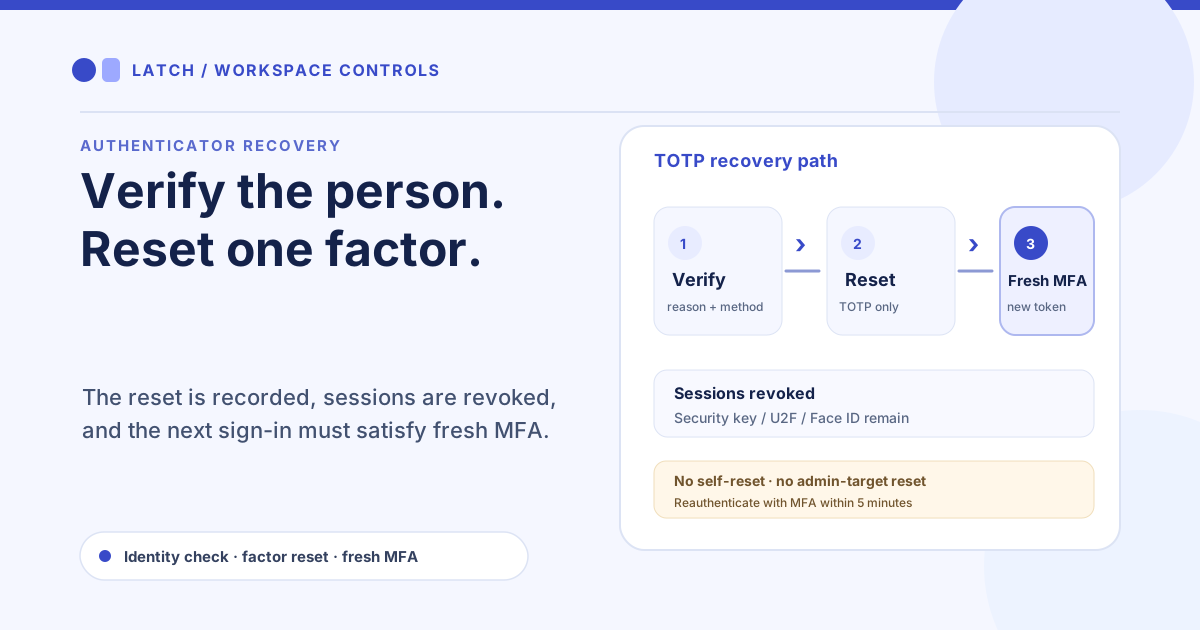
A field supervisor replaces a phone and can no longer produce a code from the authenticator app. The manager needs a recovery path, but resetting a factor on request alone would let an impersonator ask for the same change. Latch lets an authorized administrator remove an eligible user’s TOTP factor after recording how identity was checked, then requires a fresh multifactor sign-in.
Check that the request is eligible
The administrator must have user read and write permission and reauthenticate with MFA less than five minutes before the reset. They cannot use this flow on their own account. The target must be an active linked user who has registered TOTP and is subject to organization-enforced MFA. Administrator-like targets are separately denied; this path is for eligible non-admin accounts.
The dialog asks the administrator to record a reason of 10–500 characters and an identity-verification method of 3–100 characters. A case reference is optional. These fields make the decision reviewable: record what evidence was checked and how, rather than entering a generic note that says only “verified.”
For the supervisor, the administrator may compare the request against an established contact channel or an in-person verification process and record that method. The tool does not decide whether the evidence is trustworthy. The administrator remains responsible for following the organization’s identity-check procedure before confirming the reset.
Remove one factor and preserve the rest
The recovery action removes the authenticator-app TOTP factor and revokes the user’s active sessions. It does not remove a registered security key, U2F device, or Face ID factor. After reset, middleware requires a new ID token whose authentication time is later than the reset cutoff and whose claims show MFA/OTP. That forces a fresh qualifying sign-in rather than accepting an old session.
This flow is not an MFA bypass. It does not waive the organization’s MFA requirement or allow an administrator to clear factors from their own account. If the user remains blocked by a device challenge after TOTP removal, an identity operator must handle that separate recovery case instead of repeating the reset.
Keep recovery distinct from role access
A TOTP reset restores one part of sign-in; it does not change the user’s workspace role, ticket ownership, or permissions. A recovered colleague still sees only what their account is allowed to access. For a collaborator who needs ticket access scoped to work they created or currently own, review the Ticket Owner role boundary.
Likewise, ticket and plugin controls remain separate from account recovery. Workspace plugin entitlement, user permission, and provider approval govern action access after authentication. An administrator should confirm the recovery request through the organization’s documented identity process, perform the narrowly scoped reset, and verify that the user completes a fresh MFA sign-in before returning to work.
If the reset cannot be completed because the target does not meet the eligibility rules, use the established identity-operator process. Do not widen this workflow to self-service or admin targets to resolve an exceptional case. Access recovery is a controlled administrative decision, and the recorded reason and verification method should make that decision understandable to the next reviewer.
For another form of access that should remain separate from human sign-in, review how MCP agent profiles are paused, revoked, or retired.