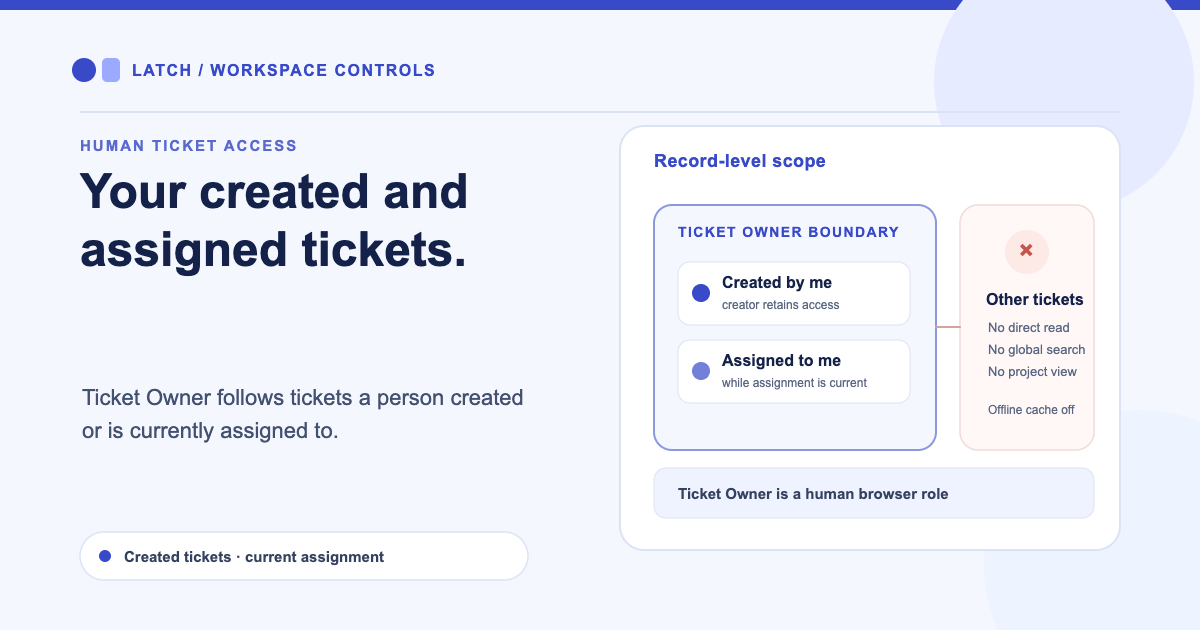
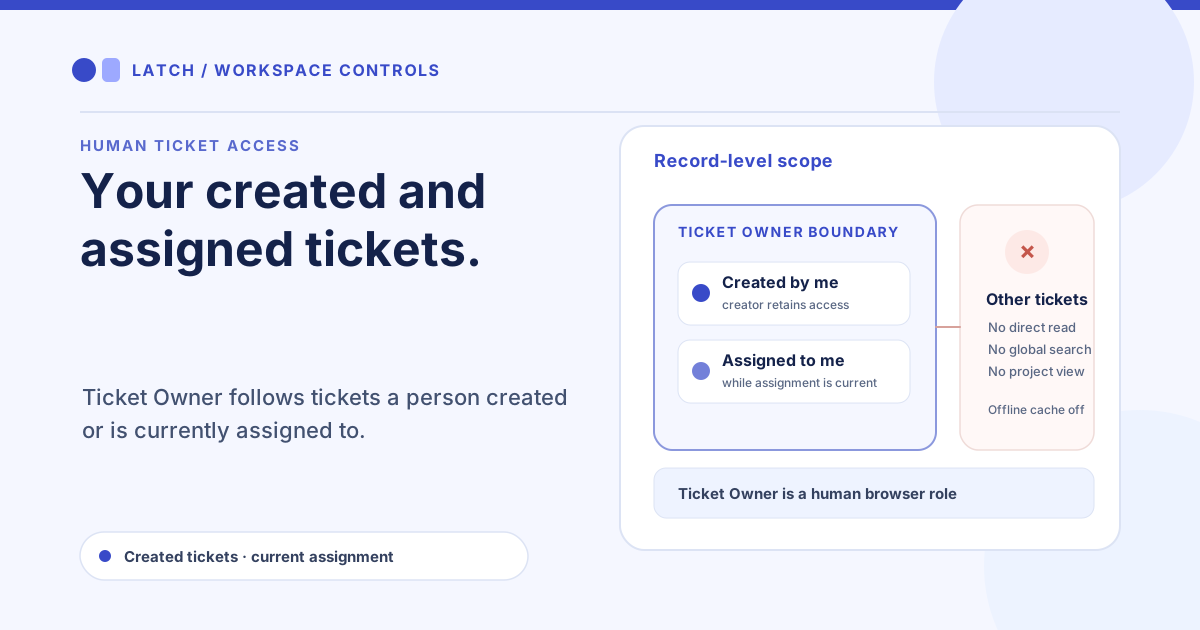
A vendor coordinator needs to update the service tickets they opened and take ownership of a few assigned cases. Giving that person a role that can browse the whole queue exposes unrelated customer work. Ticket Owner gives a human a smaller browser workspace: access follows the tickets they created or are currently assigned.
Scope access to the person’s work
The role can create tickets and read or update a ticket when its creator or current assignee matches the authenticated local user. The creator keeps access after another person takes over the assignment. A collaborator can edit ticket title, description, priority, and workflow status, add an internal comment, and view permitted attachment metadata. Ticket access is checked at the route and data layer, so hiding a navigation item is not the only boundary.
For example, a coordinator opens a ticket about a delayed replacement part, then a dispatcher assigns it to a technician. The coordinator can still follow the ticket as its creator. The technician can access it while assigned. A third person who is neither creator nor current assignee cannot find it through direct lookup, a list, or a search.
The collaborator can select an existing active project when creating one of their tickets. The role does not grant project management, project-wide summaries, or access to other tickets merely because they belong to the same project. For a project-wide view of sites and related work, assign a role designed for that responsibility. Projects can group sites, assets, and ongoing work, but project membership does not expand Ticket Owner’s ticket boundary.
Keep the role’s edges visible
Ticket Owner cannot use global search or reports, browse ticket relationships, administer users or assets, manage providers, or access notifications and identity administration. The normal Classic interface hides sections the role cannot use. Offline caching stays disabled, so the browser does not keep this role’s ticket data available as an offline queue.
This is a human browser role, not a general-purpose integration credential. MCP has a separate own_tickets permission mode and identity boundary. The two can sound similar, but assigning Ticket Owner to a person does not configure an MCP agent. See the MCP agent lifecycle and its separate credential controls before connecting automation.
When a ticket must move to another teammate, a user with assignment permission changes its assignee through the normal workflow. The old assignee loses access when no longer assigned and not the creator; the creator’s access remains. That makes assignment an operational control as well as a routing choice, so review it when a case changes hands.
For a new team, email-verified workspace signup comes before invitations and role assignment. For a collaborator who needs only to update the status or priority on their queue items, start by assigning Ticket Owner and verifying both sides of the boundary: a created or assigned ticket opens, while an unrelated ticket and project summary remain unavailable. The role is designed to keep routine ticket work possible without opening the rest of the workspace.
If the person needs queue-wide reporting or project administration, choose a role with those permissions instead of stretching this one. Quick-edit controls keep common ticket changes close to the board, while Ticket Owner limits which records appear in that workflow.