A free ticketing system for small support teams
When a shift ends with a request still open, the next person needs to know who owns it and what the last shift tried. Latch hosts a private help desk where your team can turn a request into a ticket and keep the updates together.
100 tickets · 250 MiB of attachment storage · No card required
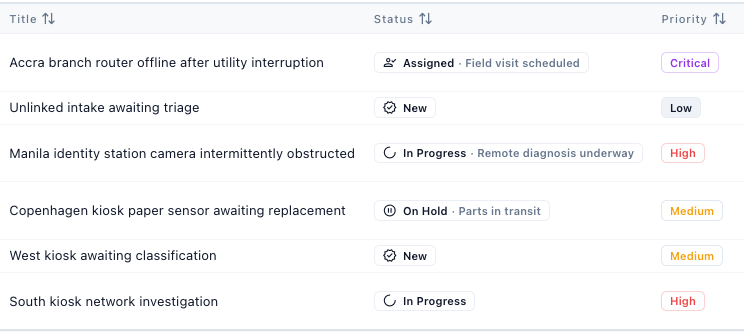
Hand off a camera fault between shifts
- Record the request. A colleague reports that a branch camera keeps losing its view. Create a ticket or have the colleague email your workspace intake address.
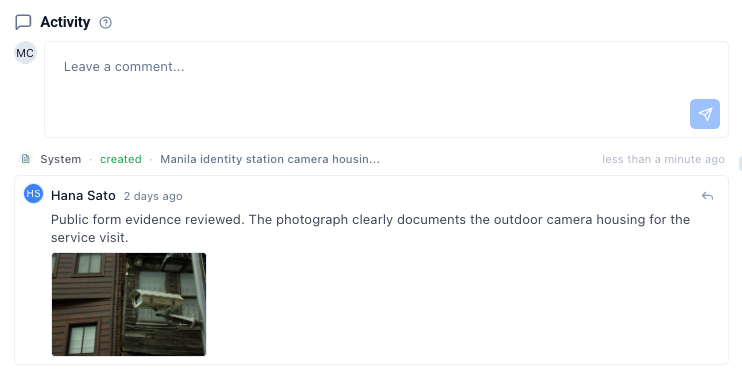
- Assign the investigation. Give the ticket to the person checking the camera. They can attach a photo of the housing and leave a comment with what they found.
- Leave the next shift a clear job. Record who will visit the branch and what they should check. After the visit, add the outcome and mark the ticket resolved.
Questions about free hosted ticketing
Email intake and internal ticket work are included. Check the limits below if your team also needs to reply to customers or run plugin actions.
Can someone submit a support request without a Latch account?
Yes. They can email your workspace intake address. Your team can review the incoming request, assign the resulting ticket and track it in Latch. Team members can also create tickets directly in the workspace.
Can we email a reply from the free help desk?
Use your regular mailbox to reply to the sender. Outbound ticket replies, automatic acknowledgments and email notifications require a paid workspace. Your team can still post internal comments on the ticket.
Do resolved tickets count toward the 100-ticket limit?
Yes. The limit counts every ticket in the workspace, including resolved and closed tickets. At 100, new ticket creation pauses. Incoming emails that would create a ticket go to the unprocessed-message queue for review.
How much space is available for screenshots and other attachments?
The workspace shares 250 MiB of attachment storage across tickets. An upload that would exceed the remaining space is blocked. An administrator can check ticket count and attachment usage in Settings under General.
How do we sign in and invite teammates?
Choose a workspace address and verify your work email. A separate activation email lets you set your password and sign in. An administrator can then invite teammates. Account invitations and password resets work even with outbound ticket email disabled.
Can we run a plugin action from a free ticket?
Plugin actions require a paid plan. If you need an action to update another system, or you need to send email replies from tickets, contact Latch to discuss upgrading.