A property damage report arrives through a public website form. The customer uploads three photographs and a scanned incident log. The form creates a ticket. The photographs stay in the form system, attached to a submission record the operator cannot see from the ticket view. The operator receives a text summary and a note saying to open another system. That handoff breaks the chain of evidence at step one.
The operator must locate the submission. They verify that the photographs match the ticket. They download the files and re-attach them manually. The original submission timestamp is lost. If the operator attaches the wrong file or misses one, the ticket record is incomplete. Every later reviewer works from a record that does not contain the original evidence. This includes a supervisor approving a repair estimate and a compliance lead auditing the claim. The gap is common and costly. A ticket that should carry its own proof carries only a reference to it.
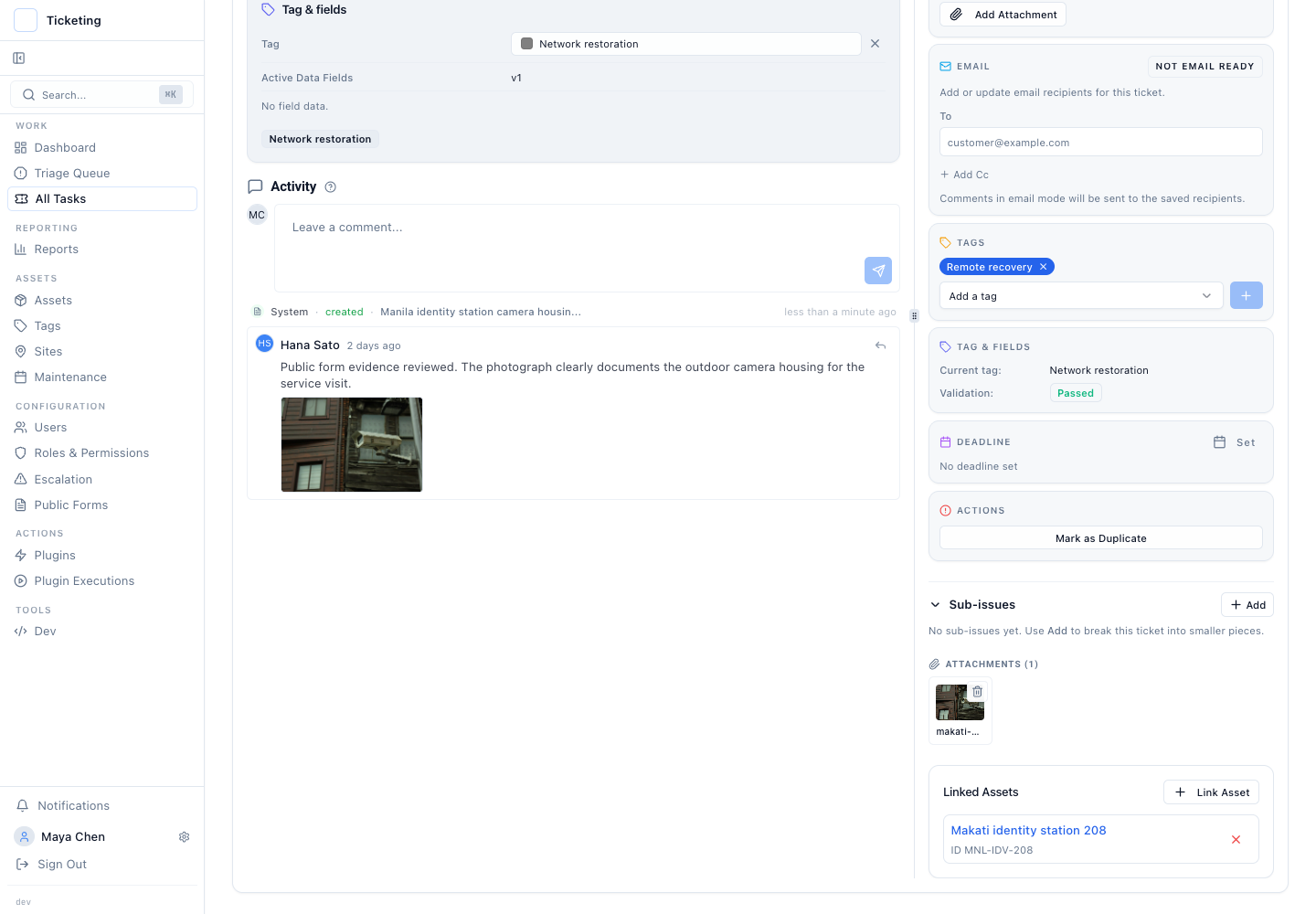
Latch closes the gap by capturing files submitted through configured form fields and attaching them directly to the ticket. When a form field is marked for file upload, any accepted file becomes a permanent ticket attachment. The attachment appears in the ticket evidence. It travels with the ticket through its lifecycle and appears in the timeline alongside status transitions, notes, and approvals. The operator does not leave the ticket to find the file. The evidence is where the work is.
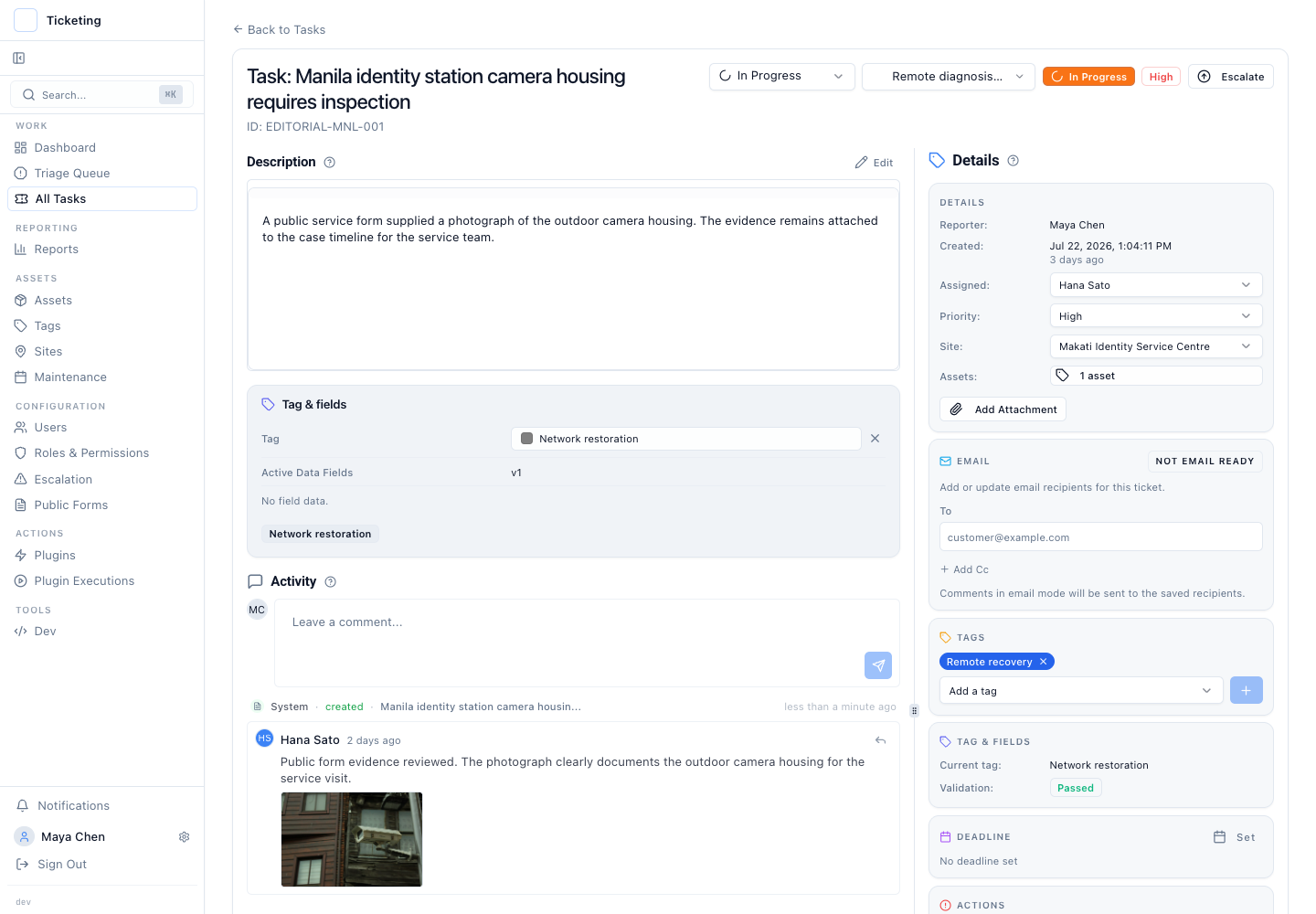
The configuration layer is deliberate. A public form can enable attachments and set how many files are accepted. It can use image or file fields for the evidence the workflow needs. File-size and type checks run during submission. Files that pass validation are stored with the form submission and linked to the created ticket. The operator sees the original filename, file type, and attachment in the ticket instead of a text-only reference to another system.
Timeline placement matters. When an operator opens a ticket that began with a web form attachment, the submitted file is available in the same ticket context as the intake details and later activity. A photograph of a damaged panel, a scanned invoice, or a signed authorisation remains available as the timeline grows. A supervisor reviewing the next action can open the same file without asking anyone to forward it. Later reassignment, notes, and resolution activity stay connected to the evidence that started the work.
When the configuration matters. Configure file fields on any public form where the operator needs the original attachment to make a decision or prove a step. Damage reports, warranty claims, onboarding documents, signed agreements: any intake where a file is the primary evidence, not a supplement. If the form collects only structured data such as an account number or a drop-down selection, file fields add unnecessary complexity and should be omitted. The goal is to remove the cross-reference step, not to turn every form into a file collector.
What can go wrong without it. An operator working from a text summary may mischaracterise the evidence. A supervisor approving an action based on a description rather than the photograph may authorise work that the evidence does not support. An auditor who cannot see the original file cannot confirm that the file the operator attached later is the file the customer submitted. Each failure creates a control gap that is expensive to remediate after the fact and impossible to prove during an audit.
Failure modes to anticipate. The validation rules must match the file types the submitter is likely to send. If the configuration accepts only JPEGs but customers regularly send PNGs, legitimate submissions fail at intake. If size limits are too low, customers with high-resolution photographs cannot complete the form. The submitter must receive a clear error message that explains what is wrong and how to correct it. A generic failure message causes abandoned submissions. Test the form with the actual file types and sizes the team expects real customers to submit, not with ideal files.
Honest limitations. This feature preserves files submitted through configured Latch web-form intake. It does not retroactively recover files from earlier submissions or from a separate form system that never sent the file. The attachment is evidence, not an editable document. If a submitter sends the wrong photograph, an operator can add the corrected evidence later while the original submission remains part of the record.
This capability does not change how email attachments work. It addresses the specific gap that opens when a public form is the intake channel. Tickets that arrive through email already preserve context as described in preserving email context in a ticket and the email ingestion pipeline and operational triage. The form attachment feature closes the same gap for web-originated work, ensuring that the intake channel does not determine whether the original file survives the handoff.
The operating principle is traceability from the first point of contact. A ticket that opened because of a photograph should carry that photograph for everyone who touches it. When an auditor asks to see the original submission, the operator does not say "it is in the form system." The operator scrolls to the top of the timeline and the file is there.
Read more in the July product update, and see how the pattern extends across intake channels in moving mailbox triage into governed case handling.