Many teams run operations from a queue that shows the same flat status on every ticket. Open the detail view and the real work appears: a field visit scheduled next Tuesday, a delayed parts shipment, a resolved ticket that needs a closing note. The queue only says "In Progress". The real work happens in chat, email, or a spreadsheet because the ticket system cannot hold the detail without breaking its own status rules.
This update closes that gap from several directions. It adds detail inside governed statuses and extends queue filtering to match the questions operators ask. It turns site records into shared operational context and keeps website form attachments with the ticket. It lets each operator build a dashboard that shows the measures they monitor.
Ticket subcategories add operational detail without breaking status integrity. The canonical statuses (Open, In Progress, Resolved, Closed) still govern reporting and transition rules. A subcategory such as "Parts in transit" or "Monitoring after repair" lives inside the status and appears in the queue alongside the status label. Operators see what is happening. Reporting stays consistent. No one needs to invent a status called "Waiting on vendor" that skews closure metrics.
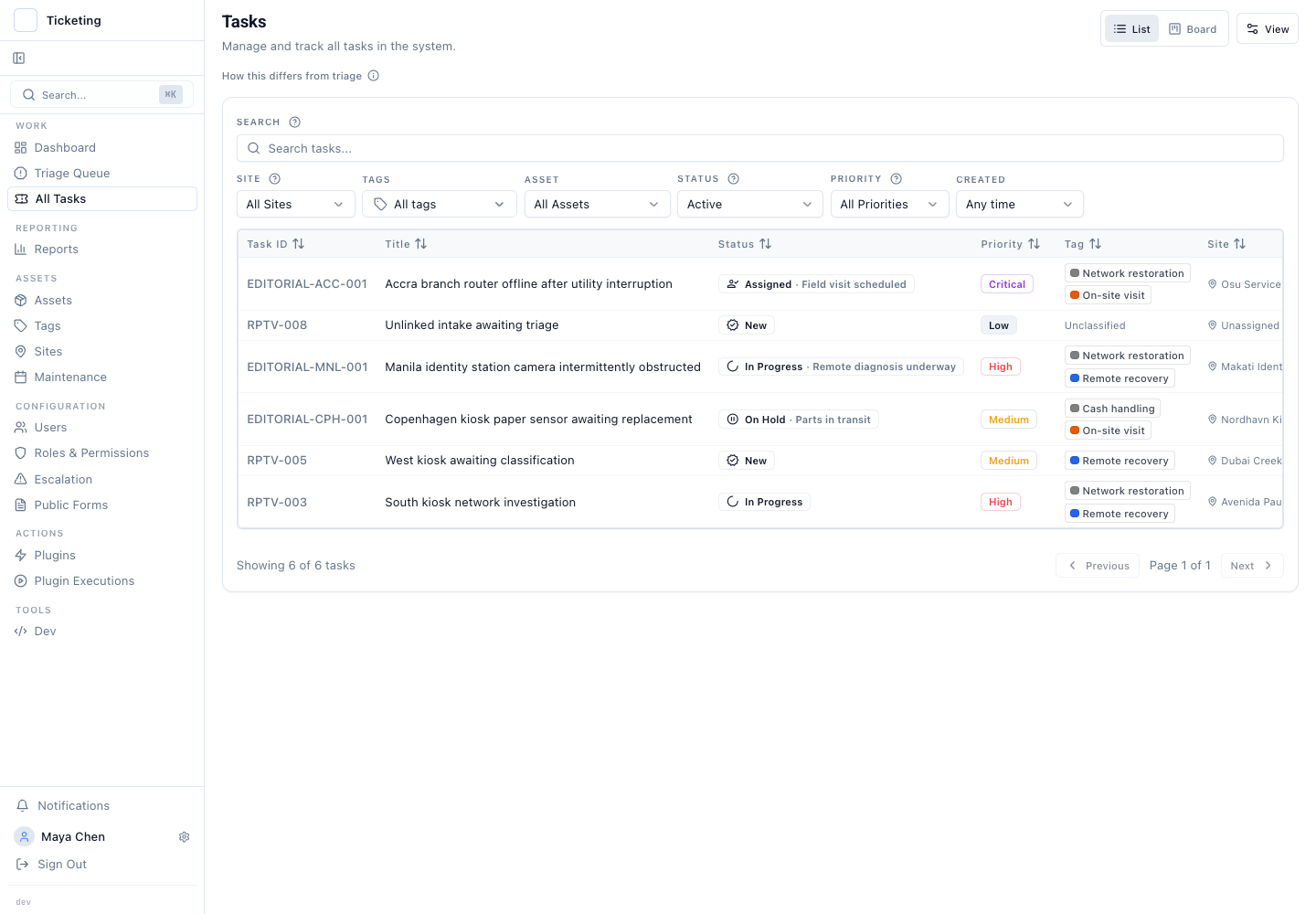
Queue filters now search by issue type, tag, asset, and matching rules. They also group results. A support lead who wants every ticket from the Manila region tagged "urgent" can filter and group in one step. Match-any and match-all rules let operators narrow the queue to a specific investigation without building permanent views. Queue work gets closer to the question at hand. Operators stop scanning a long list and remembering what belongs together.
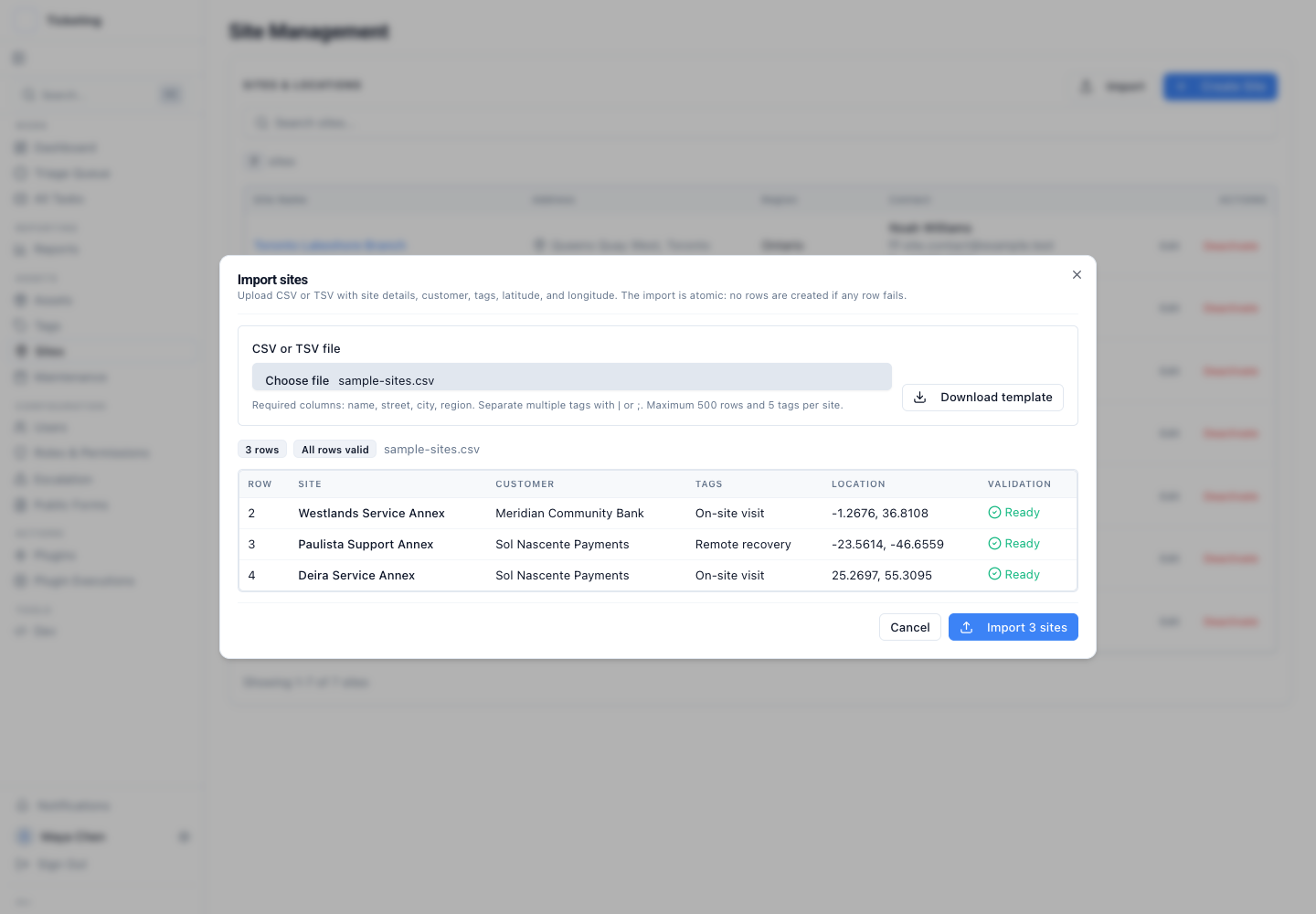
Sites become structured records with tags, coordinates, and validated bulk import. A field service operation with locations in Nairobi, São Paulo, Dubai, Copenhagen, and Accra can now manage those sites as addressable objects inside Latch. Each site carries contacts, time offset, latitude/longitude, and tags. Bulk import validates addresses and coordinates before the data enters the system. Tickets link to sites, so the context that travels with a site follows the ticket without phone calls to the dispatch desk.
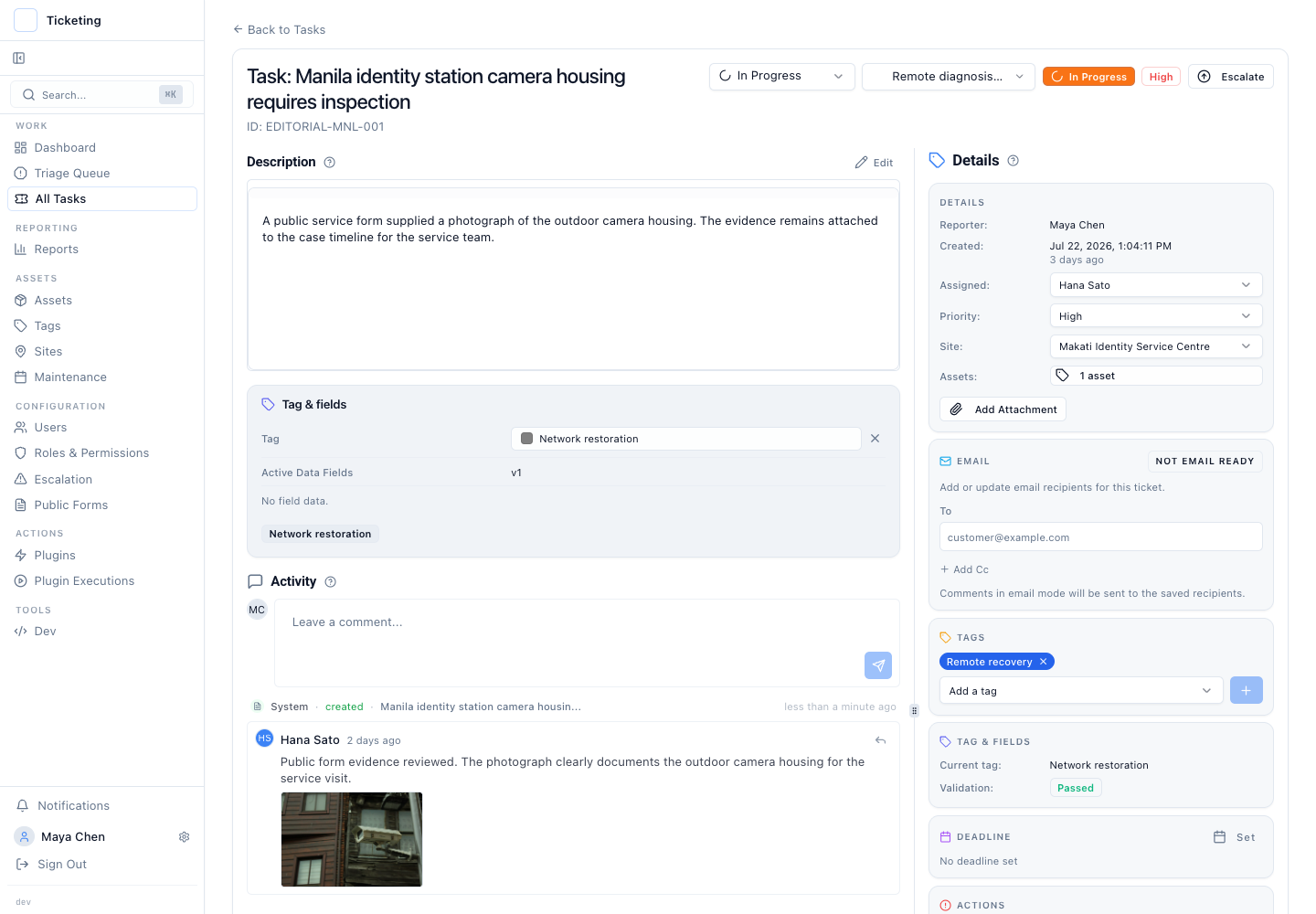
Website form attachments stay with the ticket from intake through resolution. A customer submits a photograph of a damaged shipment through a public form. The ticket opens, but the image often stays in the form system, separate from the operator's working context. Latch now attaches files submitted through configured form fields directly to the ticket record. The attachment appears in the ticket evidence and persists in the timeline, so the original submission remains traceable from the moment it arrives.
Dashboards remember each operator's view. The dashboard for a regional lead running SLA breaches on payment exceptions is not the dashboard a support manager needs for resolution volume. Operators choose which dashboard sections appear. They set the order and save the layout. This is a monitoring surface, not a reporting engine. Deep analysis belongs in saved reports. The dashboard is for the operator who needs to know "is the queue healthy right now?" without scrolling past three measures they do not track.
This release builds on the work shipped in the April and May product update and deepens the patterns described in unified triage without a shared inbox, asset context for field service tickets, and preserving email context in a ticket. The common thread is operational detail that stays where the work happens, without breaking the controls that make the work auditable.