When a cathodic protection survey needs follow-up, the handoff should preserve the field record and show who made each later decision. This synthetic example follows CP-2041 at test station TS-14 from survey evidence to a proposed integrity action.
Demo disclosure: All records, people, locations, measurements, attachments, and system responses in the walkthrough are synthetic. The interactive replay is read-only. It does not contain customer data or call a live integrity system. The workflow labels are examples, not engineering thresholds or a compliance decision.
1. Start with the survey record
The example classifies CP-2041 as a “Close interval on/off” survey for an impressed-current system. Its record names TS-14, stores the on and instant-off readings, rectifier values, reference electrode details, collection timestamp, coordinates and reported accuracy, and identifies the field-device import as the location source. The exception image and original survey CSV stay attached to the case.
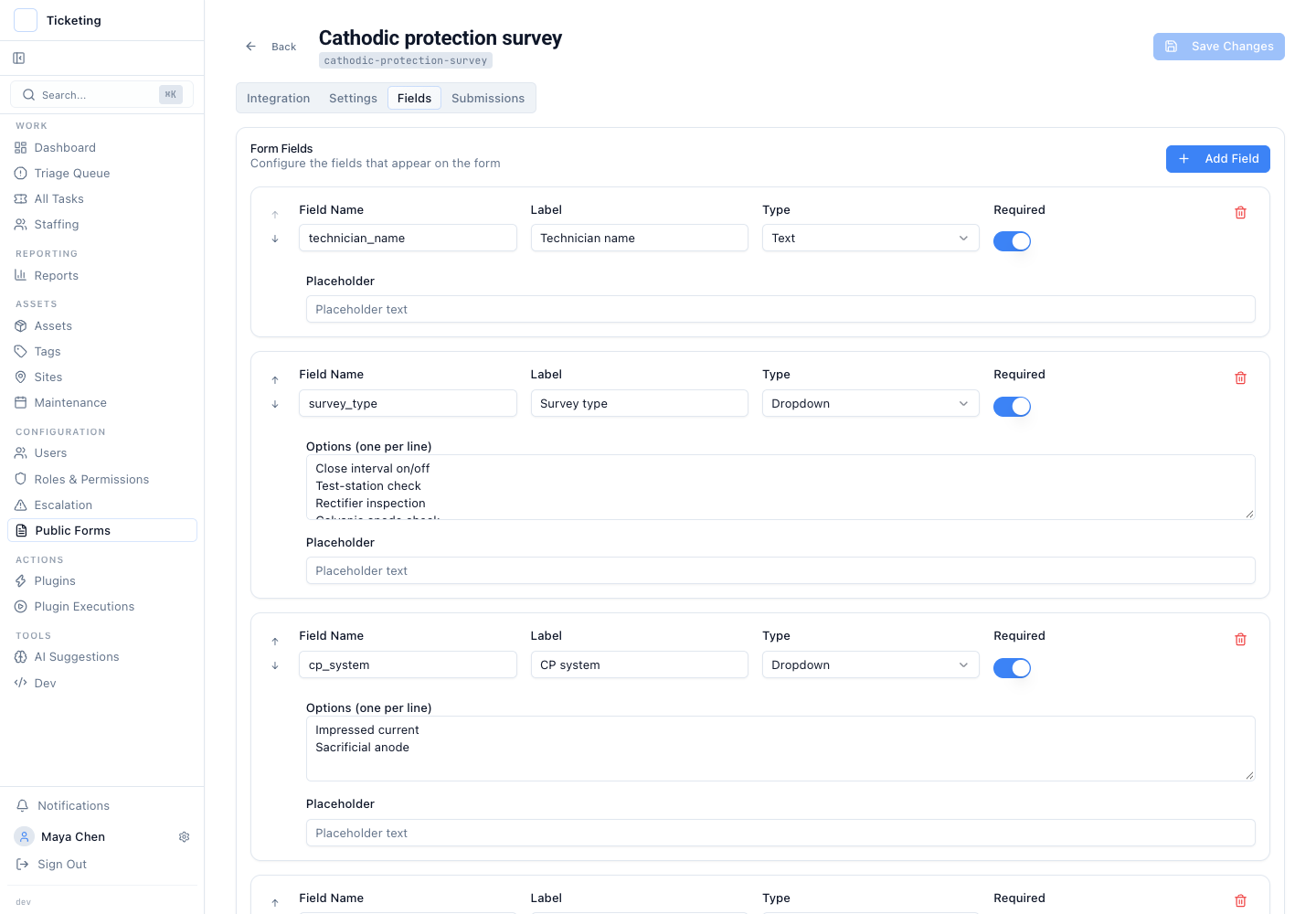
The synthetic form shows the fields available for survey intake. Teams should configure their own record to match their survey procedures.
The setup page is a configurable intake example, not a specialist field collector. Use the CP inspection form checklist to map your survey's required context and evidence into a reviewable record. Offline collection and instrument integrations remain with the specialist field tool; source files can be attached, but the demo does not parse CSV or KML measurements automatically.
2. Keep the exception with its evidence
The TS-14 record shows -912 mV on and -784 mV instant-off, with rectifier output 18.6 V / 7.2 A and reference electrode Cu/CuSO₄, serial RE-4421. The example's configured review state is “Engineering review required.” A reviewer places it on hold and asks for bond continuity, the lead termination, and rectifier output to be inspected before an engineering disposition is recorded.
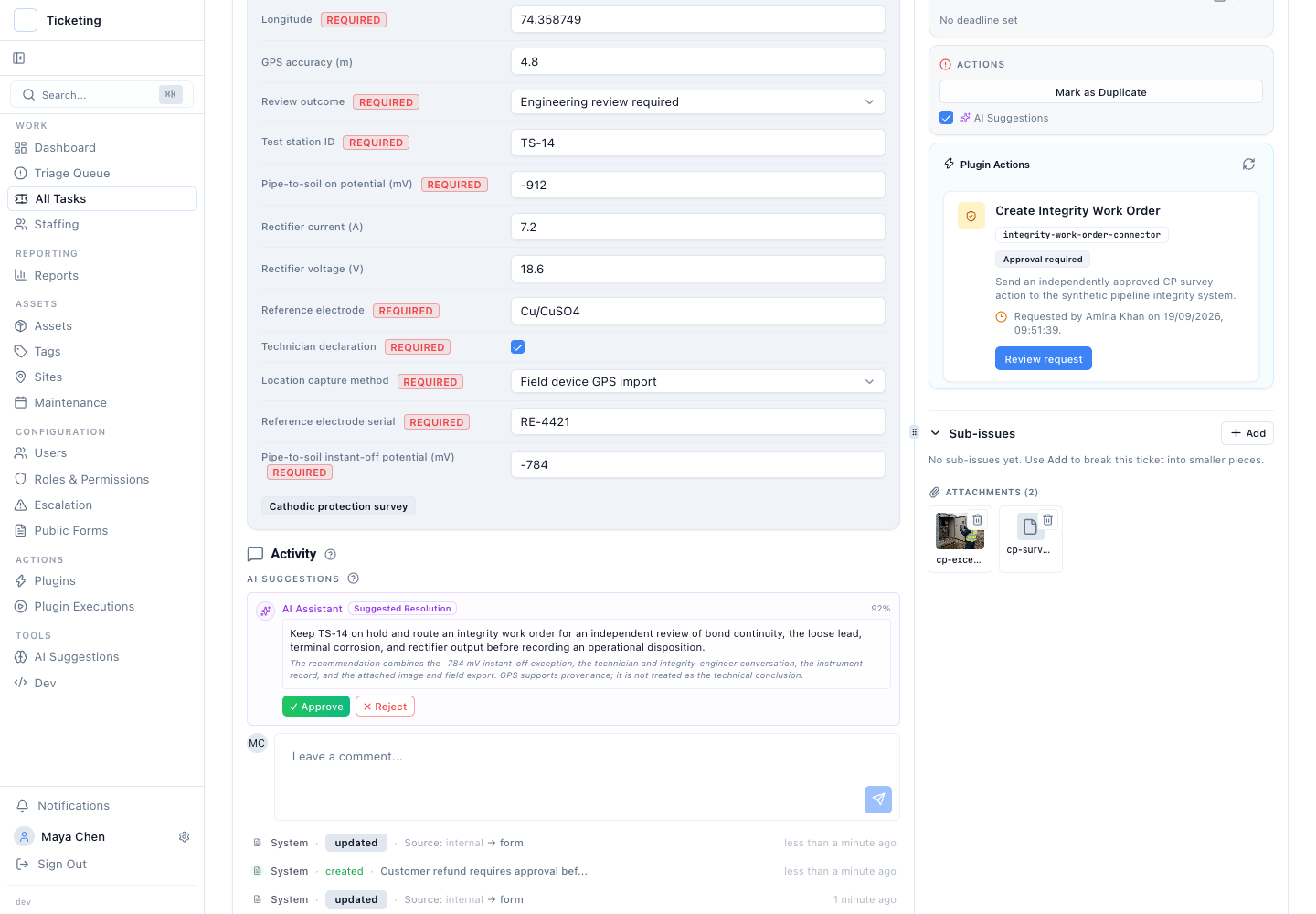
The screen keeps the exception state, survey context, attachments, conversation, and proposed action together.
The technician's note says no adjustment was made during the visual inspection, and the original CSV is retained for comparison. This makes the timeline useful to the next reviewer: it distinguishes the recorded observation from a later interpretation or repair.
AI in this demo may summarize the evidence and suggest a bounded next step. It does not determine CP adequacy, approve the action, or replace qualified engineering review. The responsible team applies its procedure and records its decision.
3. Review the exact proposed work
The proposed request names the survey and test station, includes the relevant readings and evidence, and asks for the bonds, connections, and rectifier output to be inspected. The ticket shows that an independent approval is pending. The request has not yet been sent to the synthetic integrity system.
That separation matters when the next step has operational consequences. A reviewer can inspect the stored request before deciding. The person who prepared the proposal does not silently turn it into an executed action, and the original survey record remains available for the decision.
4. Compare the completed path without conflating records
The demo also includes CP-2038 at TS-09 as a separate example. That record carries a “Within operator review band” state. Its stored request was approved by another user; the synthetic connector response says the result was recorded and returns reference IWO-88421.
CP-2038 demonstrates the review-to-response path. It does not mean CP-2041 was approved or that the two readings should be judged using a universal cutoff. The TS-14 request remains pending in the fixture.
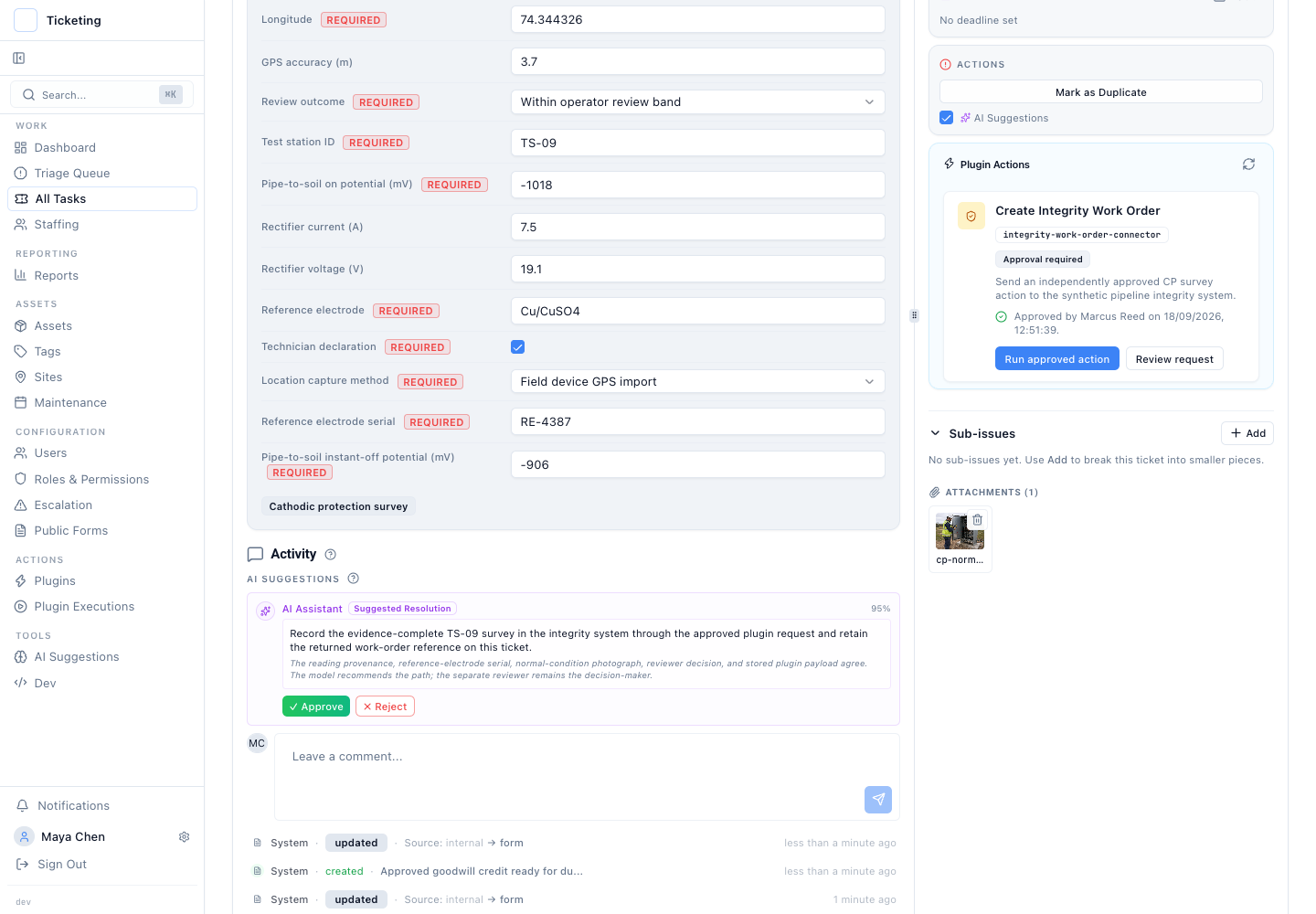
The completed handoff belongs to TS-09 / CP-2038. It is shown as a comparison, not as the outcome for TS-14.
5. Trace the evidence and decision in the report
The approval audit view groups action requests and lets an operator open the source record. From there, a reviewer can follow the survey data, comments, approval decision, execution response, and returned reference for the record that completed the handoff.
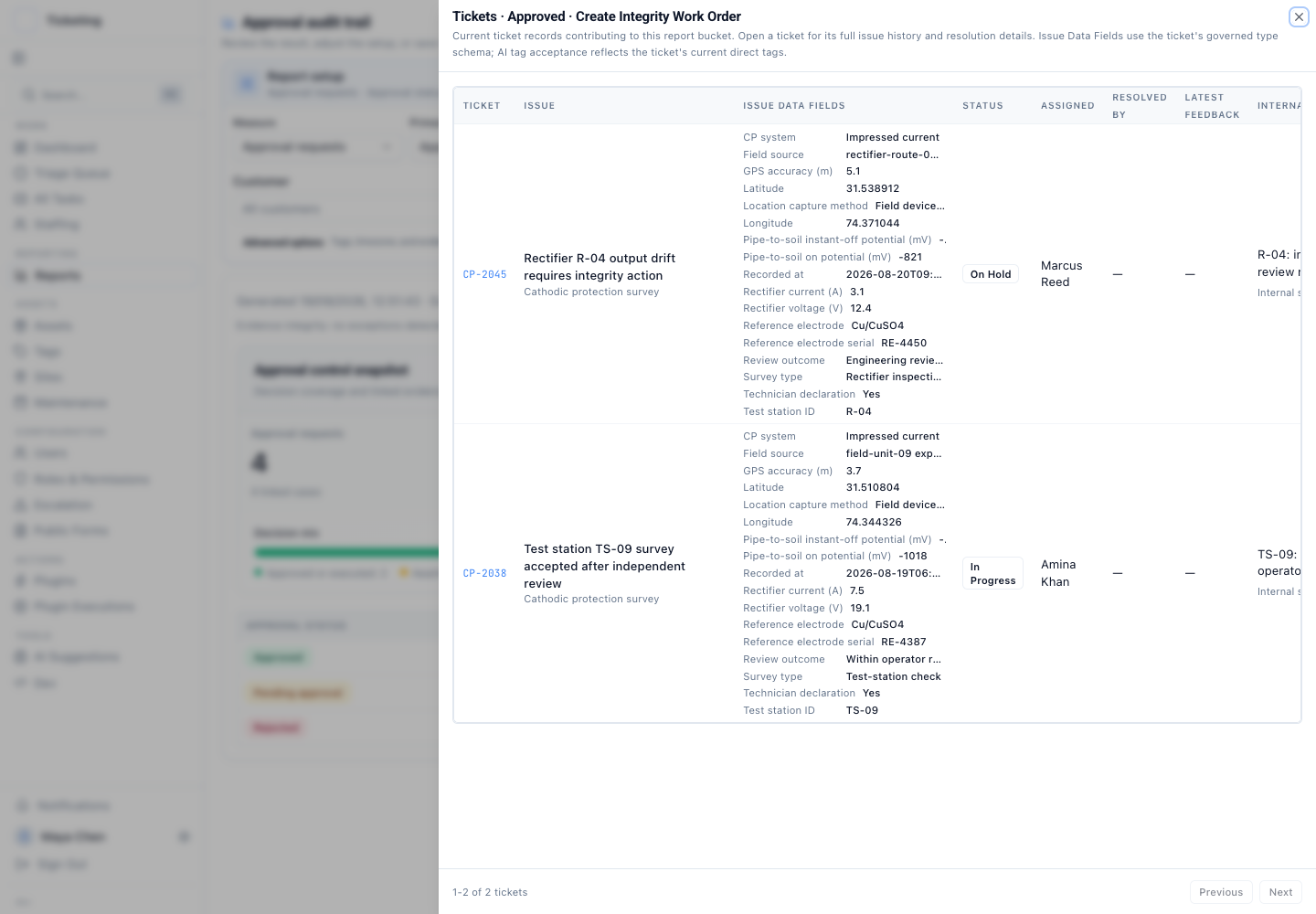
The report is a route back to the underlying synthetic cases; it does not provide a CP compliance assessment.
Try the read-only walkthrough
Open the cathodic protection survey walkthrough and follow these steps:
- Inspect setup: review the survey fields and note which values need to match your own procedure.
- Open the TS-14 exception: read the measurements, location source, attached evidence, and reviewer conversation on CP-2041.
- Check the action state: confirm that its integrity request is waiting for an independent approval; do not infer that a work order was created.
- Compare the TS-09 outcome: open CP-2038 to see the separate approval and synthetic response with IWO-88421.
- Open the audit report: trace the action status back to the relevant synthetic record.
The replay's records are fixed examples for product evaluation. They do not establish current production behavior, actual field conditions, or the result of an external system call in a live operation.
For a broader description of the software boundary and handoffs, see the cathodic protection survey workflow. For a reviewable record design, read cathodic protection inspection examples and the inspection form checklist.