An inspection spreadsheet can show that a guardrail failed. It rarely shows the control path behind that result. The photograph sits in a phone gallery. The corrective action is copied into another system. Approval happens in email. Months later, someone rebuilds the audit trail by matching names and timestamps.
That is a result log. It is not an inspection audit trail.
This walkthrough follows one synthetic loading-bay inspection from form setup to an upstream facilities work order. The organisation, site, people, findings, photographs, and work-order response are illustrative. The screens come from the real Latch product.
For a one-off report, use the free inspection report builder. Add findings, photographs, corrective actions, and a reviewer declaration, then download a PDF and structured JSON. The browser tool prepares an editable report; it does not verify signatures or create an immutable audit trail.
Put the Inspection on a Recurring Schedule
The loading-bay guardrail check runs every 30 days. The active schedule targets the Warehouse loading bay asset type. It creates a high-priority inspection ticket with the governed Safety inspection classification.
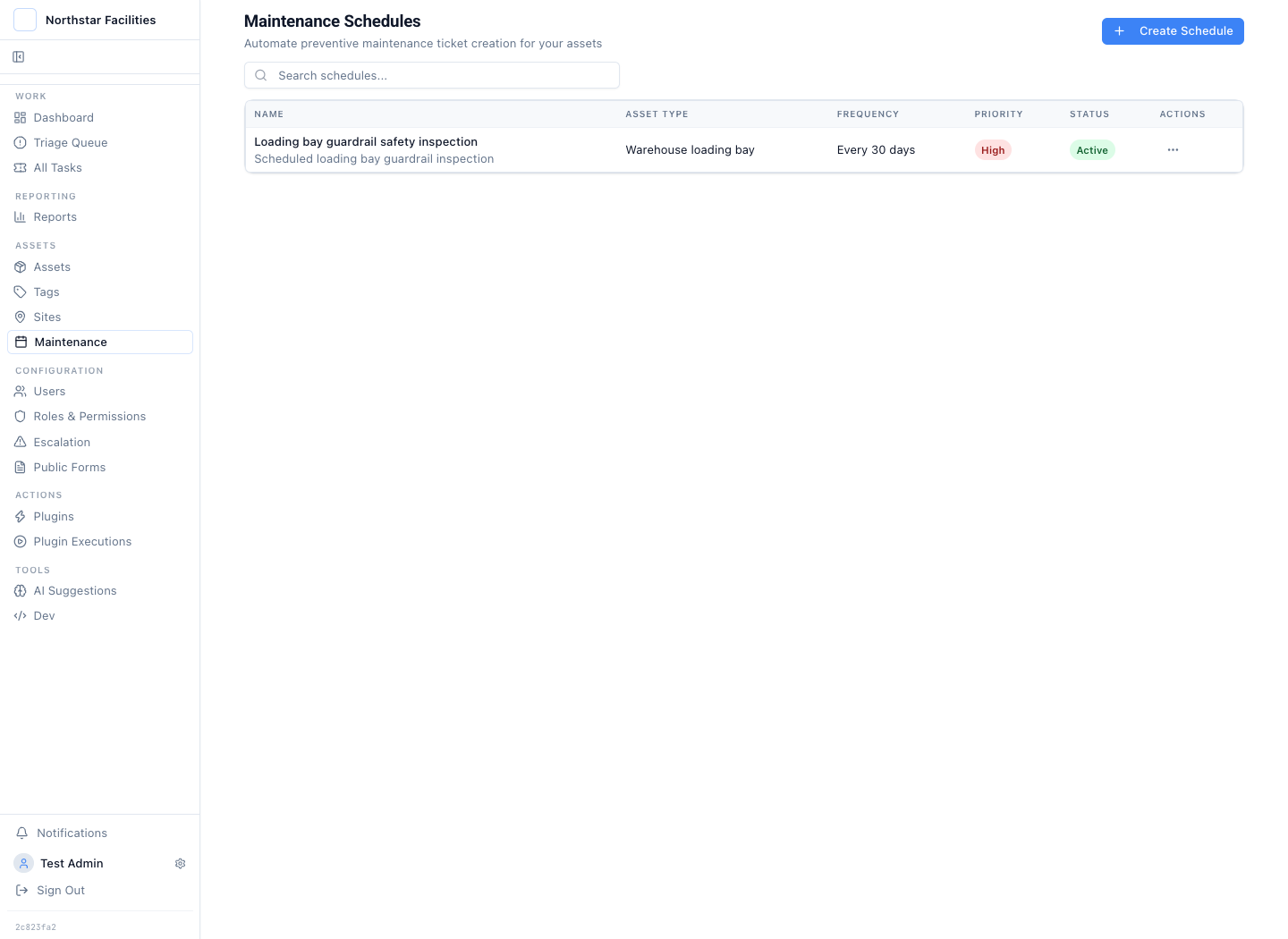
The schedule creates the next inspection record before a missed check becomes an audit exception.
The schedule is not the evidence. It creates the work at the expected interval. The form then defines what the inspector must record.
Define the Evidence Before the Inspection Starts
The example starts with a public form named Facility safety inspection. It asks for the inspector, inspection area, result, risk rating, corrective action, and photographs. The required fields are not a reminder in a procedure. They are part of the intake control.
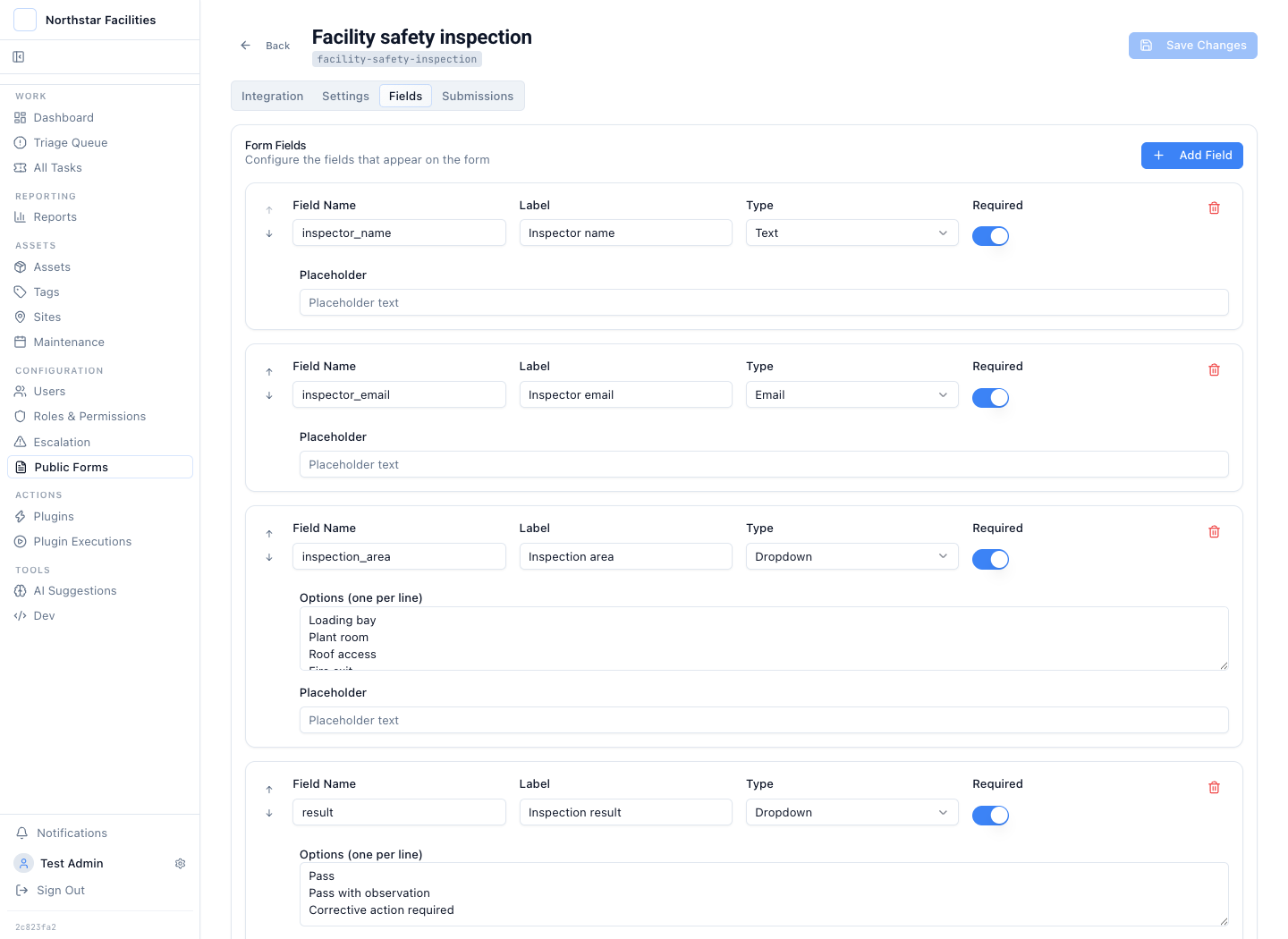
The form makes the evidence requirement explicit before the inspector submits the finding.
The form accepts up to five attachments. It links the submission to a governed inspection type and applies a fixed priority. The resulting case carries the same evidence language used in the queue, the approval request, and later reporting.
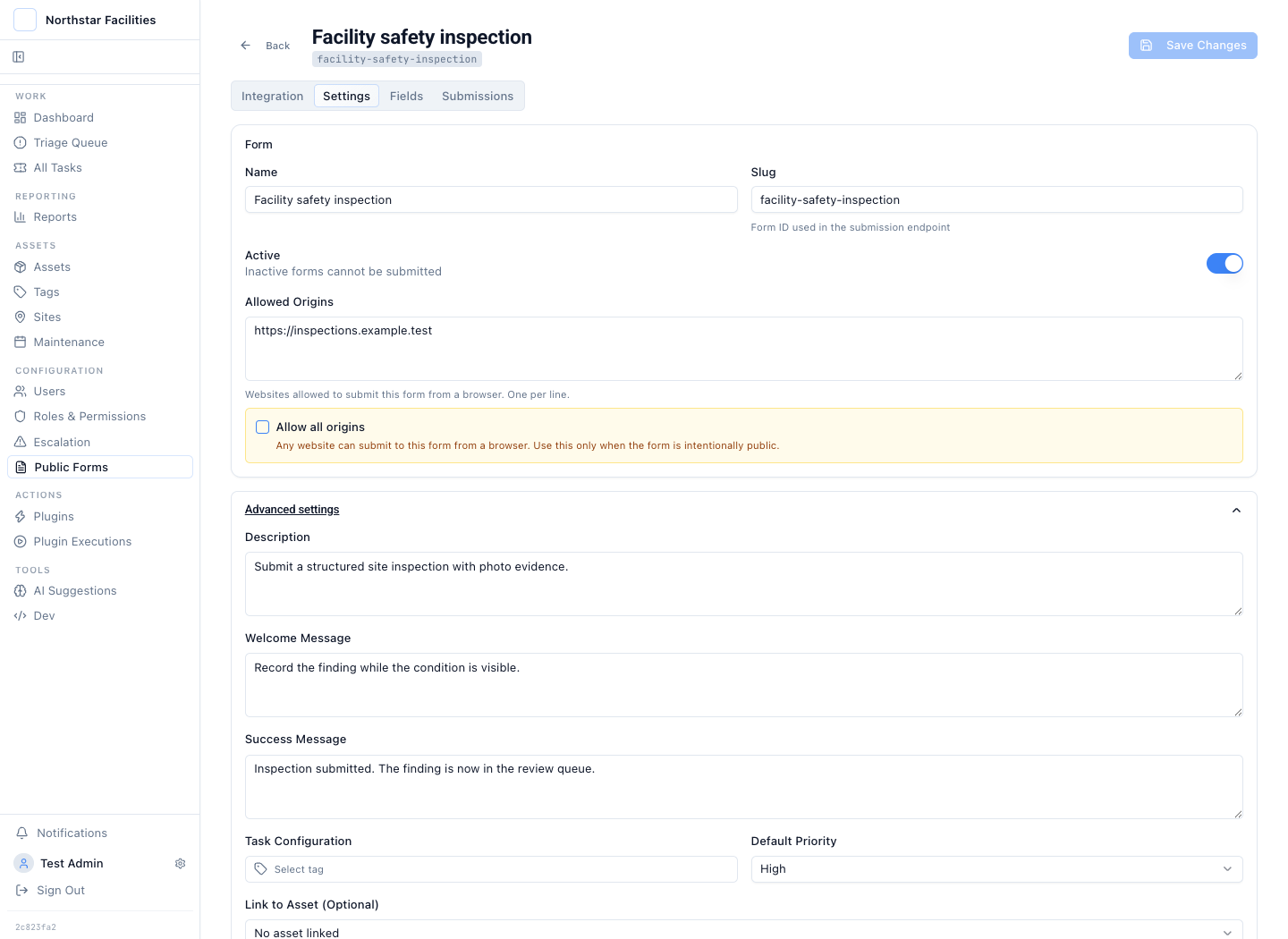
Evidence rules, intake controls, and the resulting case type stay together.
This is narrower than a generic form builder. It is designed for work that must continue after submission. The form starts the record. It does not become a dead-end response table.
A Finding Becomes Reviewable Work
The synthetic queue contains four inspection findings. One waits for review. Two have been approved. One was rejected because the evidence was incomplete.
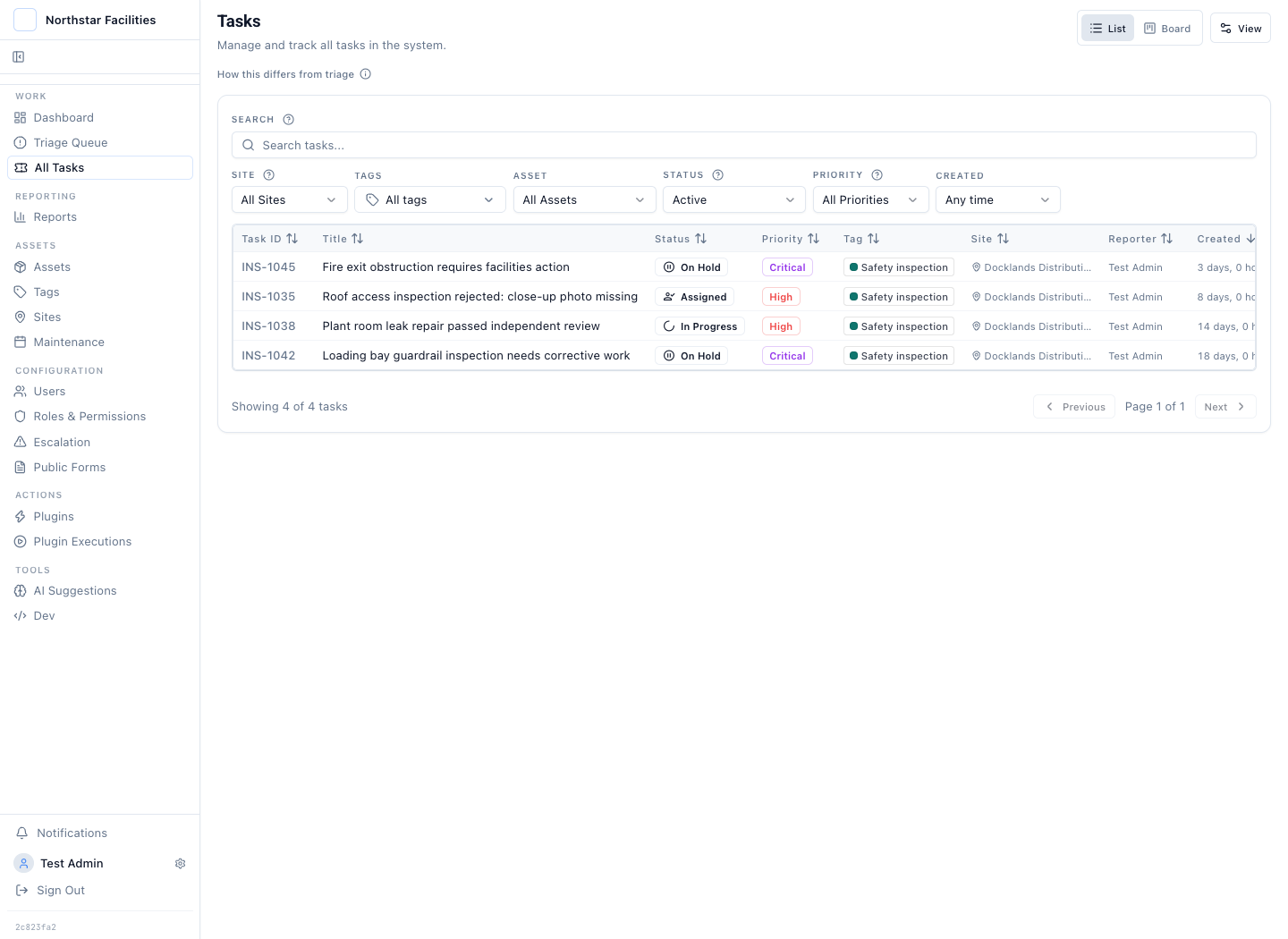
Inspection outcomes remain in the operating queue with ownership, priority, status, and site context.
The current case is INS-1042. An inspector found a damaged mid-rail at loading bay 4. The case records a high risk rating and the required corrective action: replace the rail and isolate the bay until reinspection.
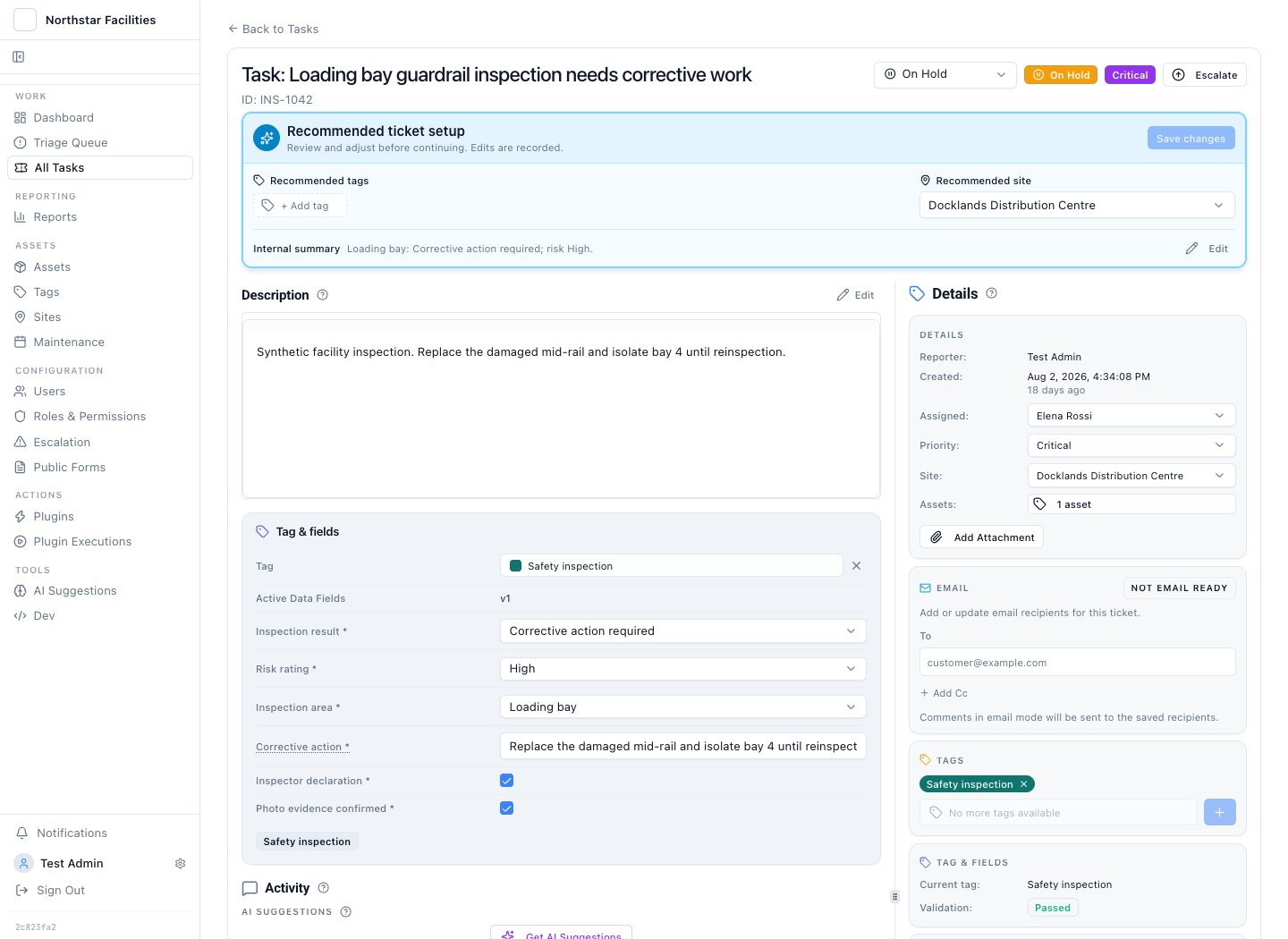
The structured record says what failed, how serious it is, and what must happen next.
The case also holds the photograph and the inspector note. Physical evidence does not sit in a separate folder that reviewers must locate. It appears beside the proposed plugin action and its approval state.
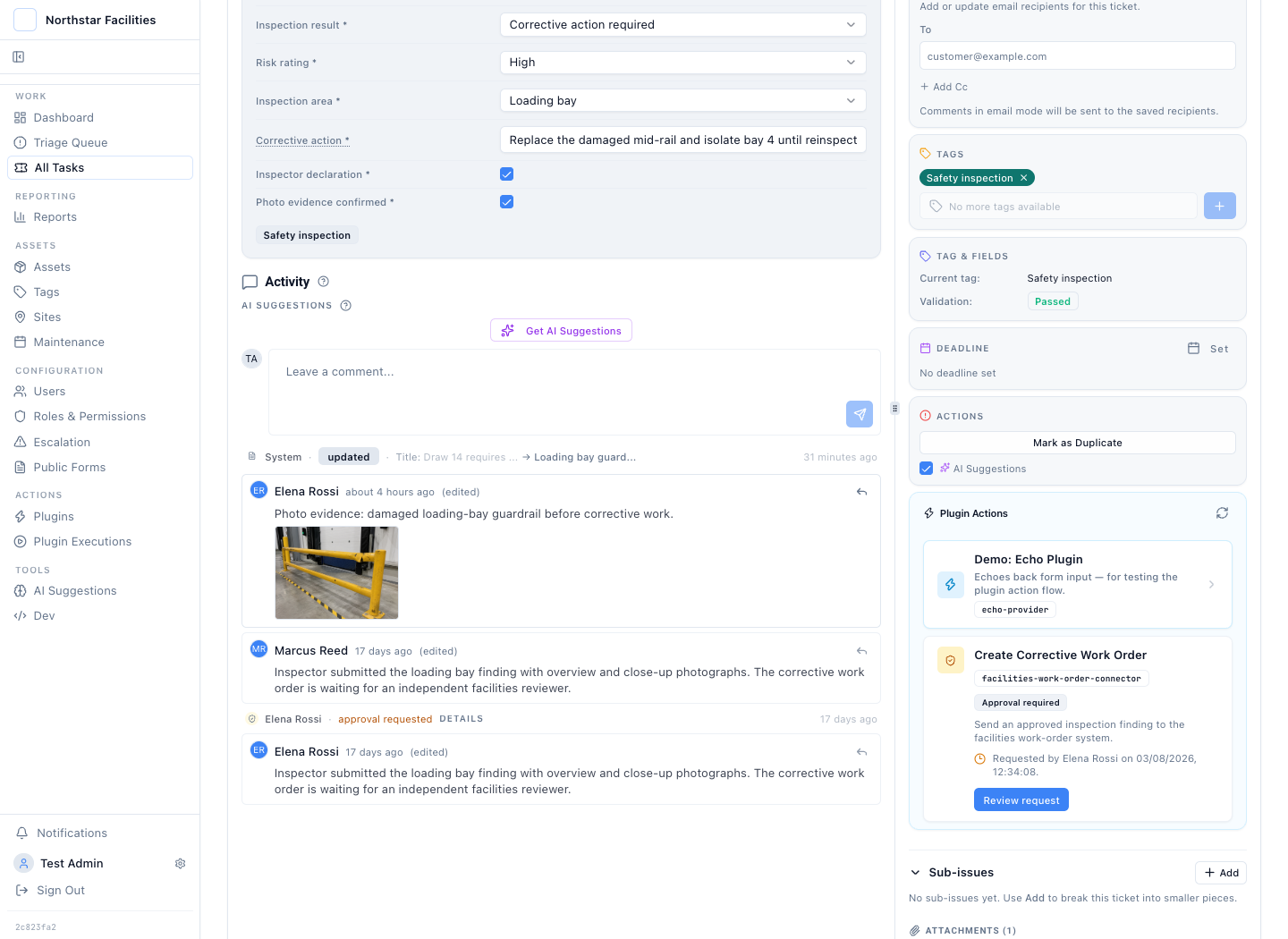
The finding, photograph, corrective action, requester, and approval state share one timeline.
The image in this synthetic story is illustrative. In a live workflow it would be the photograph captured during the inspection.
Approval Covers the Exact Upstream Request
The inspector cannot create the facilities work order on their own. The action uses maker-checker review. A different authorised person must approve it.
The review screen shows the stored payload: inspection ID, site, area, finding, risk, proposed action, and the evidence filename. The reviewer approves or rejects that exact request.
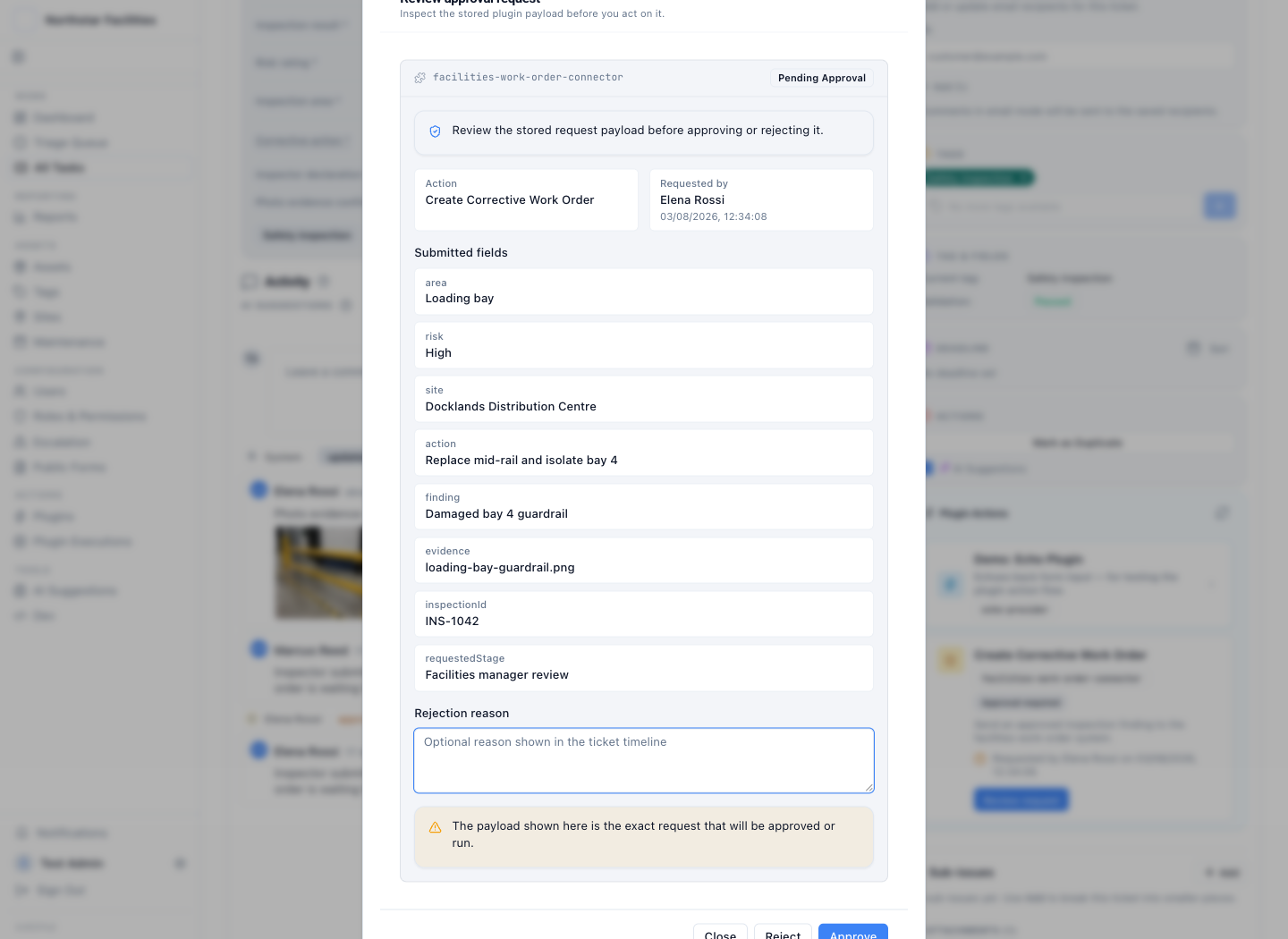
The approval applies to the stored payload, not to a summary copied into chat or email.
Does this mean one action can require an arbitrary chain of serial or n-of-m approvers? No. The current control is maker-checker for each gated plugin action. A workflow can contain several separately gated actions. The product does not claim a configurable multi-stage approval chain for one action.
That boundary still covers the common inspection failure mode. The person who prepares the corrective action cannot approve their own request. A rejection records the reason. A later resubmission does not erase the first decision.
The approved plant-room case keeps the requester, approver, timestamps, and action state in its history.
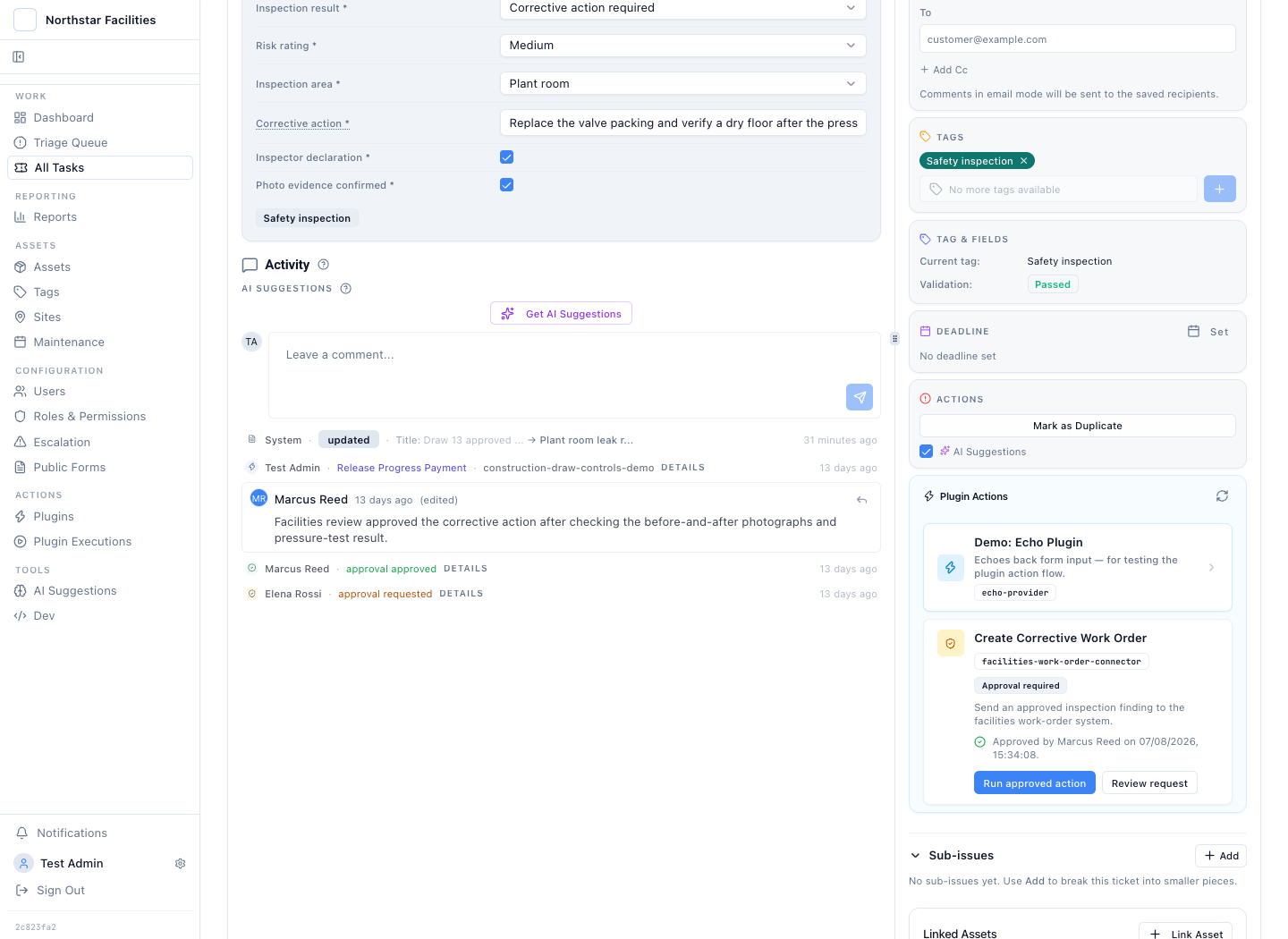
The record preserves separation of duties and the payload covered by the decision.
The Plugin Result Returns to the Inspection
Approval is not the end of the story. The plugin sends the reviewed payload to the upstream facilities system. The execution record captures the request, response, operator, status, and timing. In this synthetic example, the upstream system returns work order FMS-WO-88421.
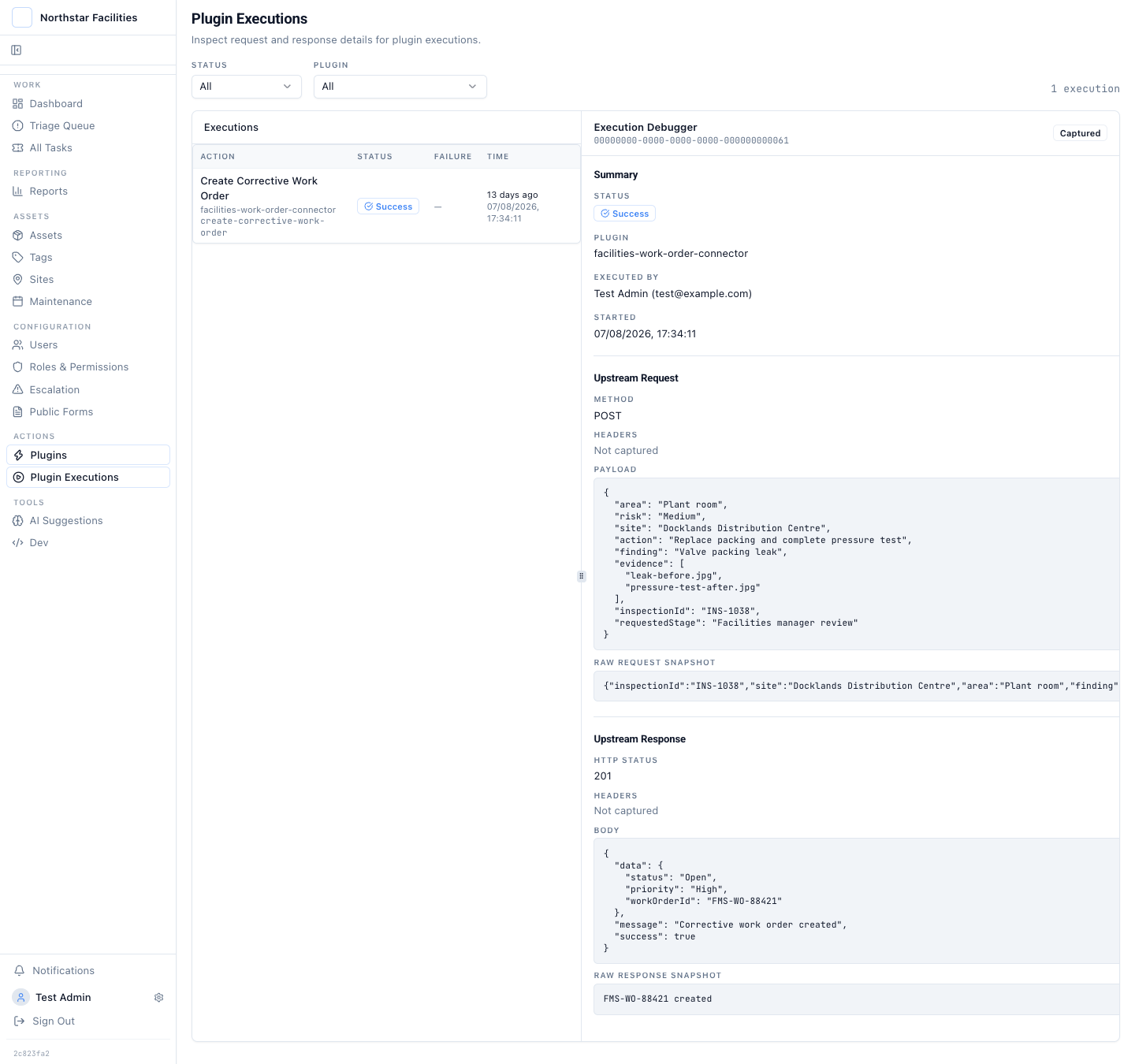
The work-order identifier and upstream response close the loop between inspection and corrective work.
This is the difference between recording a planned action and proving that it ran. A note that says "sent to facilities" asks the reader to trust the author. An execution response shows what the connector sent and what the other system returned.
Plugins should be used where the upstream system has a real action to perform: create a work order, place equipment on hold, notify a compliance register, or update an asset record. A team that only needs to collect a checklist and store a photograph may not need a plugin at all.
The Audit Trail Becomes a Report, Not a Reconstruction
The standard approval audit report groups the four synthetic requests by status and action. It shows two approved or executed requests, one pending decision, and one rejection. The result keeps a path back to the linked inspection cases.
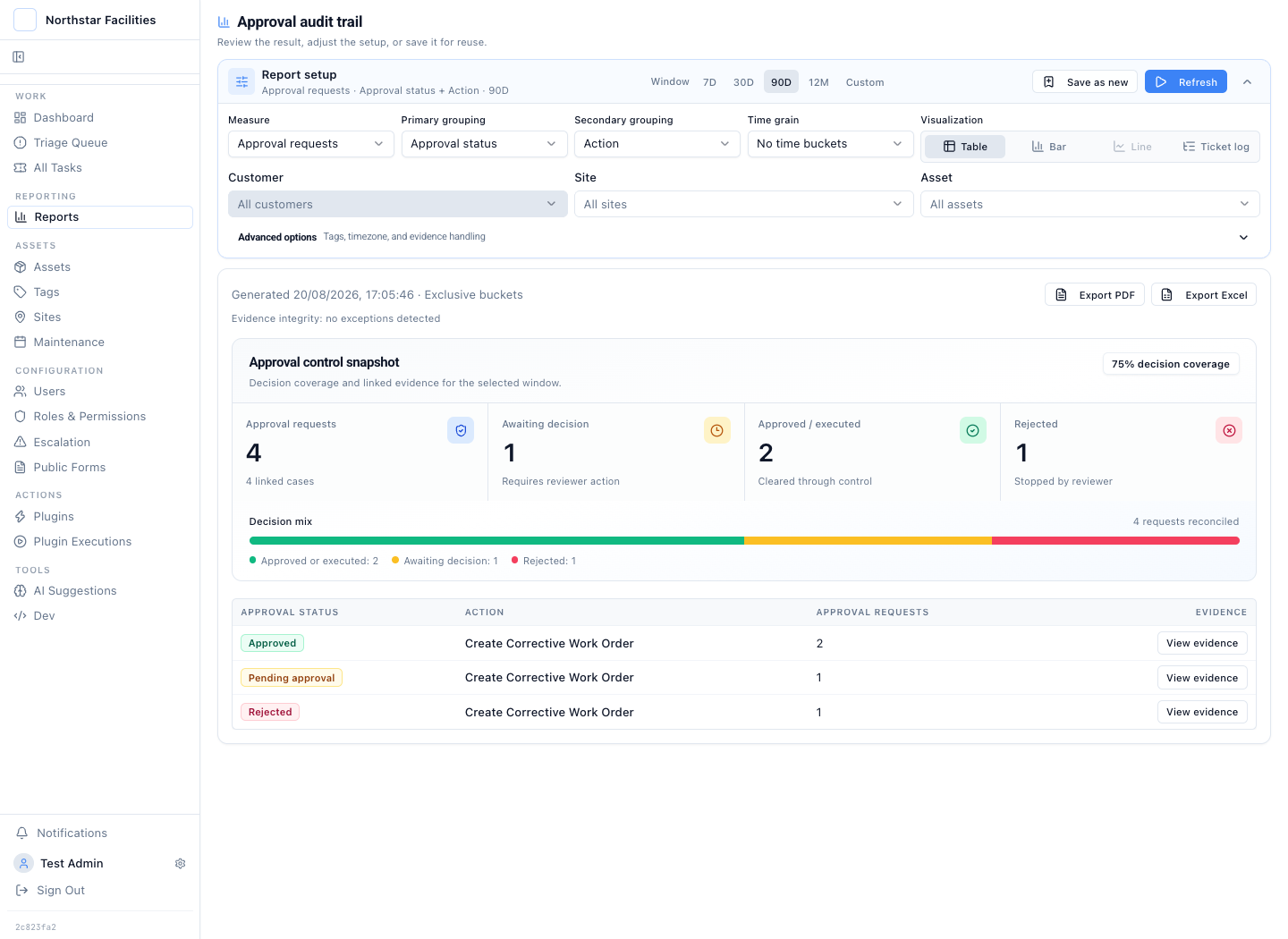
Approval outcomes stay reportable, drillable, and exportable to PDF or Excel.
The report does not replace the case record. It answers a different question: how often did the control run, which requests are still waiting, and where did a reviewer stop the action? Each number remains answerable to the inspection evidence underneath it.
A useful inspection audit trail connects five things:
- The form defines what the inspector must submit.
- The case holds the structured finding and photographs.
- The approval covers the exact proposed upstream action.
- The plugin response proves what the external system accepted.
- The report keeps every aggregate linked to the source cases.
Miss one of those links and the audit starts with reconstruction. Keep them together and the inspection remains readable from the first observation to the final work-order response.