Many teams give field engineers access to the full operations queue. They rely on a filtered view in the navigation to keep work manageable. That looks like access control. It is not. It is a display setting. A search breaks it. A record count breaks it. A direct URL breaks it.
Access scope must live in the permission boundary, not in a UI filter. If the API does not enforce scope, a curious or distracted engineer can stumble into tickets they should not see. A reporting query can pull counts that include work outside their responsibility.
Assigned Scope Is Enforced, Not Displayed
Latch takes the opposite approach. A Field Engineer role sees only tickets explicitly assigned to that person. The restriction is enforced in the API. It applies to the mobile queue, search results, record counts, and direct ticket URL lookups. If a ticket is not assigned to Priya Nair in Nairobi, her view does not include it. There is no filter to toggle and no URL to guess.
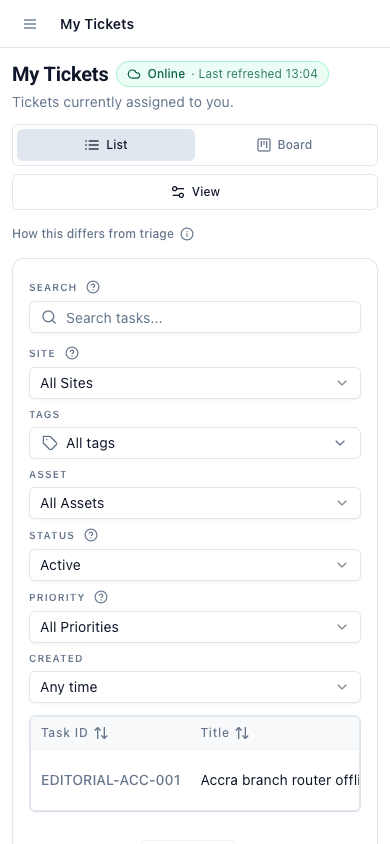
Kwame Mensah in Accra sees a different list. His queue contains only his assigned work. The system does not allow Priya to view Kwame's tickets, and vice versa, unless an explicit reassignment occurs through an approved workflow. That boundary turns a ticket queue into a reliable field tool. The engineer opens the app and sees only what they need to act on. No scrolling through a shared inbox. No mental filtering of someone else's escalations.
A Navigation Filter Cannot Control Access
A common pattern in field service tools is to give engineers broad read access and then show a "My Tickets" tab. It appears to solve the problem because the default view looks clean. Failures appear later:
- The search box often searches across the entire workspace. An engineer searching for a site name may see tickets from another region.
- Aggregated counts, like badge numbers or "open" totals on dashboards, often reflect the full dataset. They become meaningless.
- A direct link to a ticket, shared in chat or SMS, may load a ticket the engineer should not access. If scope is not enforced at the point of retrieval, the record opens.
These are not edge cases. They happen when access control is a presentation concern instead of a data concern.
An Assigned Ticket Contains the Job Context
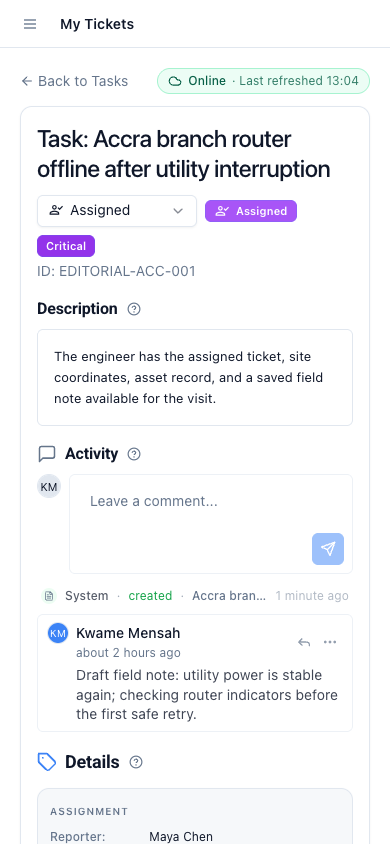
An assigned ticket in Latch brings together the customer name, site address, asset details, service history, and the evidence attached to past decisions. The field engineer does not need to open four different systems to understand what the job requires. The ticket record carries the context gathered during triage and review. The engineer arrives on site. They open the assigned ticket. They know what has already been decided and what still needs to be resolved.
When the engineer adds notes, photos, or a completion confirmation, those updates flow back into the same record. The operations team can see the update without chasing down a WhatsApp message or an email thread. The ticket remains the single source of truth for what happened.
The Boundary That Matters Is Assignment, Not Broad Access
This model does not prevent escalations or reassignments. A ticket can be moved from one engineer to another through a deliberate step that records who transferred it and why. The default state is that every field engineer lives inside their own assigned scope. The queue gets smaller. Permissions get simpler. The audit trail gets cleaner. That default also eliminates a class of error that starts with "I opened the wrong ticket."
This assigned-ticket model keeps data local to the engineer who needs it. It works across multiple regions without complicating the underlying ticket record. The record is the same. Access is properly bounded.
Continue reading: the field-service release overview, asset context for field service tickets, why ticket status workflows need hard edges.