A field service operation spanning Nairobi, São Paulo, Dubai, Copenhagen, Manila, and Accra often tracks sites in a spreadsheet. The Manila dispatcher knows the Dubai data centre contact. She entered it three months ago and keeps a note. A field technician arriving for a preventive maintenance visit asks the dispatch desk for the gate code. When that dispatcher is on leave, the replacement cannot find the gate code or the local contact who knows the cooling shutdown schedule. The ticket system holds the address as a text field and nothing more.
Site records change that. A site in Latch is a structured object: name, address, region, time offset, contacts, latitude/longitude, and tags. When a ticket links to a site, the operator and technician see the same operational context: contacts, time zone, and loading dock notes. For a generator maintenance ticket in Dubai, the operator links the site "Dubai Data Centre B". The technician opens the ticket and sees the site's contact details, the UTC+4 offset, and the tag "generator-backup-only". The technician knows not to touch the main power feed because the site record carries that expectation in its tag.
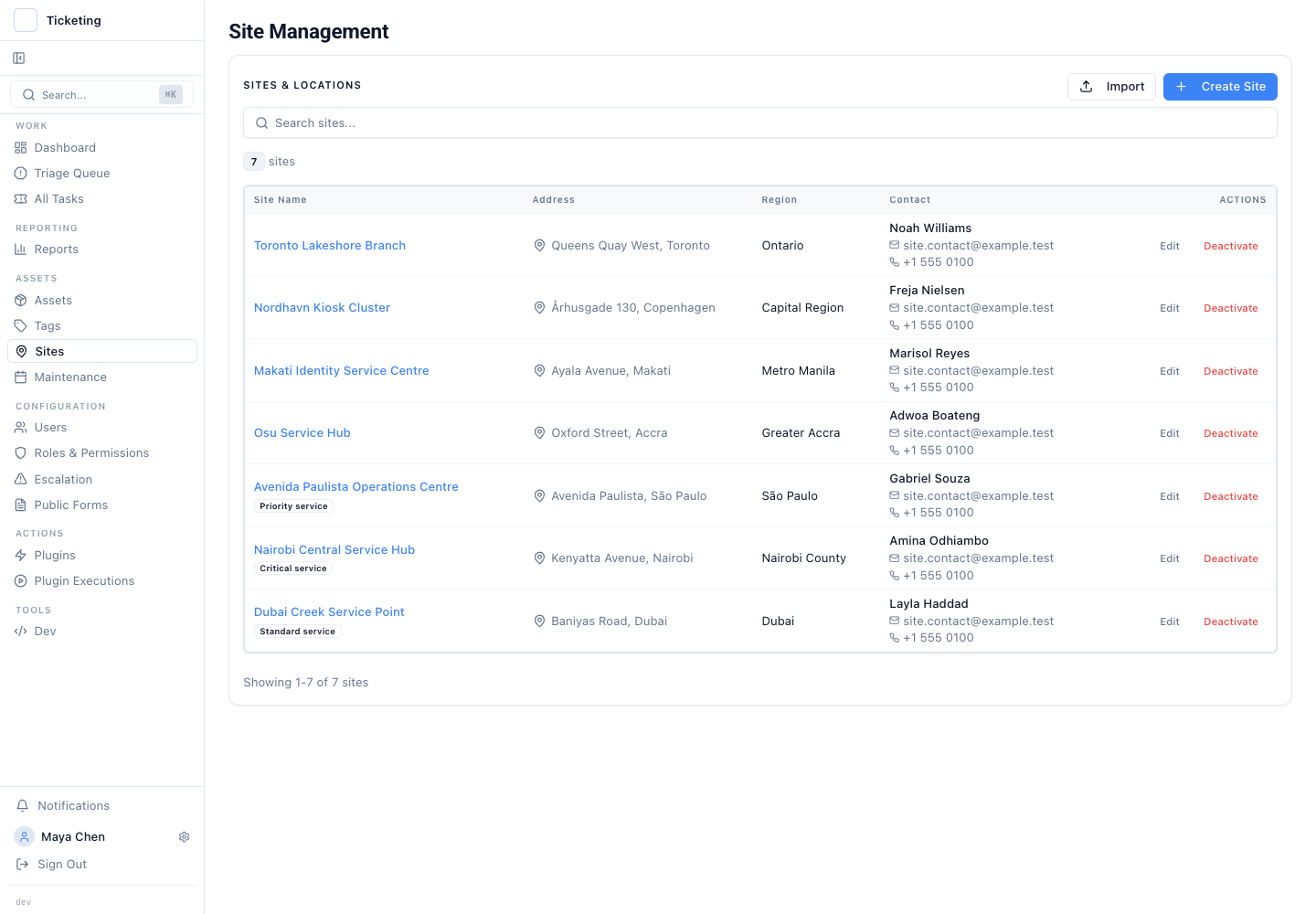
Tags carry local context that the address alone cannot. A Manila site tagged "generator-backup-only" and a Copenhagen site tagged "cold-chain-server-room" carry different operational expectations. The tag "generator-backup-only" tells the technician the generator is backup only, not life safety. A site tagged "life-safety-generator" has a different SLA and work procedure. Tags let a regional queue group all sites with similar characteristics. No naming convention survives the third acquisition.
Tags matter when a queue covers enough sites that scanning a list by address is unreliable. If a region contains two sites and the dispatcher knows both, tagging adds overhead without improving routing. When a queue manages eighty sites across three countries, tags become the primary filter for assigning work to the correct subcontractor or field team.
The discipline is naming consistency. Two people might tag one site "generator-backup" and another "generator-backup-only". The import treats them as distinct. The system provides the field. The team provides the taxonomy. That coordination failure is not solved by the import tool. A naming standard owned by the operations lead solves it.
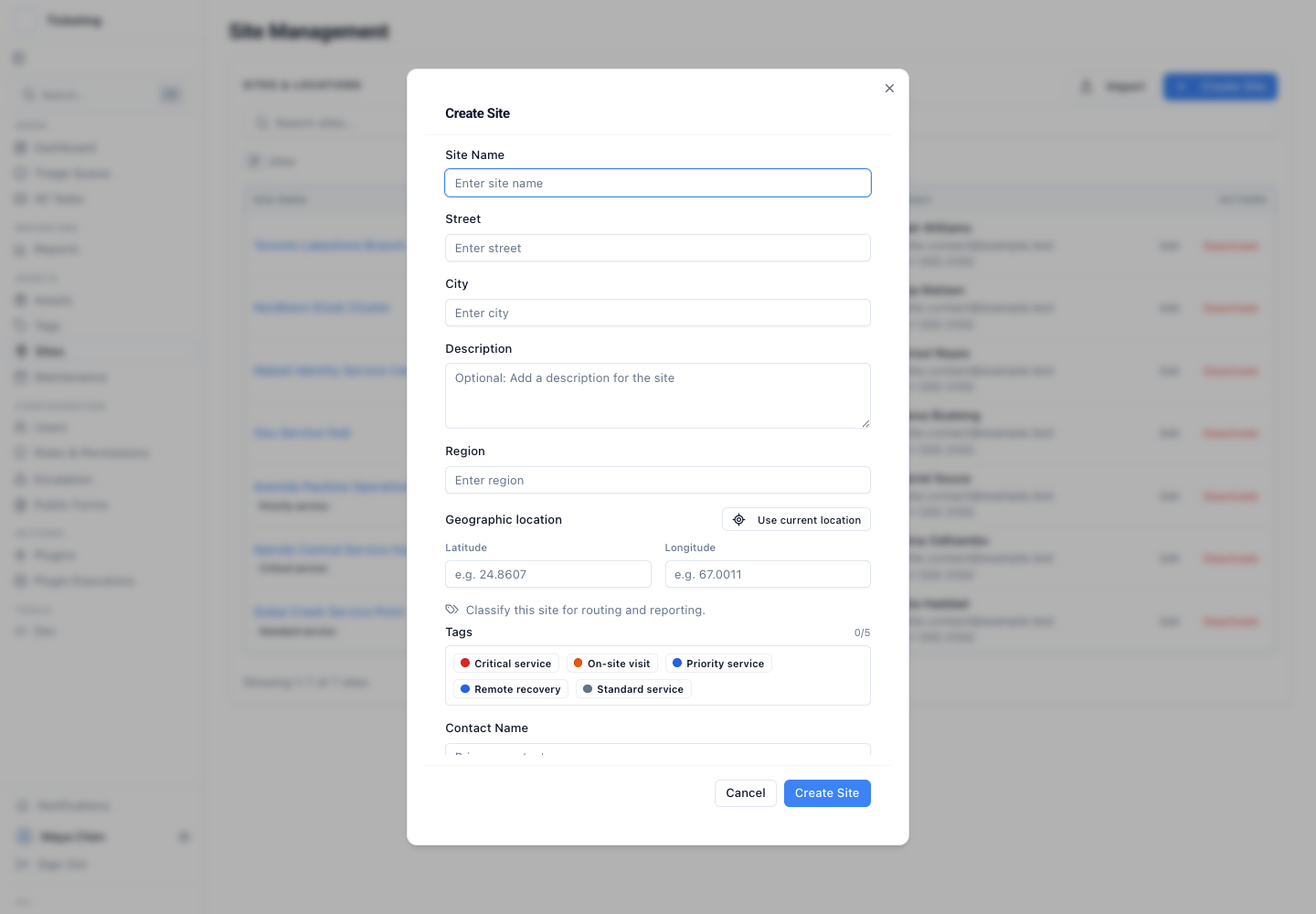
Coordinates keep location data with the site without implying a map UI. Latch stores latitude and longitude with the site and exposes the fields in the site editor and import workflow. The site record carries the data. Latch does not render a map. The point is to keep precise coordinates in the same operational surface as the address, contacts, time offset, and tags.
The coordinate is a field, not a continuously validated feature. If a site moves or the entered point is wrong, the team must correct the record. Coordinates are optional in the import. Teams should decide when they are required and include that rule in their own data checklist.
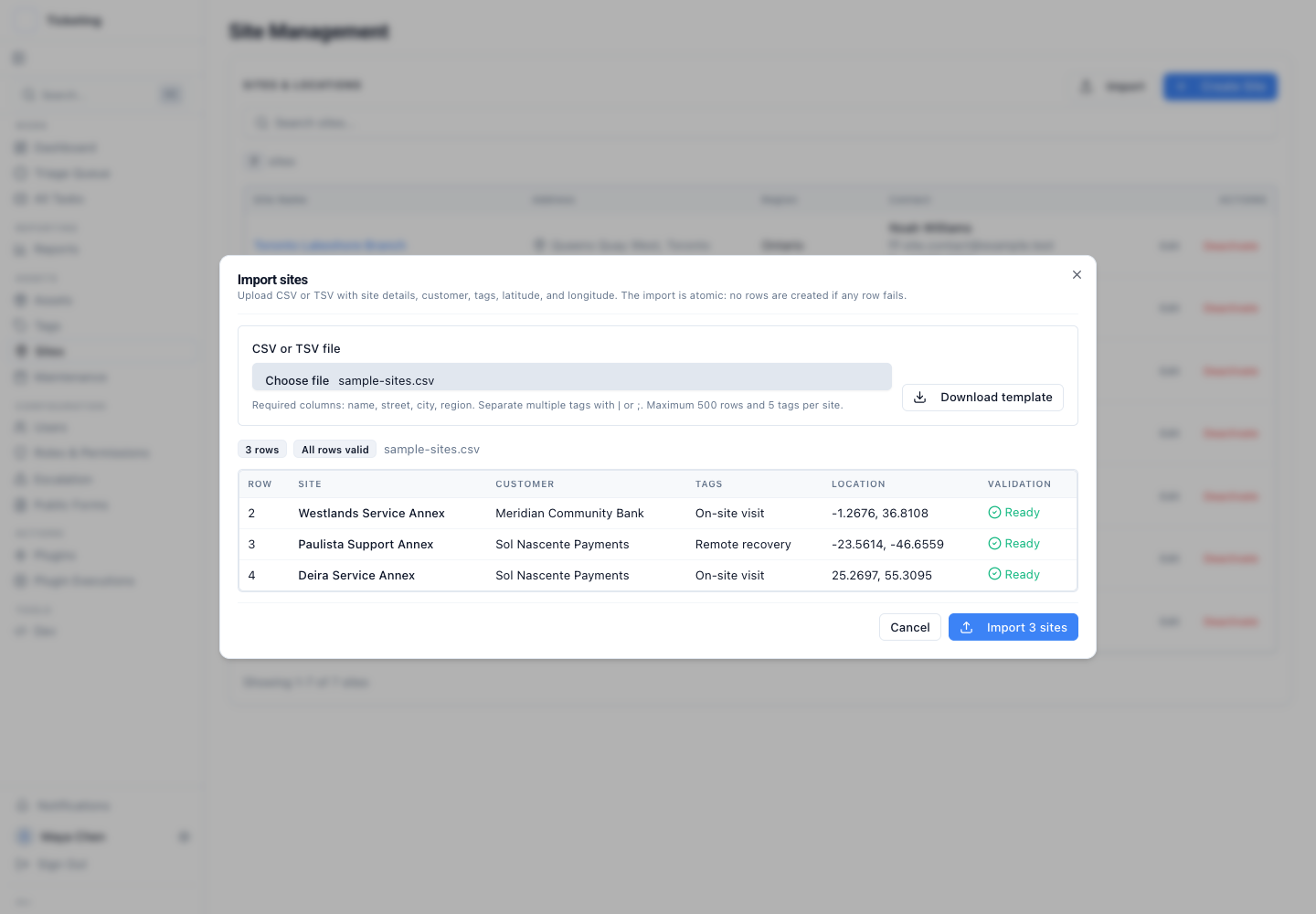
Bulk import validates data before it enters the system. A CSV or TSV file runs through a preview before any row is created. The preview checks required fields, coordinate format and range when coordinates are supplied, and whether referenced customers and tags are known. Any invalid row blocks the batch. This avoids a partial import that leaves the operator cleaning up half-created records.
Consider a regional manager who needs to create service sites before a new operating period begins. The manager prepares a CSV with names, streets, cities, regions, customer names, optional coordinates, contacts, and tags. The preview shows which rows are ready and explains any row-level validation error. No records are created until the batch is valid. The atomic import prevents a situation where one part of the file succeeds and the rest must be reconciled by hand.
Bulk import is the right path when the source list already lives in a spreadsheet and manual entry would invite inconsistency. For a handful of sites, the editor may be faster. The preview does not decide whether tag names fit the team's operating taxonomy. It catches structural and reference errors, not semantic drift. Semantic drift remains a human coordination problem. The import alone cannot close it.
Site records are operational context for Latch tickets. They are not a master data management system. If the authoritative source for address or contact data sits in an ERP, the team should sync that into Latch rather than maintain two islands. The site record holds the fields the ticket needs for triage, routing, and dispatch, not a complete asset register.
The operating principle: sites are shared operational context, not a field on the ticket form. The dispatcher, the compliance officer, and the field technician see the same site record. The handoff loses the phone call. The coordinate lives next to the tag. The tag lives next to the contact. The whole object updates through the same bulk import that created it.
This release extends the field-service work introduced in the field-service release overview and asset context for field service tickets. Read the full set of changes in the July product update.