A field-service review starts with the work, not a spreadsheet. Which cash deposit machines generate repeat visits? Is ATM work concentrated with one engineer? Which POS printer jobs are incidents and which are planned maintenance? The review is fragile when each answer needs a fresh export and a new pivot table.
The reporting release adds a report library, an analysis workspace, saved report definitions, and stable report URLs for the report owner. Two operations examples show what changed. One company maintains financial hardware in the field. Another coordinates scheduled replenishment and preventive maintenance.
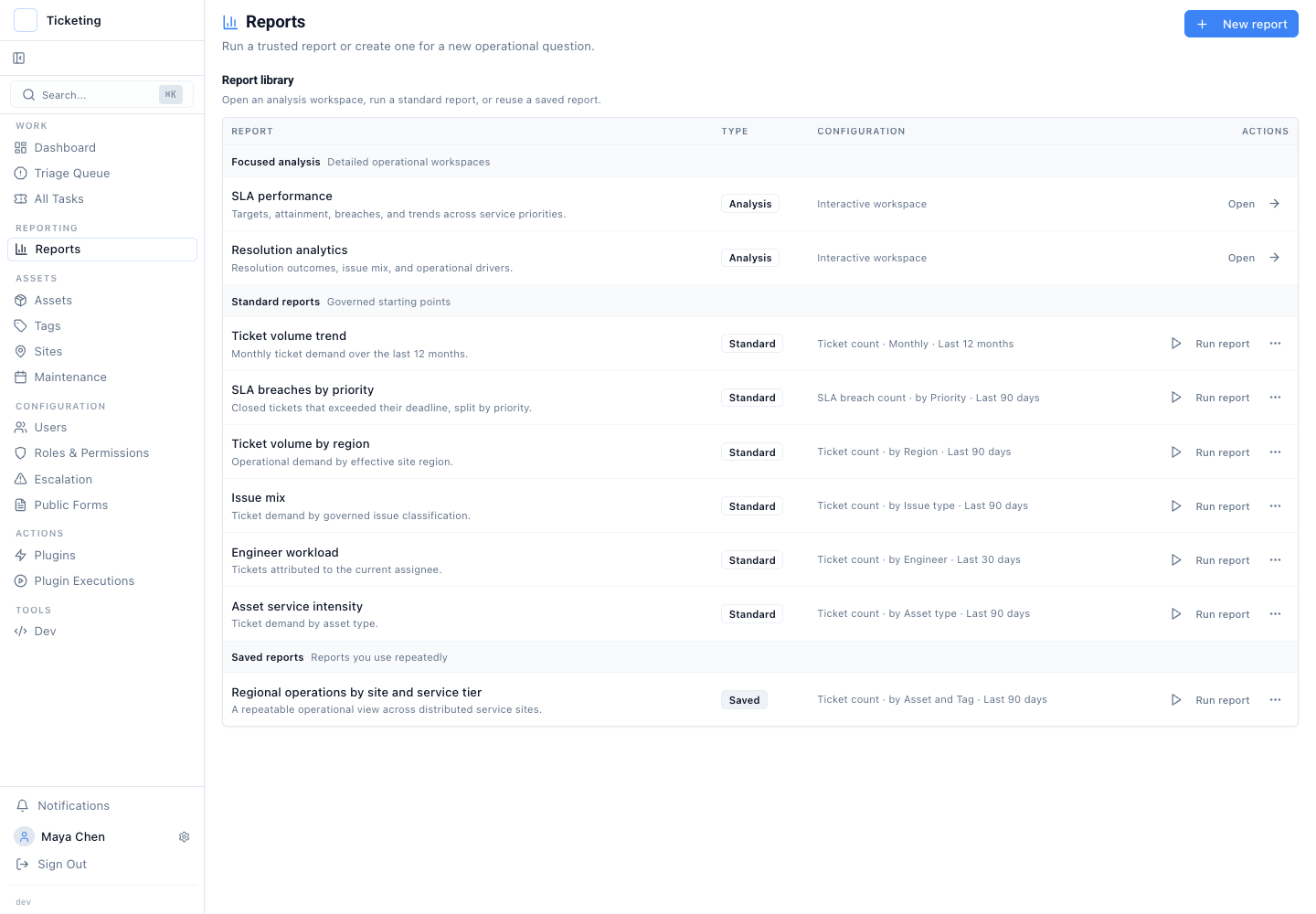
The report library keeps built-in operational starting points separate from each operator's saved reports.
Example 1: Field Staff Workload Shows Where Financial Hardware Demand Concentrates
Meridian Device Services supports cash deposit machines, ATMs, POS terminals, and POS receipt printers in Nairobi, Accra, Dubai, Makati, Copenhagen, Toronto, and Sao Paulo. Each ticket names the machine and site. It holds priority, issue type, assigned engineer, status, and field notes.
Ticket detail matters before any chart. Priya Nair handles Nairobi CDM work. Kwame Mensah owns a dispenser-sensor repair on an Accra CDM. Lucas Pereira covers a Dubai POS terminal and a Sao Paulo receipt printer. Hana Sato handles Manila POS and Copenhagen ATM work. Reporting uses the same ticket records the team already works from.
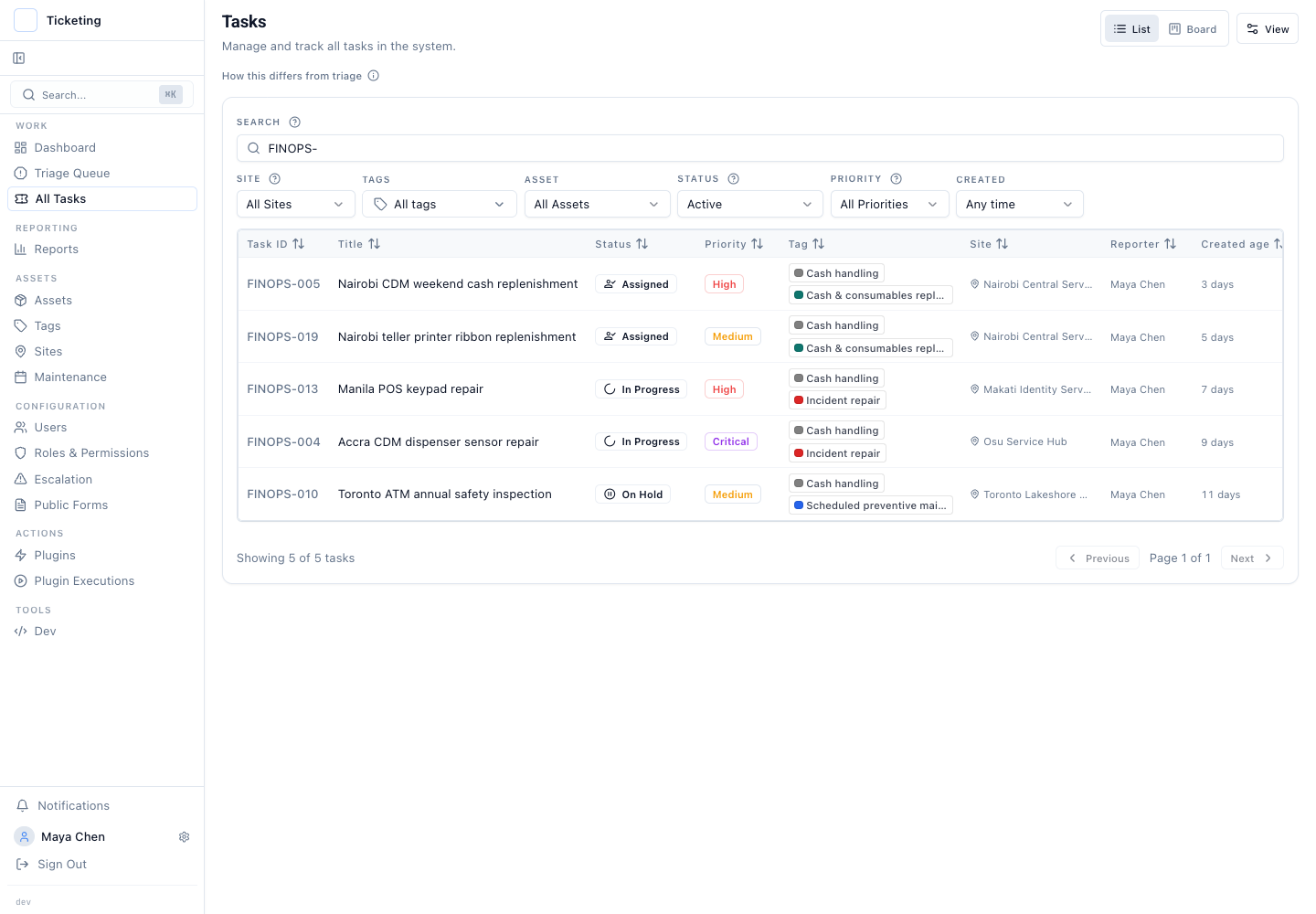
The active queue shows incident repair, scheduled maintenance, and replenishment work in the same ticket-management surface.
The workload report groups tickets by engineer and asset type. It shows where field demand concentrates. It also exposes classification gaps. Work filed without an asset type or without an engineer shows up in the report. It does not disappear into an export.
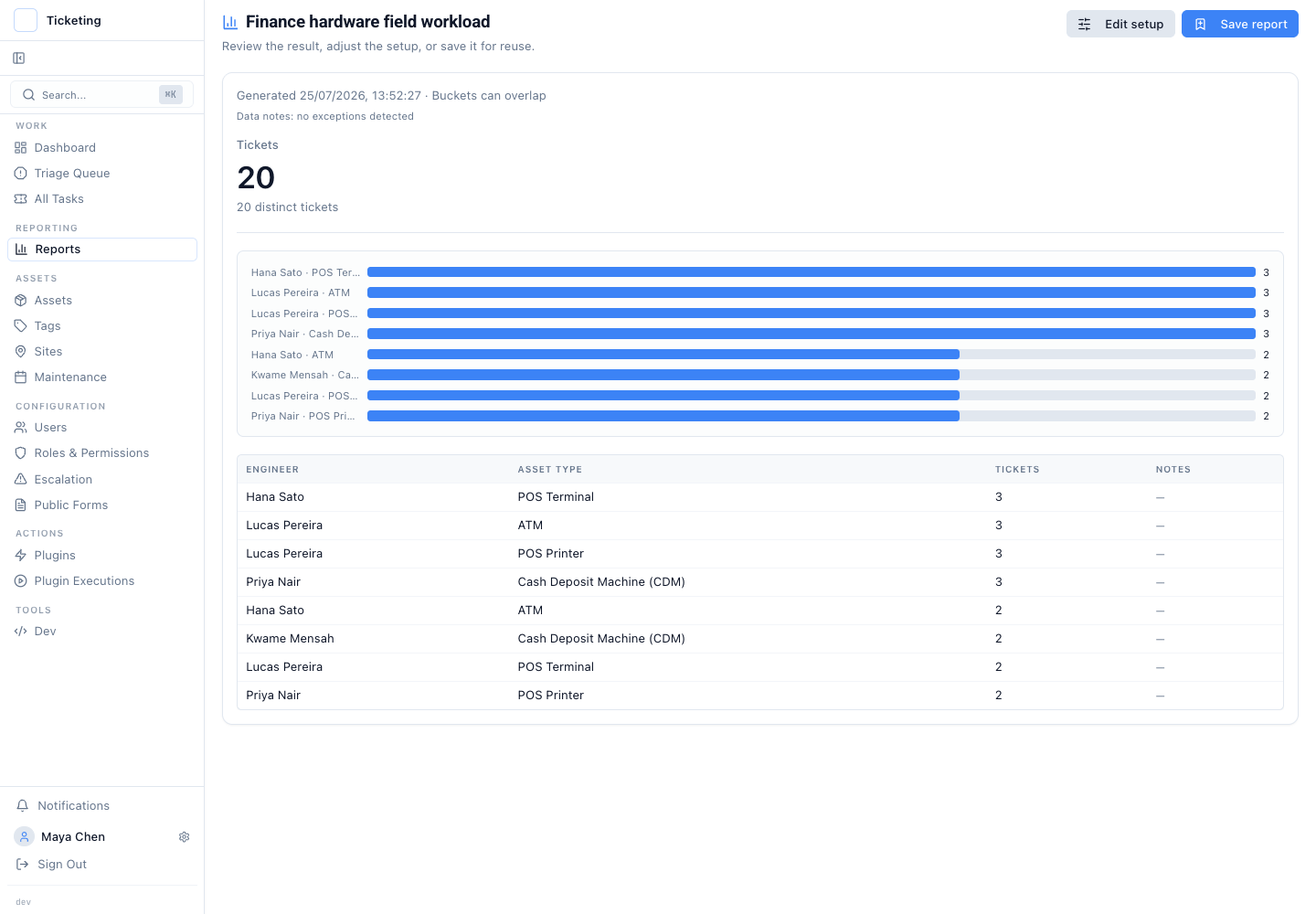
Engineer and asset-type grouping exposes where field demand is concentrated across the hardware estate.
The report does not replace the ticket. From the grouped result, an operations lead can move back to the underlying work. They can inspect the machine, location, issue, owner, and service stage. The report shows the pattern. The ticket record explains what to do next.
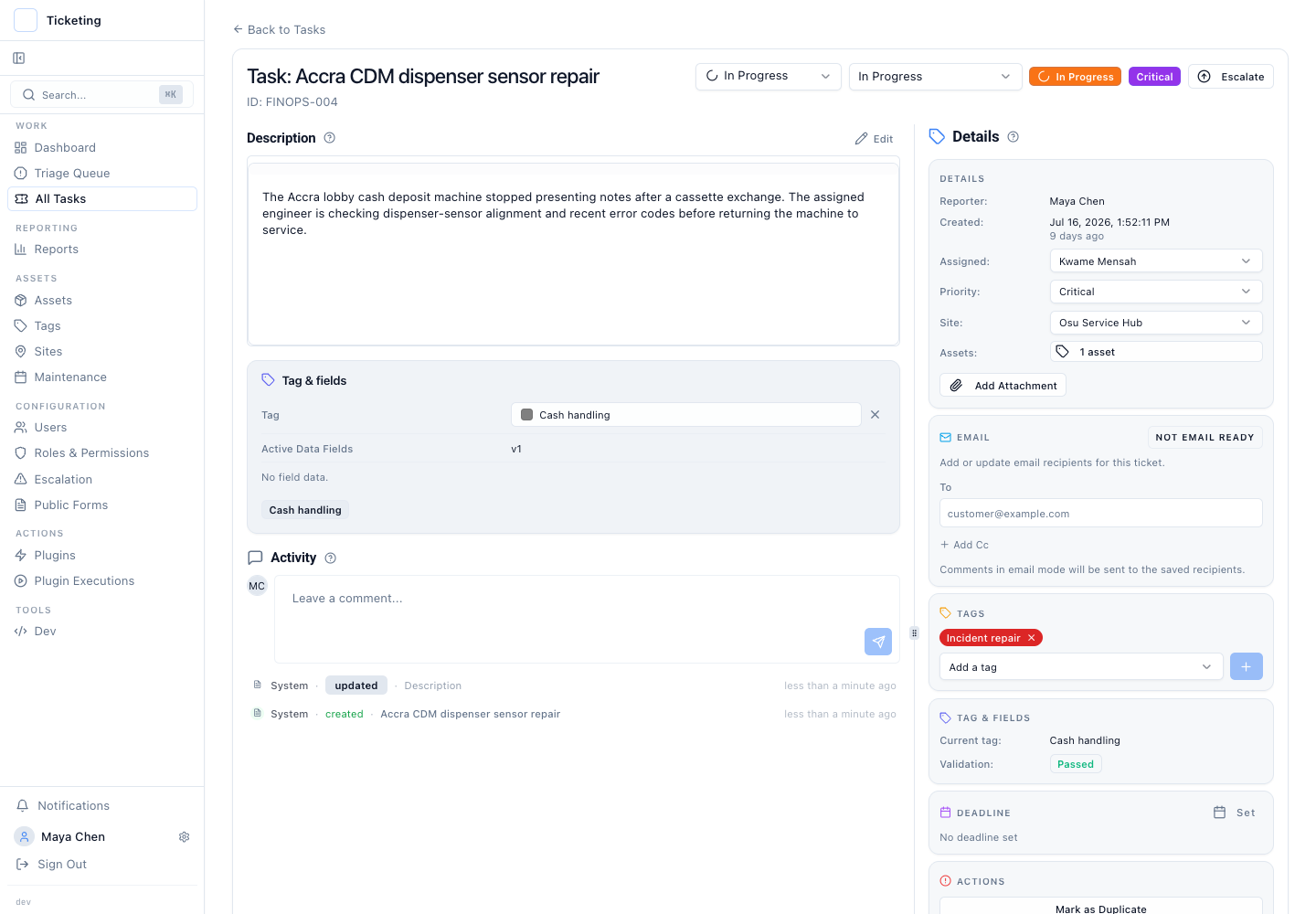
The underlying CDM ticket keeps the service description, assigned engineer, site, asset link, classification, and current status together.
Saved definitions matter here. The team can save a report called "Finance hardware field workload" with engineer and asset-type groupings. Reopening it reruns the definition against current ticket data. The logic stays fixed while the operation changes.
Example 2: Replenishment and Scheduled Maintenance Fail When Work Is Scattered
Planned work fails differently. A monthly ATM inspection, a cash deposit machine cassette check, and POS paper replenishment are all known in advance. They still get missed. The schedule lives in one tool. The service ticket sits in another. The review spreadsheet lives in a third.
Latch maintenance schedules create tickets for the relevant asset type at a defined interval. Each schedule holds the ticket title pattern, frequency, priority, and active state. The service team works the generated tickets through the same status flow as other work.
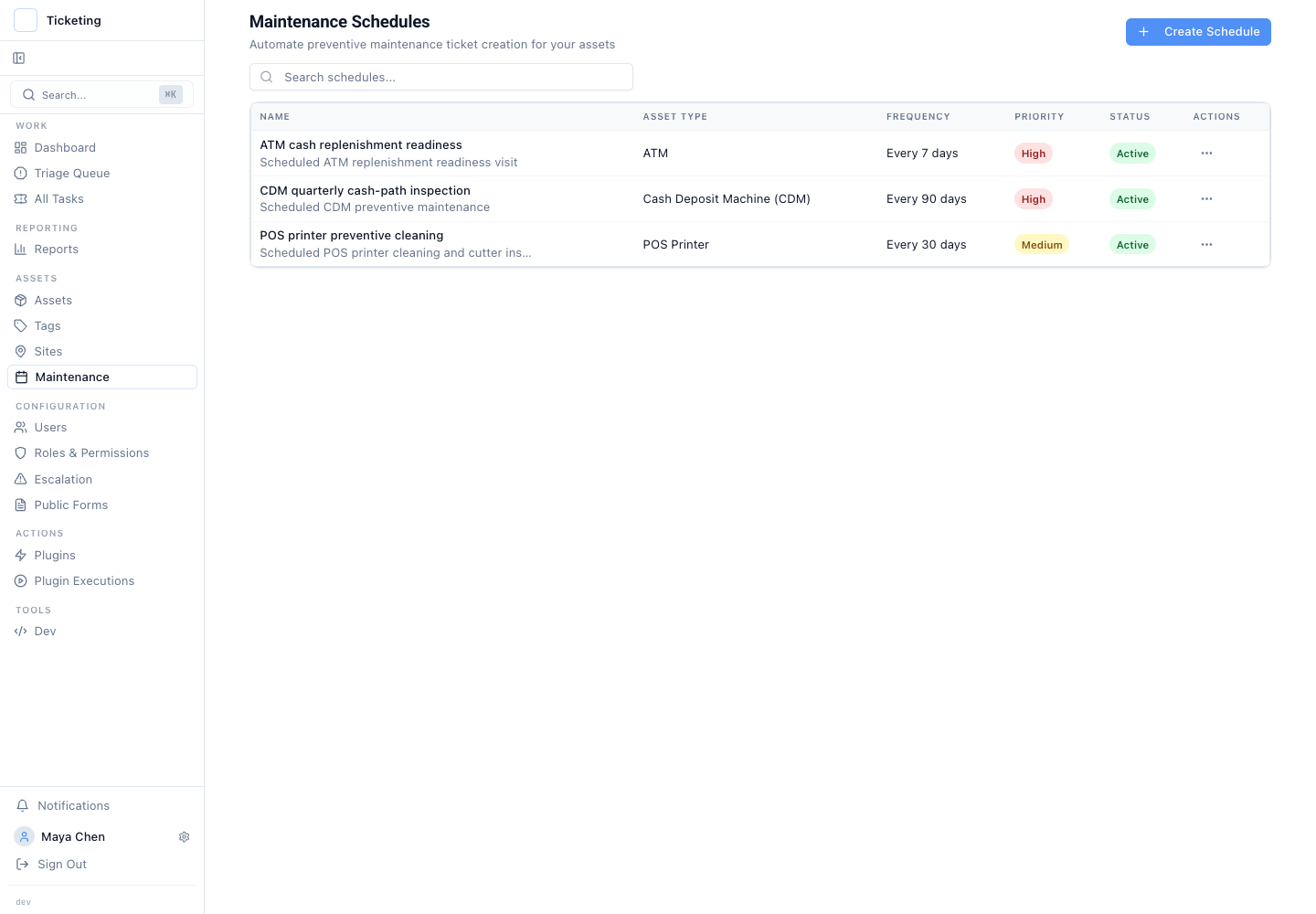
The example includes a seven-day ATM replenishment schedule, a quarterly CDM inspection, and monthly POS-printer maintenance.
Once planned work is tickets, it is reportable without a second system. A saved report can filter by replenishment and preventive-maintenance tags and group by city and status. The review shows where work is assigned, in progress, waiting on access, or complete.
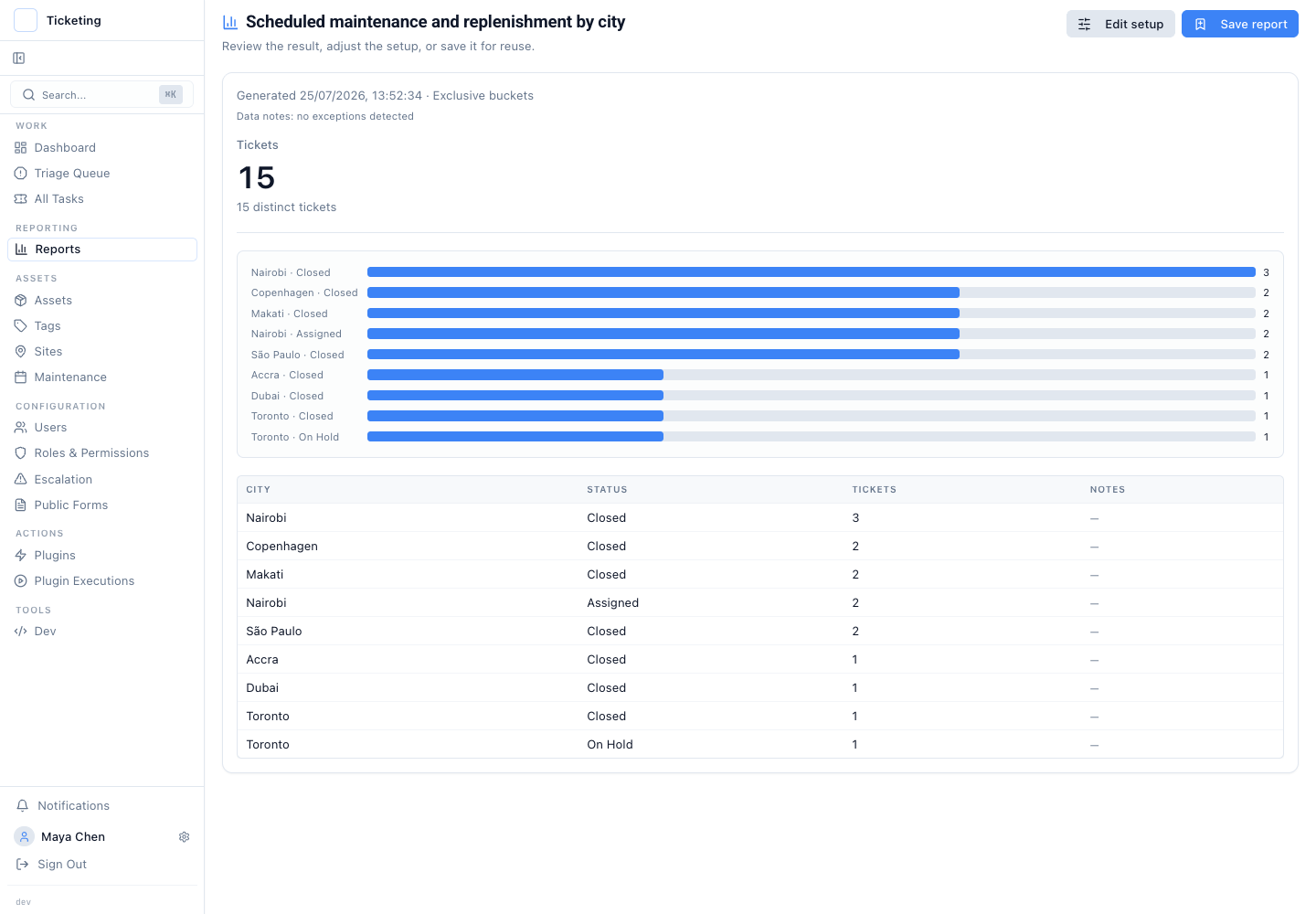
The saved result shows fifteen planned-work tickets by city and status, including assigned work in Nairobi and an on-hold visit in Toronto.
The builder keeps the report definition visible. The measure, time window, filters, grouping, and presentation are explicit. An operator can change the window for the weekly review. They can add a site filter for a regional meeting. They can save a separate personal version for cash replenishment. Standard and saved reports stay intact until the owner deliberately changes the setup.
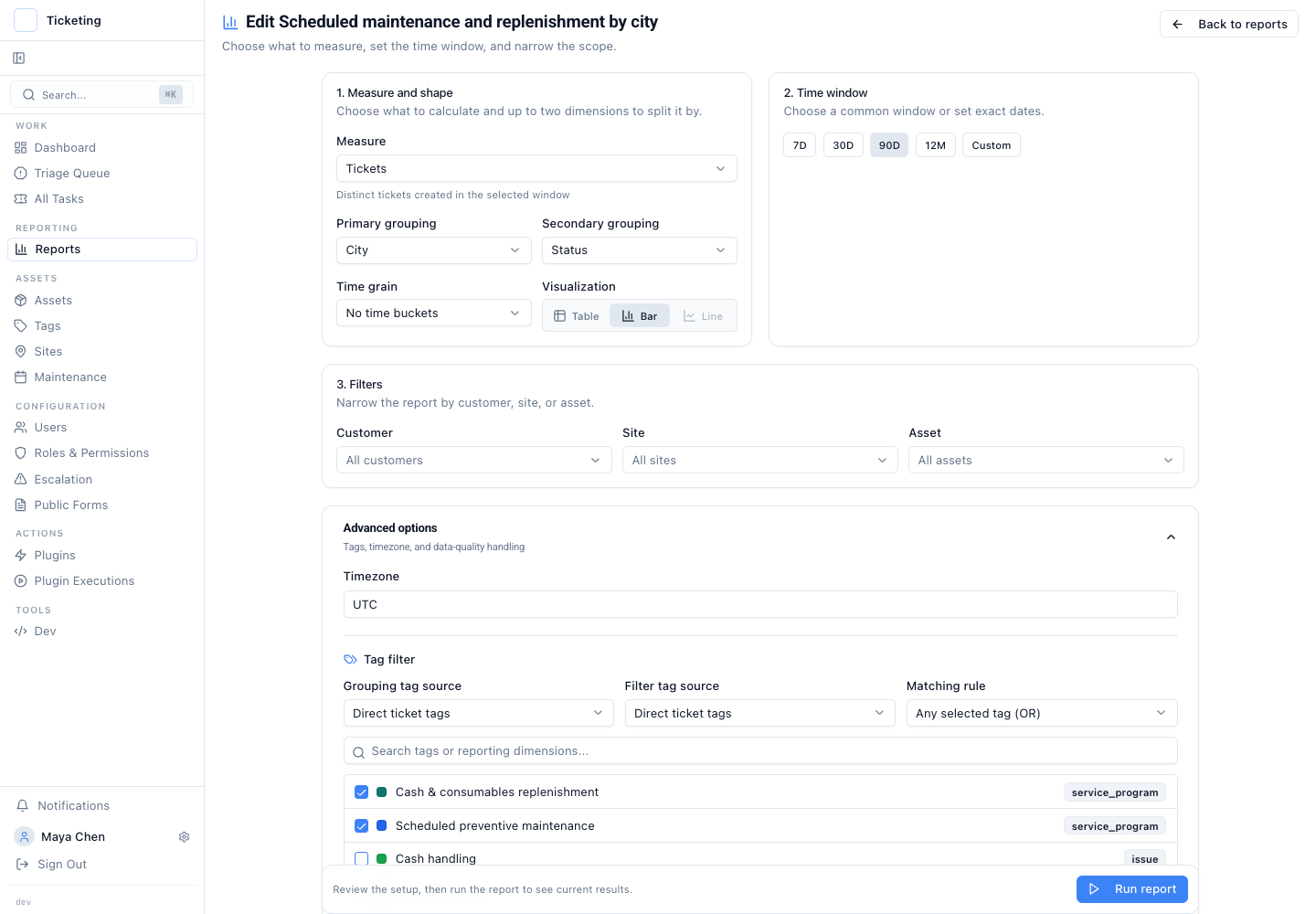
The builder makes the 90-day window, city and status grouping, and two selected planned-work tags visible.
This example has an honest boundary. A report shows the planned work in Latch. It cannot fix a missing maintenance schedule or an unlinked asset. Data-quality notes stay visible. An unclassified ticket is an operational problem, not a number to smooth over.
Save the question, not a screenshot
A saved report preserves the measure, filters, grouping logic, time window, and visualisation for its creator. It does not freeze the numbers. Opening the same URL next week reruns the definition against current ticket data.
That boundary matters. Saved reports are personal definitions, not shared team objects or immutable snapshots. The stable URL gives the owner a repeatable workspace. It does not automatically grant another operator access.
Working-hours-aware measures build on SLA schedules that reflect the hours a team actually operates. Workload and service-intensity views support queue health measures beyond first response. The reporting release extends the ticket-management foundation introduced in the April and May product update.
The operating principle: keep the service work in the ticket record. Save the reporting definition the team will use again. The ticket explains the individual repair or visit. The report shows where the wider operation needs attention.