A rollout spreadsheet can say that four of six branches are complete while the support queue shows a printer fault, a cash-deposit issue, and a card-reader check at the same locations. The team still has to work out which tickets belong to the planned change and which belong to normal service.
Consider a terminal software update across six Nairobi branches. Each branch needs an assigned visit, a recorded outcome, and a handover. The terminals at those branches need to remain visible, and routine support must keep moving while the rollout is underway.
In Latch, one bounded project gives the rollout a finish line. The example and branch records below are illustrative.
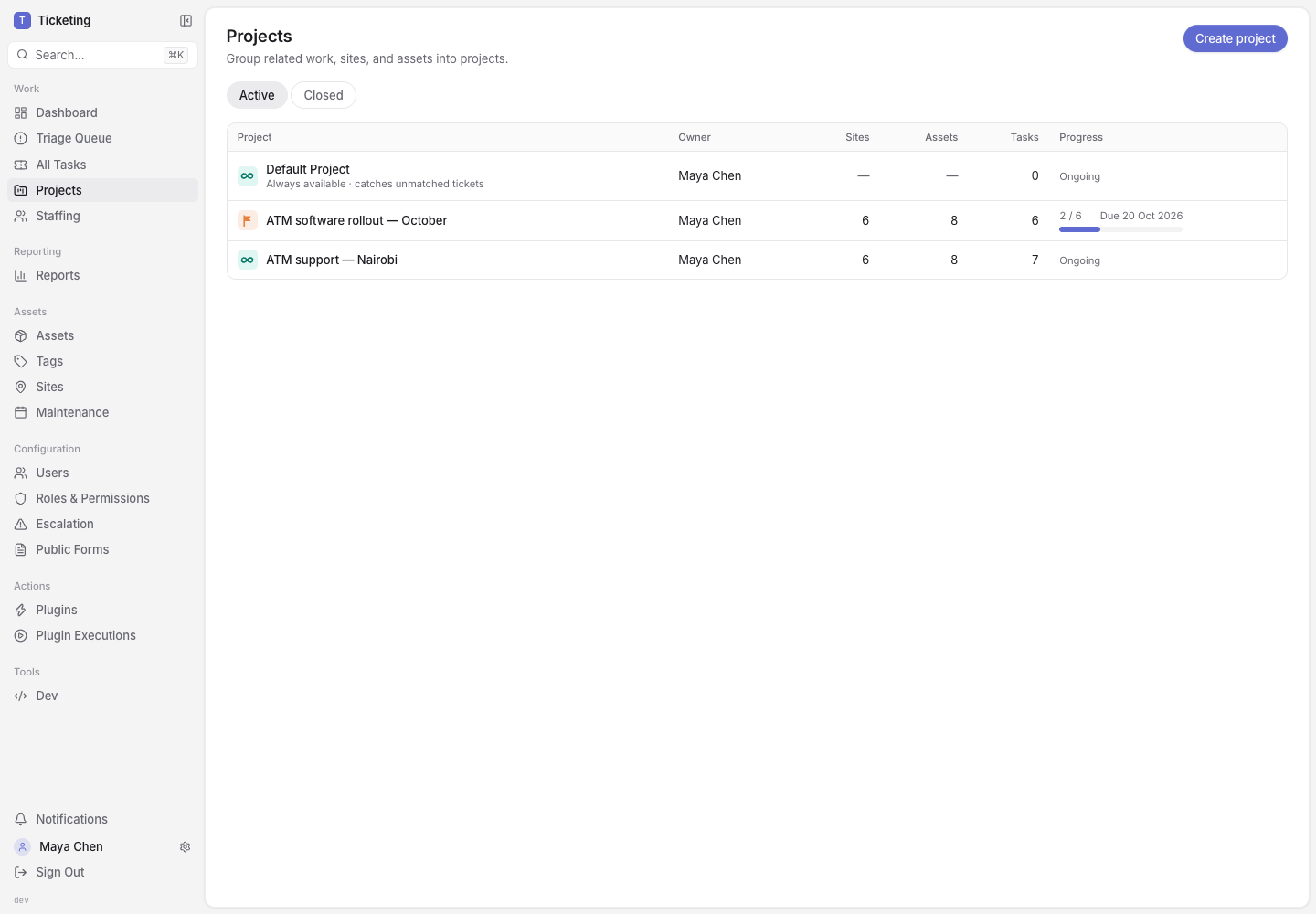
The project list separates lasting support responsibility from work with a planned end date.
Give each branch its own rollout task
Add the six branches to the bounded project. Latch creates one project task for each site. Each task is a ticket with its own assignee, status, activity, and outcome. A technician can record the software check and branch handover against the location where the work happened.
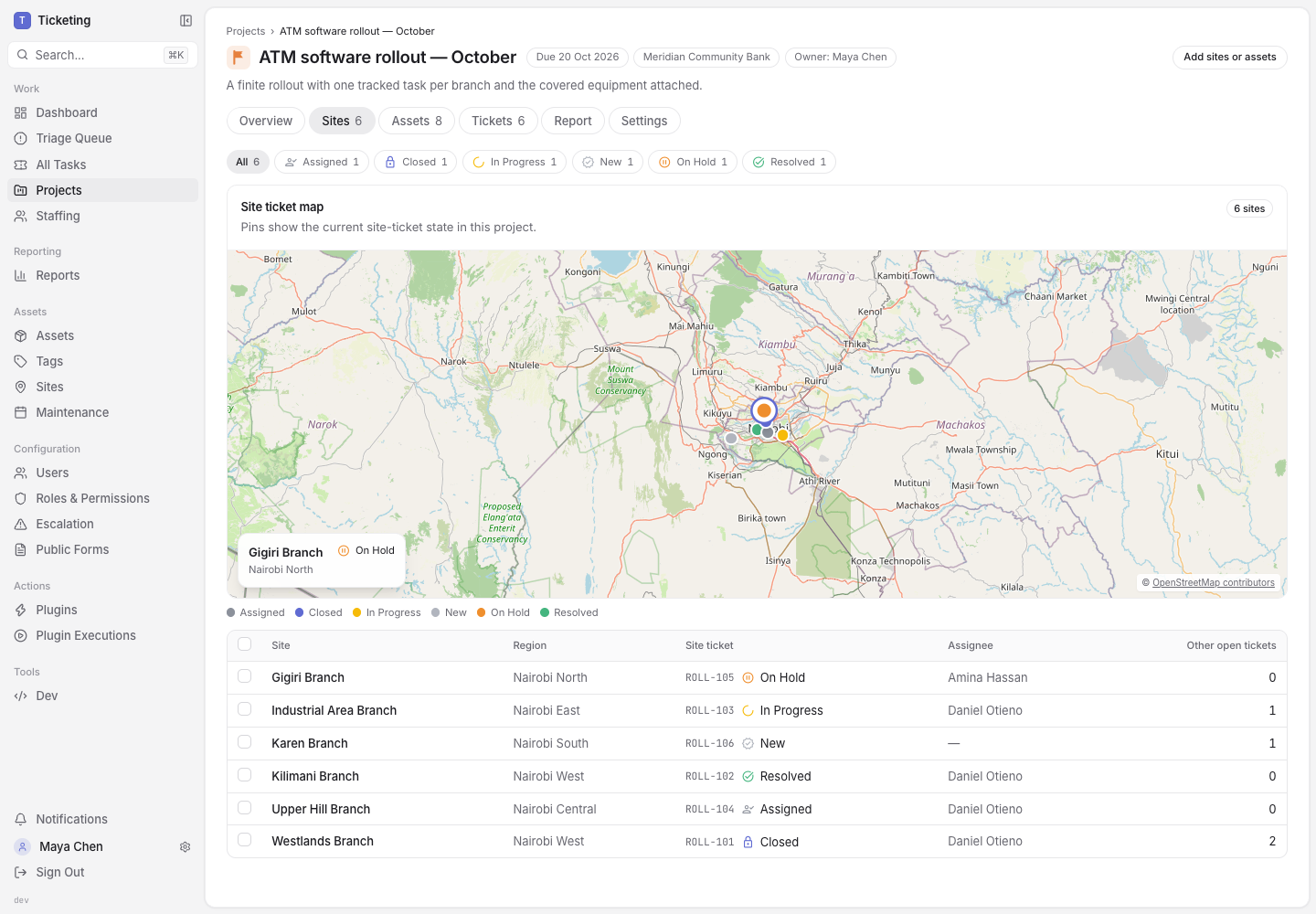
The site view shows rollout progress beside the other open work at each branch.
That distinction makes a multi-site rollout easier to manage than one project ticket with six checklist items. A delayed branch keeps its own status and owner. A branch that finishes can be counted as complete without waiting for the other five. The open-ticket count also gives the rollout lead a view of competing service work at the same location, much like regional service-demand reporting.
Let the site task cover its equipment
The branch is the coordination point, but the terminals are still the equipment being changed. When a site is added, its assets appear in the rollout coverage and point to that site's project task. The manager can see which terminal is covered, its site and operating state, recent faults, and the ticket coordinating the rollout.
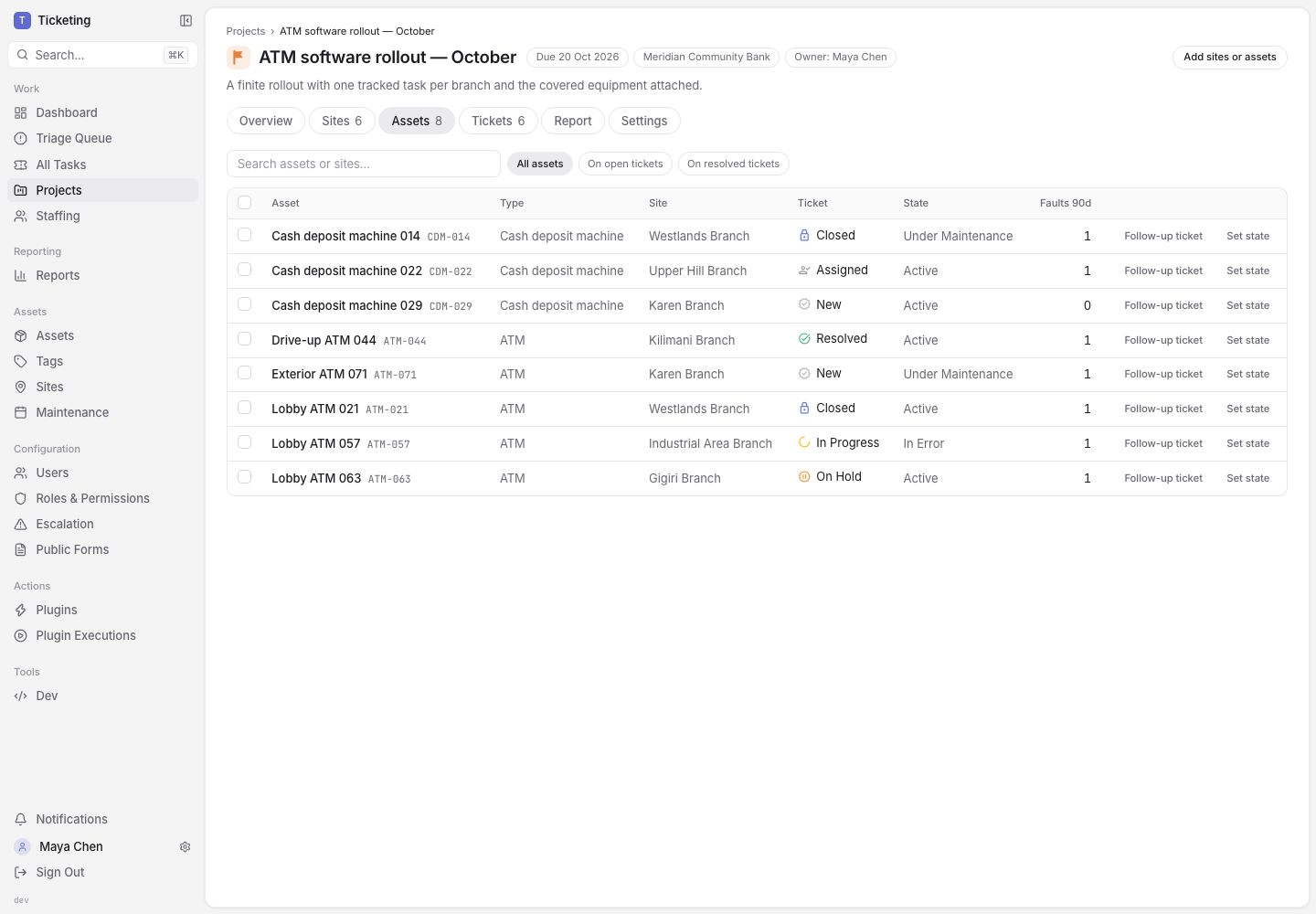
Assets inherit coverage from the site task, so the plan does not create a duplicate rollout task for every machine.
If a change applies to only one device, an individual asset can be added directly. Either way, the asset record remains available for its operating state and service history. That context is useful during a rollout, just as it is for asset-aware field service tickets.
Keep ongoing support moving
The same branch can belong to two useful contexts at once. The bounded project tracks the temporary software update. An open-ended ATM support project continues to receive routine site and asset tickets, including work that does not belong to the rollout.
This overlap keeps a rollout from becoming a catch-all queue. The software task remains the measure of planned change. The printer fault remains support work. Neither record needs to be repurposed to make the project look complete.
The project report then derives progress from the site tickets. Resolved and Closed tasks count as complete; an open task remains open. Regional totals use the same site tasks, so a lead can see where completion is ahead or behind and open the underlying branch ticket for detail.
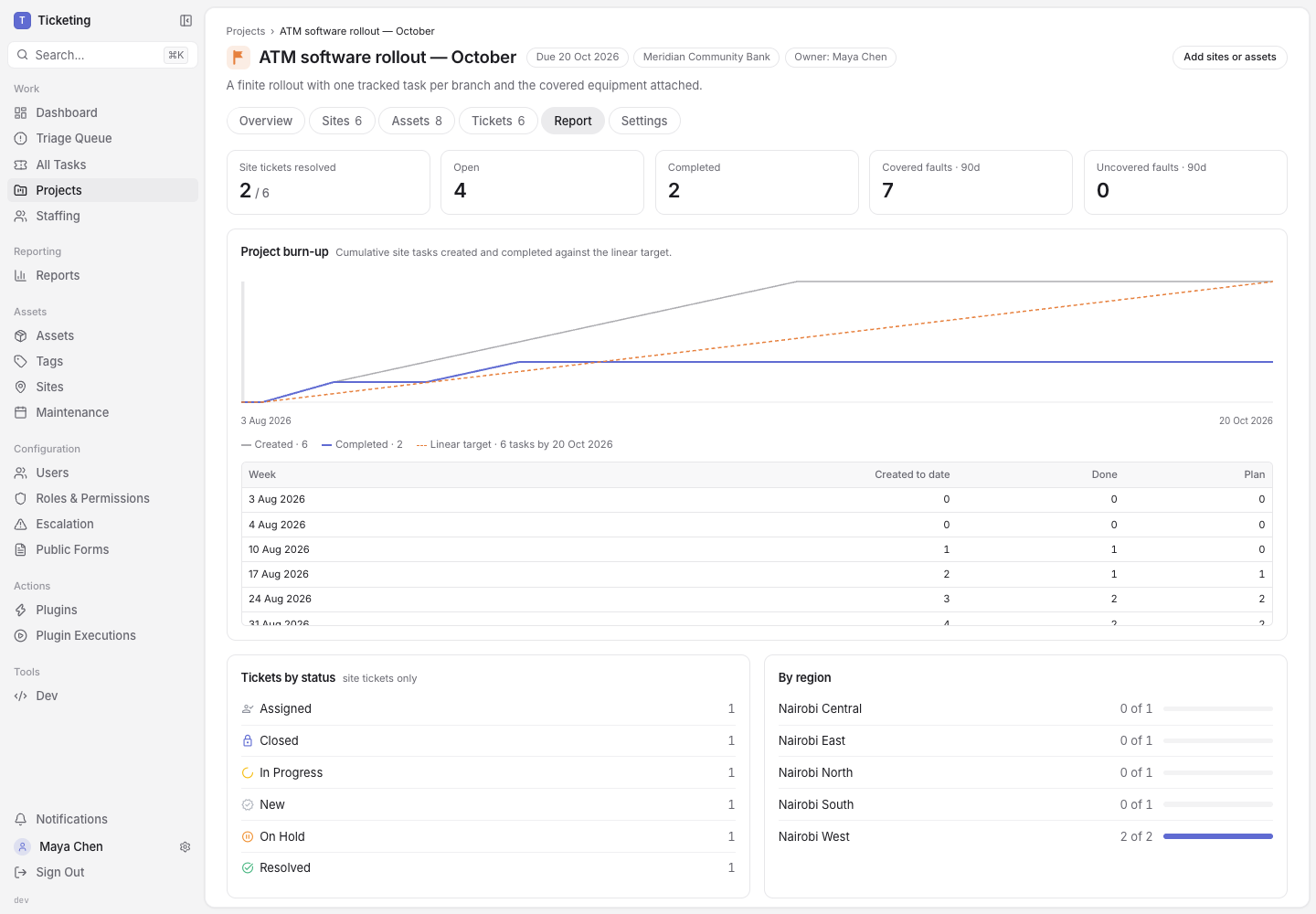
Progress follows completed work and remains traceable to each branch task.
This is more useful than a percentage updated in a status meeting. If closure depends on a complete handover record, teams can define the required evidence in their ticket workflow; the field-work evidence walkthrough shows that pattern. The report reflects ticket state, while the ticket holds the branch-level evidence.
What the project can prove
A bounded project can show which sites are in scope, which task belongs to each site, what equipment is covered, where open support work remains, and how many site tasks have reached a completion state. It does not install the software, verify a device on its own, or replace an engineer's recorded test result. The team still owns the deployment procedure and the evidence that shows it passed.
For a rollout across several locations, that is a useful boundary: one project for the temporary programme, one task per site, assets connected to the right task, and ongoing service work left intact. Explore the Latch workflow or talk through a project model.