A service lead sees a lower happy rate but cannot tell whether one contact, one kind of work, or one request day needs attention. The customer-satisfaction overview starts with the sent requests and responses behind that signal.
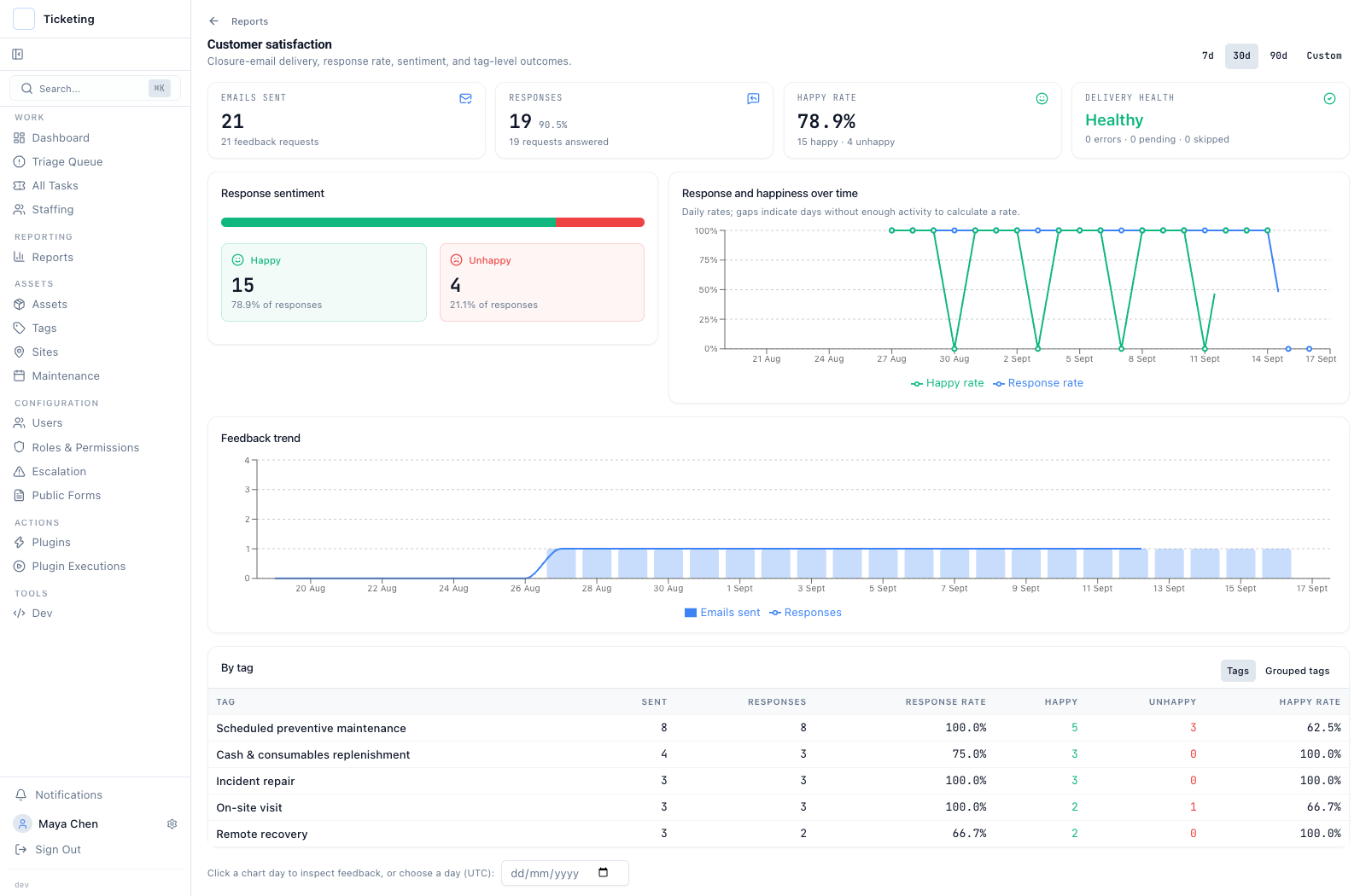 The overview keeps requests sent, responses, sentiment and tag-level outcomes together before an operator drills into a person or a day.
Start with the response boundary
In this fictional example, 21 closure-feedback requests were sent. Nineteen requests received a response: 15 happy and four unhappy. Two remain unanswered.
A sent request records a send state, not a read. The trend chart marks a date worth inspecting. A quiet stretch can mean the day lacked enough activity to produce a rate.
Open the contact history
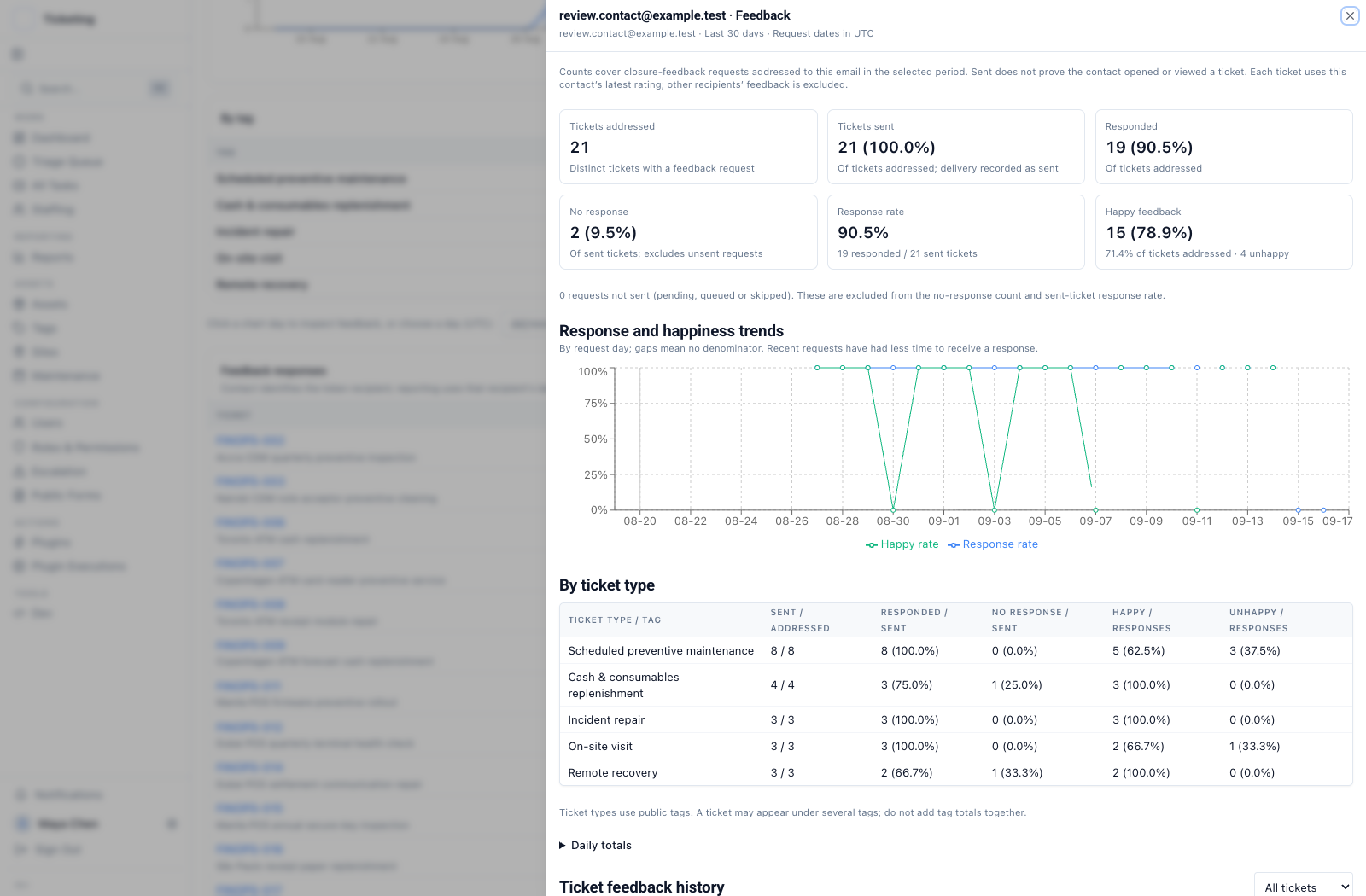 The contact view follows requests addressed to one recipient and uses that recipient's latest rating, without mixing in other recipients' feedback.
No response means a request was sent and the recipient has not responded. Pending, queued and skipped requests stay outside that count. Ticket-type rows use public tags, so one ticket can appear in more than one row.
Check the request day
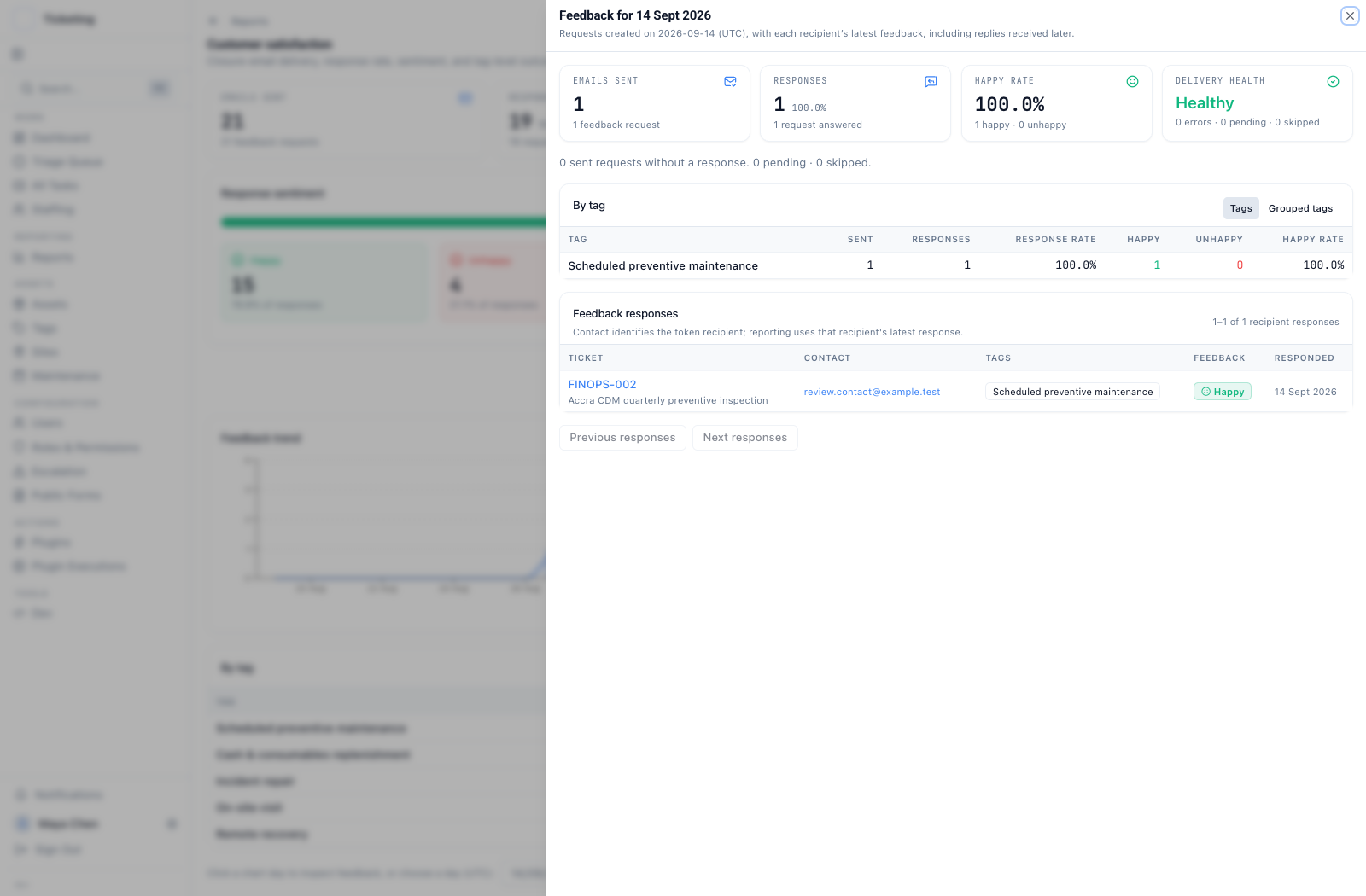 The day view lists requests created on the selected UTC day, then shows each recipient's latest feedback, including a reply received later.
The day view reconnects a pattern to the ticket and contact that produced it. Read the Latch reporting release for a broader look at the reporting workspace.