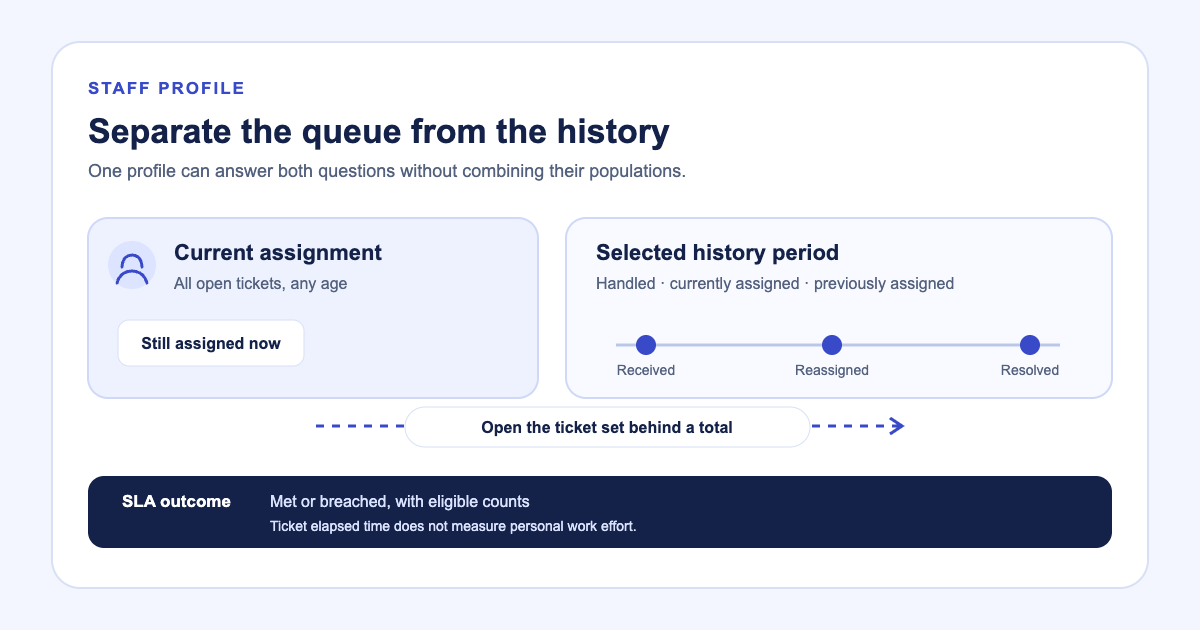
A staff workload total can combine two different populations: tickets still assigned today and tickets someone handled during a selected period. The distinction matters when a ticket was reassigned, closed, or left open past the history window.
Latch’s staff profile keeps the current queue beside period history. A manager can move from a staff member’s profile to the matching tickets rather than treating one card as a measure of effort. In the historical product capture below, Priya Nair has two open tickets; the 90-day filter applies to the separate history view. The sample records are fictional.
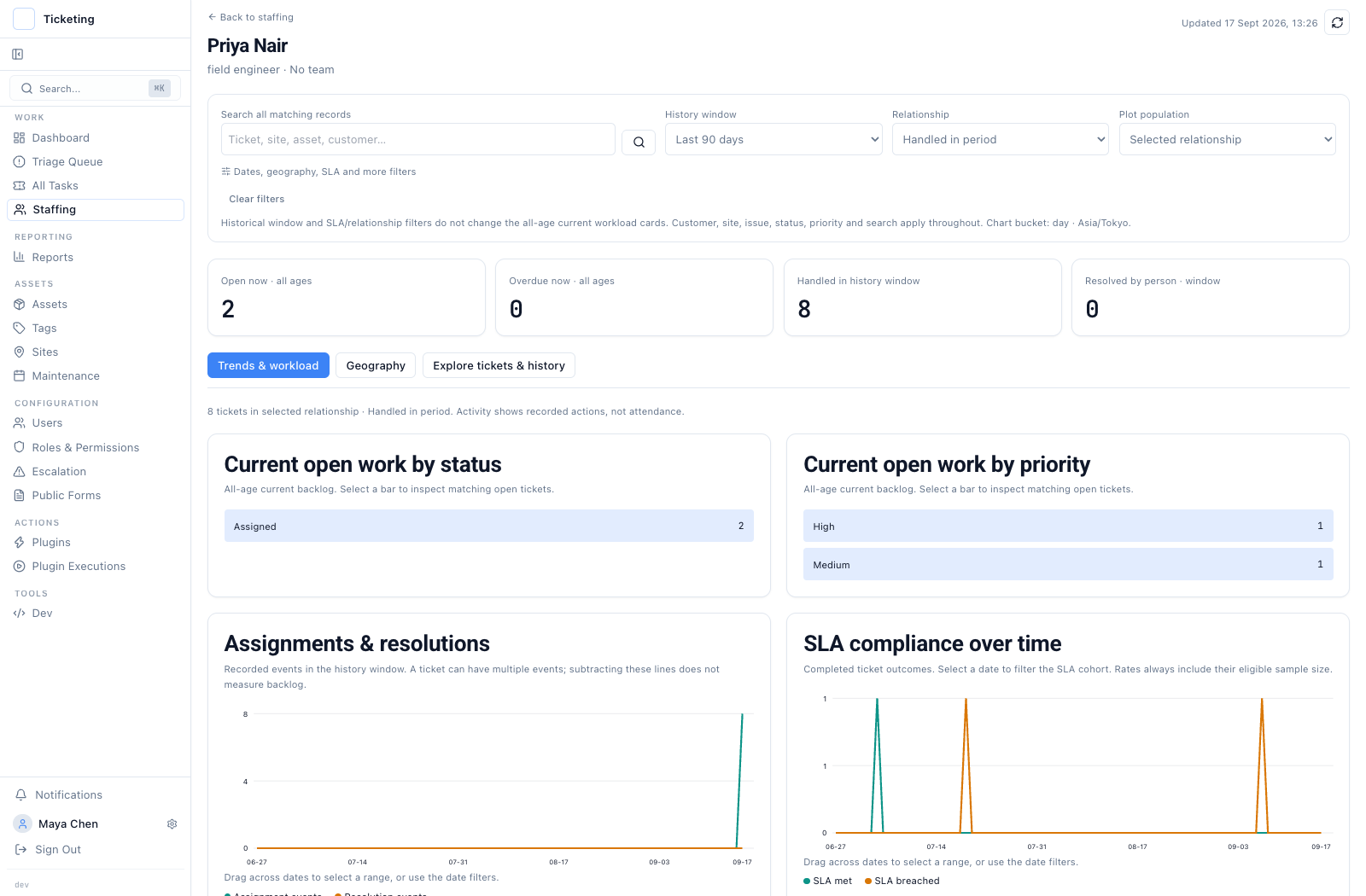
Historical capture from 17 September 2026 with fictional sample data. Current open work includes tickets of any age.
Read current ownership separately from handled history
Current workload follows the tickets assigned to the person now and includes older unresolved work. The selected history window changes period totals. The profile can filter history by relationship, including handled during the period, currently assigned, or previously assigned. If a ticket moved to another person after being handled, the handled-period view can still show the original activity.
Filters narrow the list by customer, site, issue, status, or priority. Charts and dates open the matching ticket set, so an operator can check which records contributed to a total. Current-workload charts reset filters that do not apply to that population. A new Explore entry starts from current assignment, while a drilldown from handled activity preserves that relationship.
These counts describe retained ticket and activity records. They do not establish attendance, personal time spent, or productivity. Missing activity events do not prove that no work happened. Use the profile to understand ticket movement and workload context, not to rank staff by hours worked.
Read an SLA outcome beside its denominator
The SLA view separates completed tickets that met the deadline from those that breached it. A rate needs its eligible ticket count beside it; a percentage based on a few outcomes can move sharply. The target-versus-actual chart plots completed tickets against the working-time allowance recorded for each ticket.
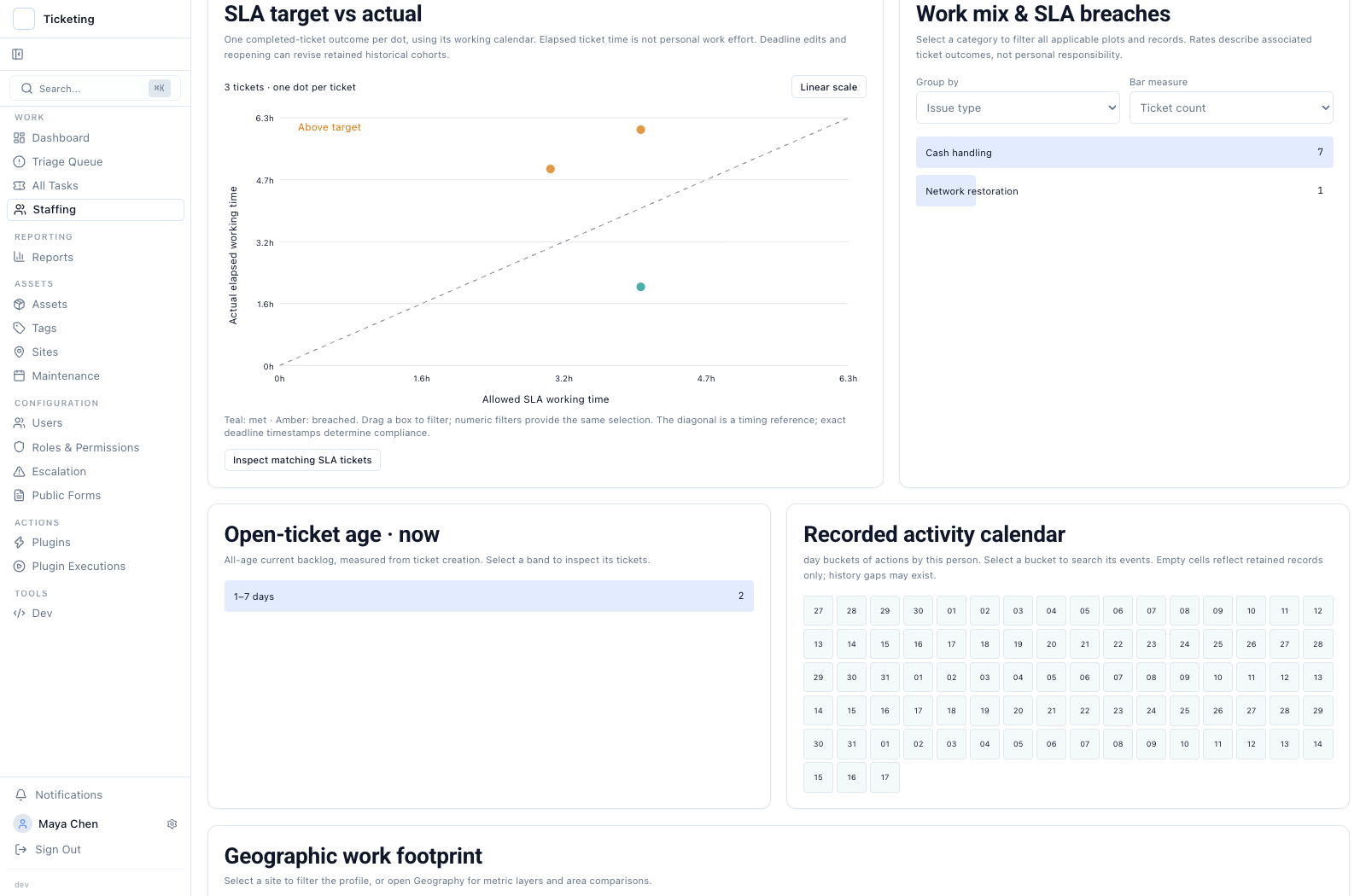
Historical capture from 17 September 2026 with fictional sample data. Each point is a completed-ticket outcome, not a measure of the person’s work time.
When one point falls past its target, open the ticket and review its timestamps, status changes, and SLA policy. Elapsed resolution time belongs to the ticket clock. It is not a proxy for how long the assigned staff member worked on it. The SLA deadline calculator can check the time arithmetic for a policy, while the geographic SLA report groups eligible outcomes by site.
Use the profile as a path to evidence
Start with the population that matches the question: current ownership for the queue today, or handled activity for work during the period. Then open the underlying ticket and its history before drawing a conclusion about the handoff or outcome. The staffing forecast covers modeled demand and recurring schedules; it keeps those planning inputs separate from recorded ticket history. The reporting workspace explains how other report totals define their date windows. A collaborator who should see only tickets they own needs the separate Ticket Owner access model, not a workload chart as a permission boundary.