A field engineer arrives at a remote site, opens an assigned ticket, and begins reviewing the asset history. Then the connection disappears. In most systems, that is the end of the interaction. A blank screen, an error toast, and a forced restart when the signal returns. The engineer loses the context they had already loaded. They lose any note they had started typing. They lose time.
Latch handles that sequence differently. It does not guarantee new server data will appear while the device is offline. That would be dishonest. It guarantees the work the engineer already had in hand stays in hand.
Online: The Full Ticket Loads Up Front
A live connection loads the assigned ticket in full. Customer details, site address, asset information, and the ticket timeline load from the server. The engineer can read the history and add notes. Decisions are recorded on the ticket. The mobile view keeps the key facts above the fold. No collapsing sections hide the site location or the latest instruction.
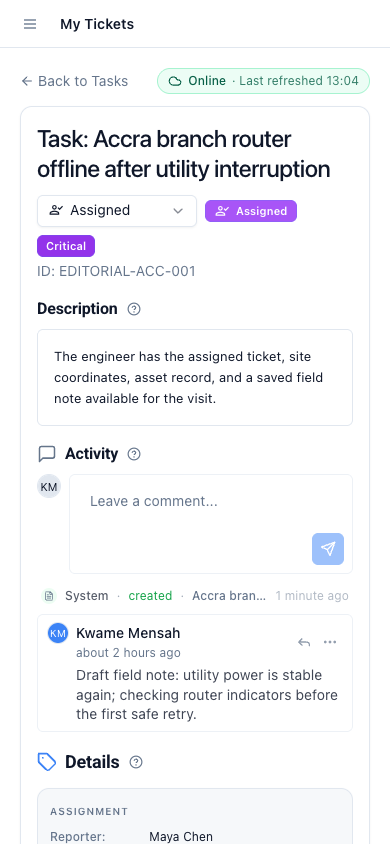
Connection Loss: The Loaded Ticket Stays Visible
When the signal drops, the screen does not go blank. Previously opened assigned tickets stay visible from a local cache. The engineer can scroll through the ticket details and read the history. Customer information loaded before the interruption stays available. The interface marks the record as offline and stale. There is no ambiguity: the engineer is looking at a snapshot, not a live record.
Stale markers serve a safety function. If the ticket is reassigned while the engineer is offline, the cached view still shows the old assignment. The marker tells the engineer to verify before proceeding. That is not a flaw. It is the honest surface the situation requires.
Durable Drafts Survive the Drop
Notes are the fastest casualty of a dropped connection. An engineer types a paragraph describing the site condition. The connection fails halfway through. In many field tools, the draft is gone. Latch persists text drafts through connection losses and page reloads. If the engineer closes the browser tab and reopens it, the draft is still there.
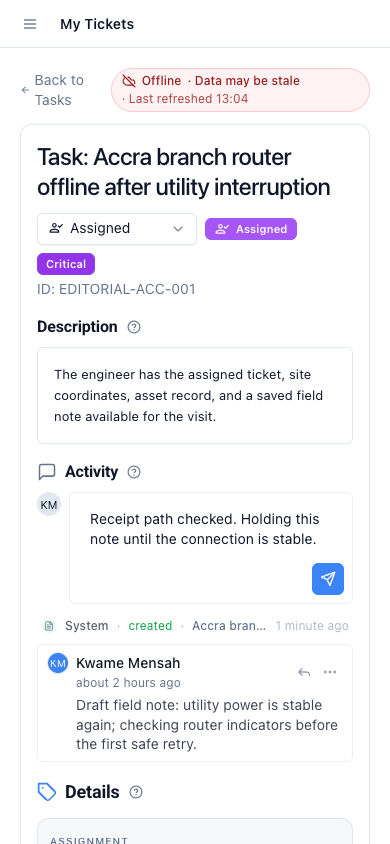
Drafts are stored locally and stay tied to the specific ticket. They do not conflict with server data because they are not yet submitted. The engineer can continue editing offline and submit when the connection returns.
Safe Retries: Idempotent Submissions Land Once
When the engineer taps submit after a reconnection, Latch handles the request idempotently. A repeated submission attempt, from a retry button or a page reload, does not create duplicate notes. The server recognises the submission as the same action and applies it once. The engineer does not need to check whether the note landed. There is no duplicate to delete.
The Boundary: No Fresh Data Without a Connection
This model has a deliberately hard edge. A ticket that was never opened while the device was online cannot appear from the cache. There is no local store that mirrors the entire assigned queue. The engineer must have loaded the record at least once before the signal dropped. An engineer who arrives at a site without having opened the ticket has no cached view. The expectation is that brief connectivity at dispatch or during travel is enough to load the day's assignments. That is a tradeoff, stated openly, because it shapes how teams should schedule the first load of the day.
Recovery: The Stale View Returns to Live Data
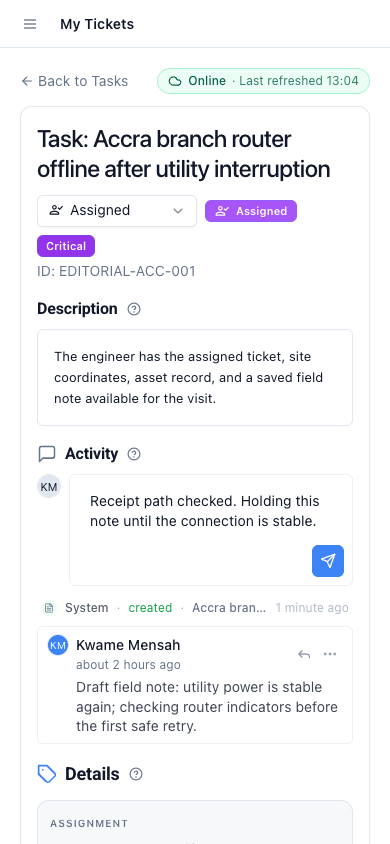
When the connection returns, the ticket updates automatically. The stale marker clears. New comments, reassignments, or status changes from the operations team load into the timeline. The draft, still present, can now be submitted. The engineer moves from a local, cached view back to the live record without restarting the session. The recovery path is the same surface the engineer was already using. No modal says "reconnect to continue." No forced logout. The system picks up where it left off.
Continue reading: the field-service release overview, assigned-ticket access for field engineers, asset context for field-service tickets.