A damage photograph. An installation sign-off. An asset label from a previous visit. Ticket photos are evidence, but on a weak connection they become the slowest part of field work. A 4 MB original over patchy 3G stalls the screen and makes the timeline unreadable. The engineer cannot confirm which image to reference without waiting. While they wait, the work stops.
The problem is not image size. It is that the system demands full-resolution delivery before the engineer can act. Many ticket tools do this. They load every attachment at maximum quality, regardless of what the engineer needs.
Thumbnails Keep the Workflow Moving
Latch serves protected image thumbnails on the ticket timeline when the connection is slow or when the device requests a bandwidth-conscious view. The thumbnail is not the original. It is a reduced-size version, still authenticated, that loads quickly enough for the engineer to scroll and spot the right evidence. The engineer then decides what needs closer inspection.
The security model stays the same. A thumbnail is served only when the engineer's role permits viewing the attachment. No public URLs. No evidence leaks outside the authenticated session.
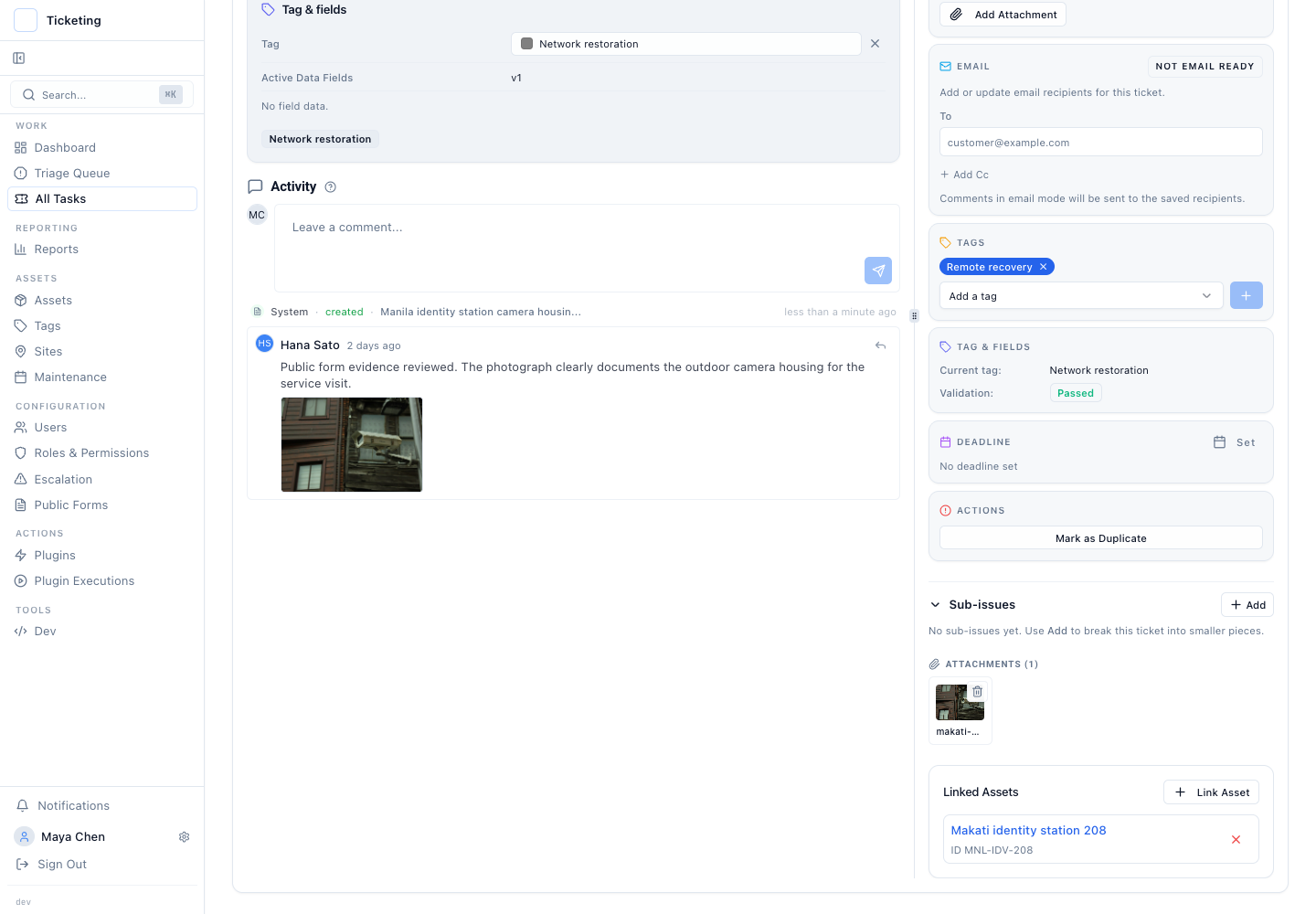
The Original Loads on Demand
Thumbnails cover most in-field decisions: confirming a photo exists and recognising the asset by label. When the engineer needs fine detail, Latch allows a deliberate request for the original. The reason can be a serial number, corrosion, or the need to share a full-resolution file with a remote specialist. The full image loads on demand. The system does not force the download before the engineer can interact with the timeline.
The default stays fast. The bandwidth-intensive step stays optional. An engineer on a weak link can wait until they are back in range before pulling originals. The decision belongs to the operator.
This Release Adds No Offline Queues
This update does not add offline image queues. An engineer cannot capture new photos while disconnected and have them upload when the signal returns. That capability sits outside the current scope. The release only makes existing ticket evidence practical to view and reference on constrained connections.
It also does not compress images on the client side. Thumbnails are generated server-side. The full-resolution originals remain unaltered. The engineer always has a path back to the unmodified file when evidentiary integrity matters, for example during an insurance claim or an audit that demands the exact original capture.
Authenticated Access Does Not Change
Images in a field ticket often contain sensitive information: customer premises, equipment serial numbers, damage assessments that carry financial consequences. Making them available through thumbnails should not weaken that boundary. Latch enforces the same authentication and role-based access controls for thumbnails that it does for originals. The delivery format changes. The permission check does not.
This small architectural detail carries operational weight. A field engineer in a shared workspace should never worry that a thumbnail can be shared by pasting a URL. The system exposes no unauthenticated paths.
The Operating Principle: Speed and Access Control Together
Ticket evidence is only useful if it loads. On a job site with poor connectivity, speed and access control must travel together. Protected thumbnails give engineers enough context to keep working. On-demand originals give them the full detail when the circumstance demands it. Neither compromises the evidence record. That is the tradeoff this update makes explicit.
Continue reading: the field-service release overview, connection-resilient field ticket handling, asset context for field service tickets.