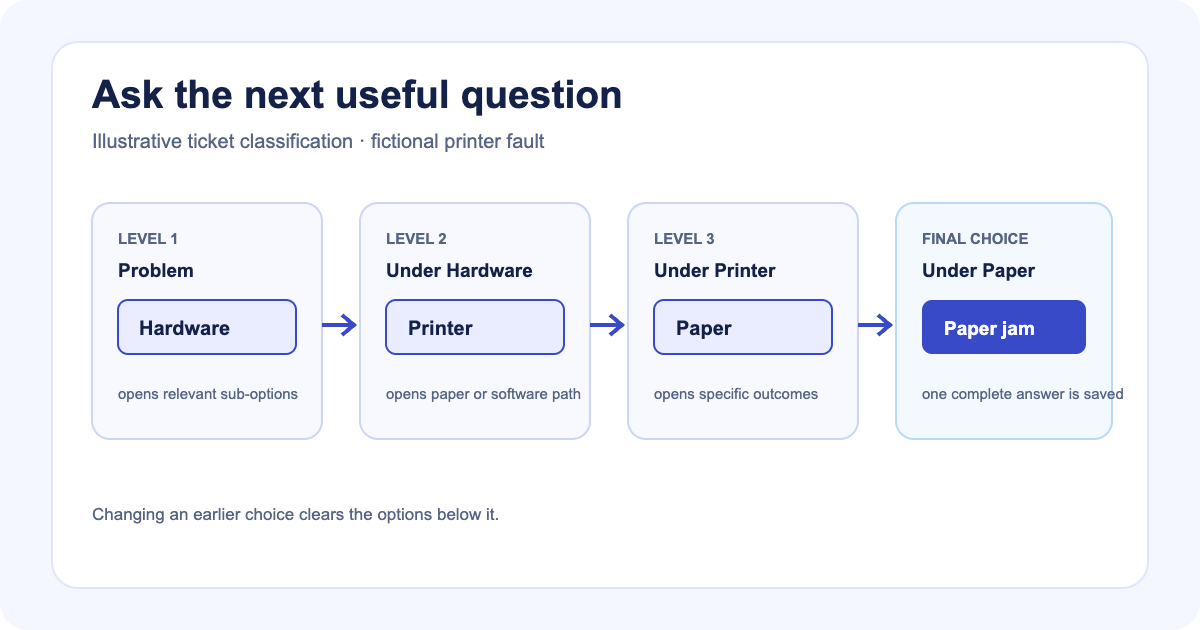
A flat dropdown can hold every answer and still leave the operator with the wrong question. “Paper jam,” “login timeout,” and “cash not dispensed” sit together even though the useful next detail depends on the kind of fault.
Latch adds a Nested Choice List to ticket-type custom fields. The operator chooses a broad category first, then sees only the options beneath it.
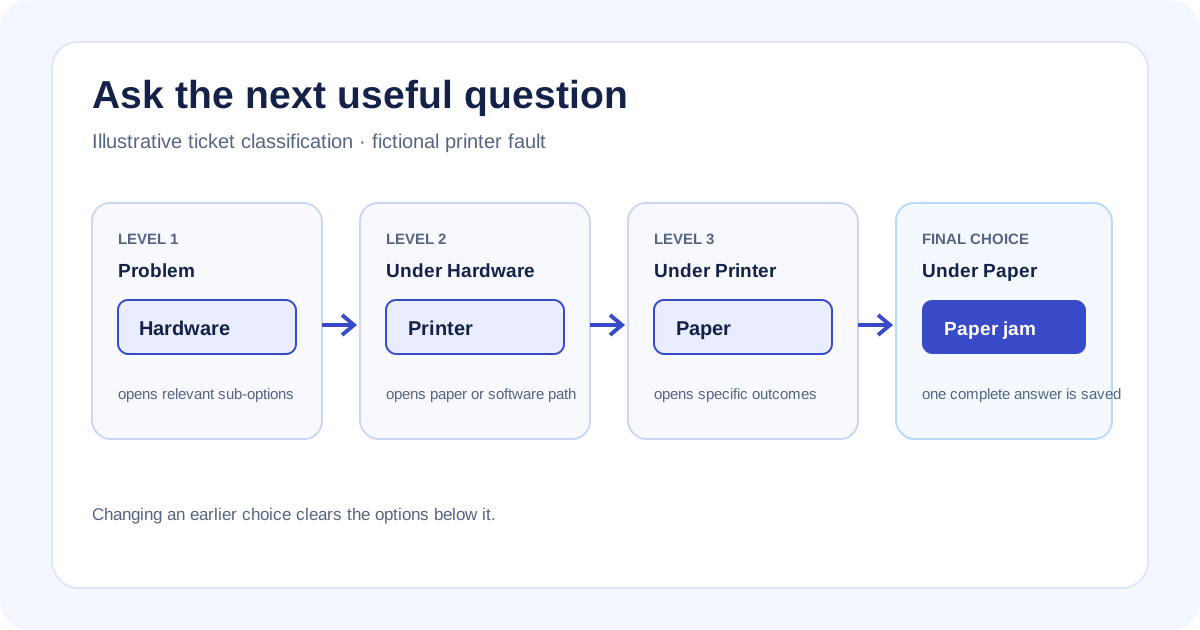
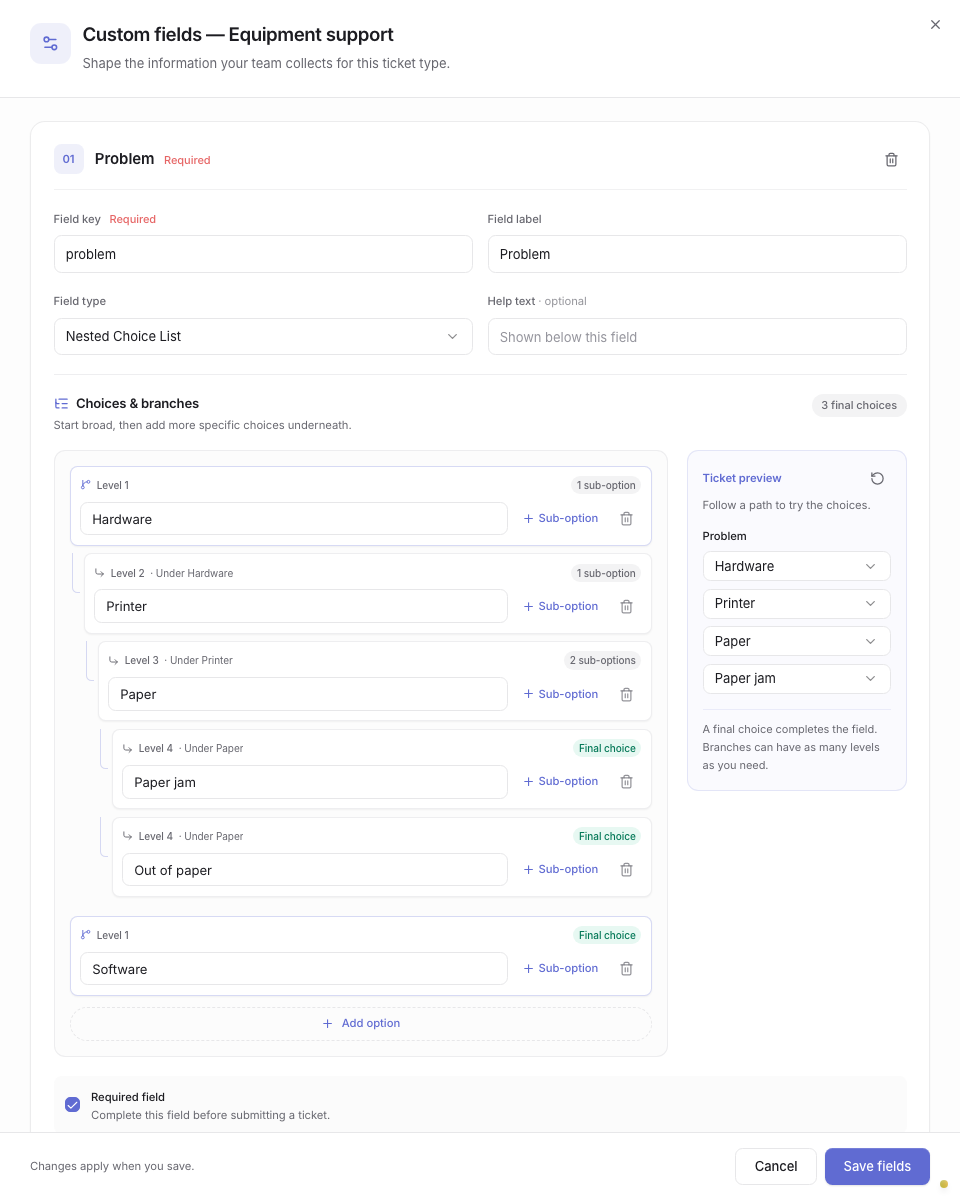
Synthetic fictional sample data; nested-choice editor captured 2026-09-29.
Keep each answer in its branch
Consider a fictional receipt-printer ticket. The operator selects Hardware, then Printer, then Paper, then Paper jam. A software branch can stop at a single final option while the hardware branch continues through more detail.
Each dropdown contains the children of the selection above it. The field records one final choice, and the ticket restores the full path when reopened. That gives a report or a second operator a readable classification without asking them to infer the parent categories from a flat label.
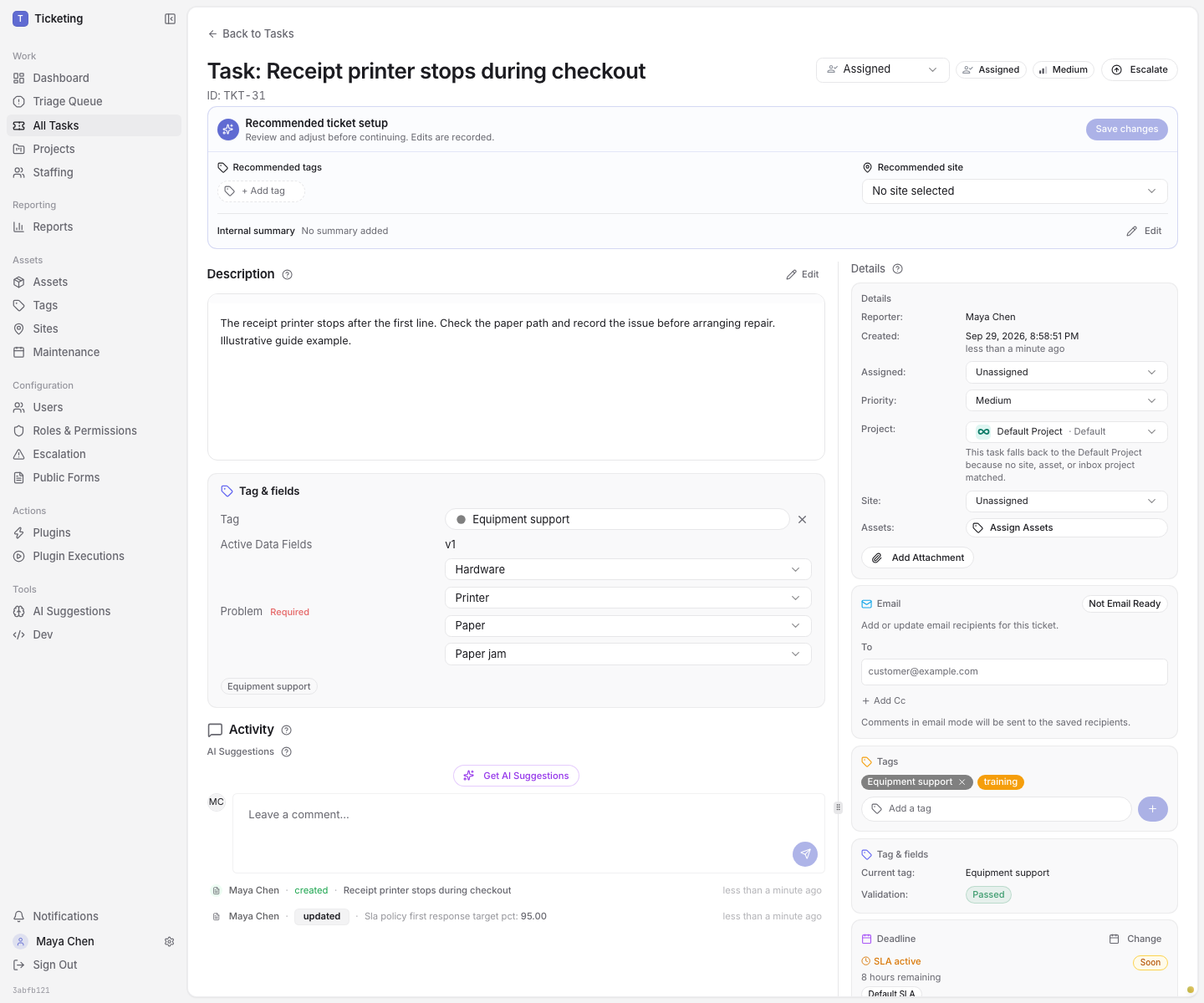
Synthetic fictional ticket data; completed path captured 2026-09-29.
The field is configured under Tags by opening the ticket type’s custom fields and selecting Nested Choice List. Add top-level options, use Sub-option to build each branch, and try the path in Ticket preview before saving. Mark the field required when each ticket of that type needs a complete classification.
An unfinished branch is not an answer
Selecting Hardware opens the next dropdown but does not complete the field. If the operator changes Hardware to Software, the lower selections clear; Paper jam cannot remain attached to the new branch. The path must end at an option with no children.
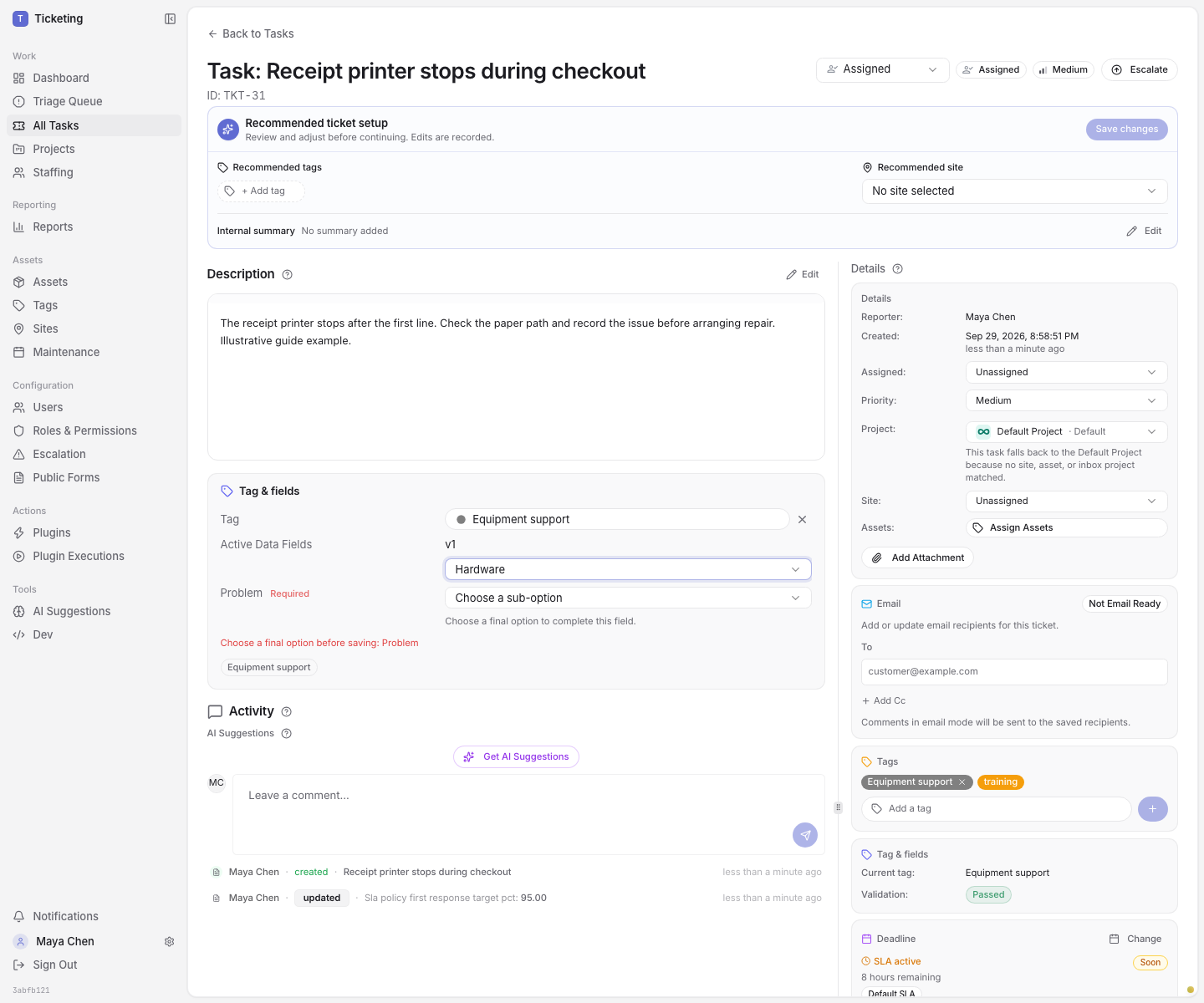
Synthetic fictional ticket data; unfinished path captured 2026-09-29.
An unfinished path stays in the form and blocks submission or autosave until the operator chooses a final option or clears the field. A required field also cannot remain blank. An optional field can be empty, but a path that has started still needs to reach a final choice.
The server checks the final submitted value against the ticket-type definition. The tree organizes classification; it does not route the ticket, configure approvals, or make other fields appear. Public form dropdowns remain single-level lists.
Change a used list with its tickets in mind
Renaming an option keeps its identity when the meaning stays the same. Removing an option, or adding children below an option that used to be final, changes which answers are valid for future edits. Existing ticket values are not automatically migrated. Review affected tickets and choose an available replacement when the saved value no longer fits.
A nested list is useful when the operator’s next question depends on the answer just given. Keep one flat list when the options already scan cleanly in one menu. For a step-by-step setup and change workflow, use the Nested Choice List user guide. The GPS field example shows how typed inspection values can sit beside a classification, and the replayable walkthroughs show a fixed example in the Classic interface.
The saved classification stays with the ticket for reporting workspaces to inspect alongside its other fields. Projects supply the site and asset context around that record.