A report that measures ticket outcomes against today's SLA configuration answers the wrong question. The question is not what the policy says now. It is what the policy required when the ticket was open and the clock was running. A team that tightened resolution targets last month cannot fairly judge December tickets against the new numbers. That is exactly what happens when reporting reads only the current policy. The output looks precise. It is not.
The fix is a snapshot. It is an immutable copy of the SLA policy written onto the ticket when the ticket is created or the policy is selected. The snapshot lives with the ticket record. It outlasts any later edit to the policy definition. This article covers what the snapshot captures and what the reports show. This matters to anyone explaining a quarterly SLA figure to a customer or an auditor.
The snapshot holds the policy that governed the ticket
When a policy is selected for a ticket - default, tag-specific, or manual - the system records the fields that describe the commitment that governed that ticket:
- Policy source - whether the policy came from the default configuration, a tag match, or a manual override.
- Policy tag or name - the tag that triggered the selection (for tag-specific policies) or a label identifying the general default.
- First-response objective and minute threshold - the target that was in effect when the ticket arrived.
- Resolution objectives and minute thresholds per priority - the target for Critical, High, Medium, and Low priorities as they stood on the ticket's opening date.
- Overall and priority target percentages - the attainment thresholds used to assess the selected policy.
- Working-hours basis - the clock window (for example, 9-to-5 local or 24/7) that determined when the countdown ran.
These fields are stored alongside the ticket, not derived from live configuration. A later change to targets or working hours leaves the historical record untouched. The report asks the ticket what it was measured against, not what the current settings would guess.
Policy drift makes reports untrustworthy
Without a snapshot, SLA reporting relies on the assumption that today's policy describes yesterday's commitments. That assumption fails under routine operations. A team changes a resolution target from 480 minutes to 240. A quarter-end report pulls the current 240-minute value and applies it to all open and closed tickets in the period, including those governed by the 480-minute target. The report says 30% of tickets breached the 240-minute window. The actual breach rate under the policy in force at the time might have been 8%. The difference is not a measurement error. It is a reporting design error.
Policy drift also hides over-performance. When the old target was tighter than the new one, tickets that met the old standard might look as if they failed under the new, weaker requirements. Neither direction is useful. Both undermine the team's ability to tell an honest story about what happened.
The report separates ticket populations by policy
A policy-aware SLA report groups tickets by the policy that governed them. The report distinguishes three populations:
- Default-policy tickets - no tag matched, so they carried the general SLA policy.
- Tag-specific policy tickets - they matched a tag that selected a complete policy, with its own targets and working hours.
- Manually set policy tickets - a policy was applied directly to the ticket outside the tag-selection path.
Each population shows its own set of objectives, targets, and breach counts. A single dashboard can display both the on-site policy's 2-hour first-response rate and the remote policy's 4-hour rate. It does not blend them into a single percentage that misleads everyone.
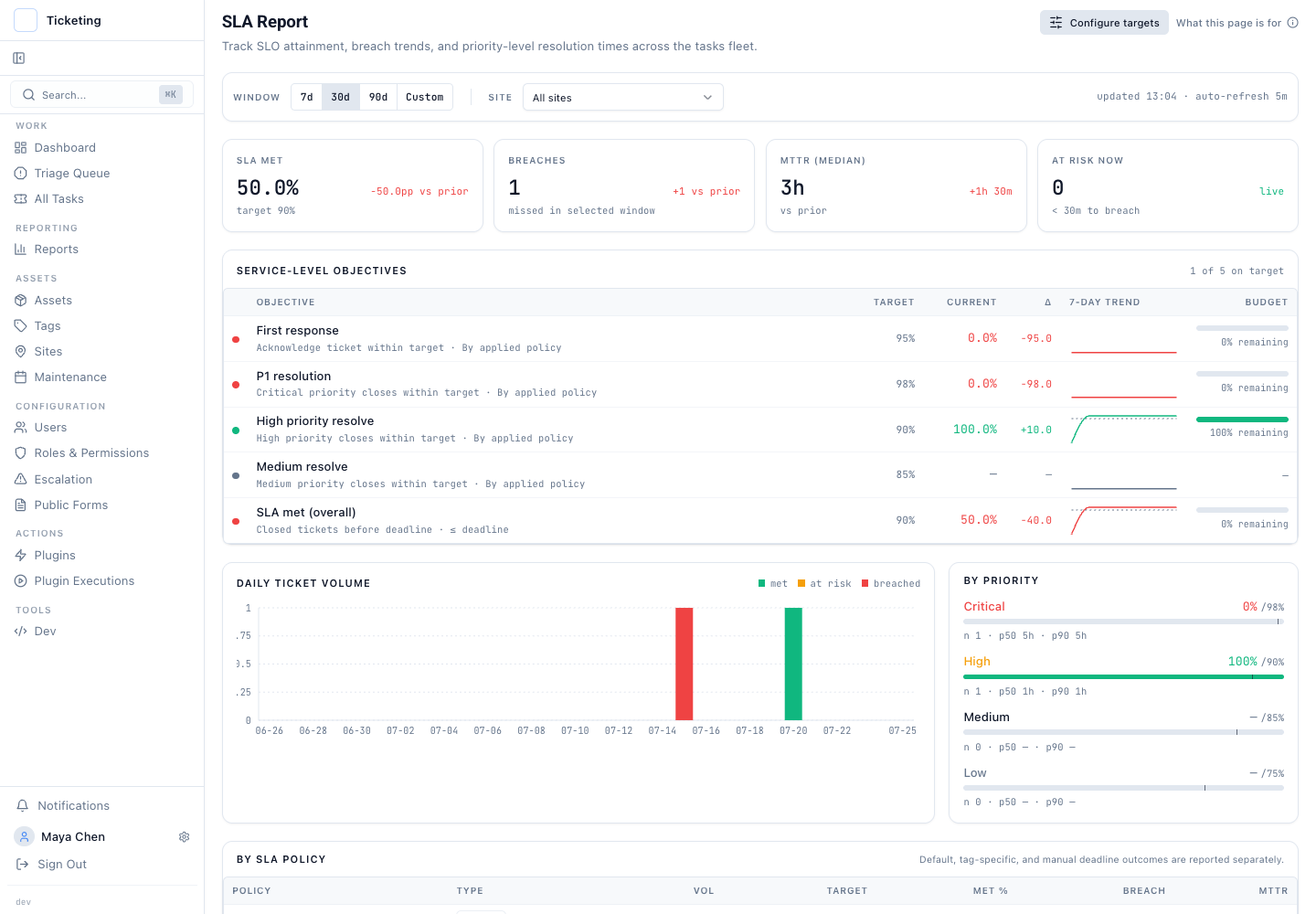
This separation is not a cosmetic feature. It is the difference between a report you can act on and a report you will spend the next meeting explaining away. The team opens the ticket and sees the 2-hour target that was in force. That explains why an on-site ticket took three hours to acknowledge. In an internal audit, the auditor sees the commitment at the time, not a recalculated number.
The snapshot is part of the control story
The snapshot is a record of the commitment that applied. It complements the audit trail on the ticket, which records how the ticket changed over time. Together, the two records answer the two questions a reviewer will ask: the commitment that applied and what happened during the work.
The tag-specific SLA release overview describes how policies are selected by tag and how the deterministic rule resolves conflicts. The configuration guide walks through building and testing tag-specific policies before rollout.
A report that can only read the current configuration is not a report. It is a guess with a number attached.